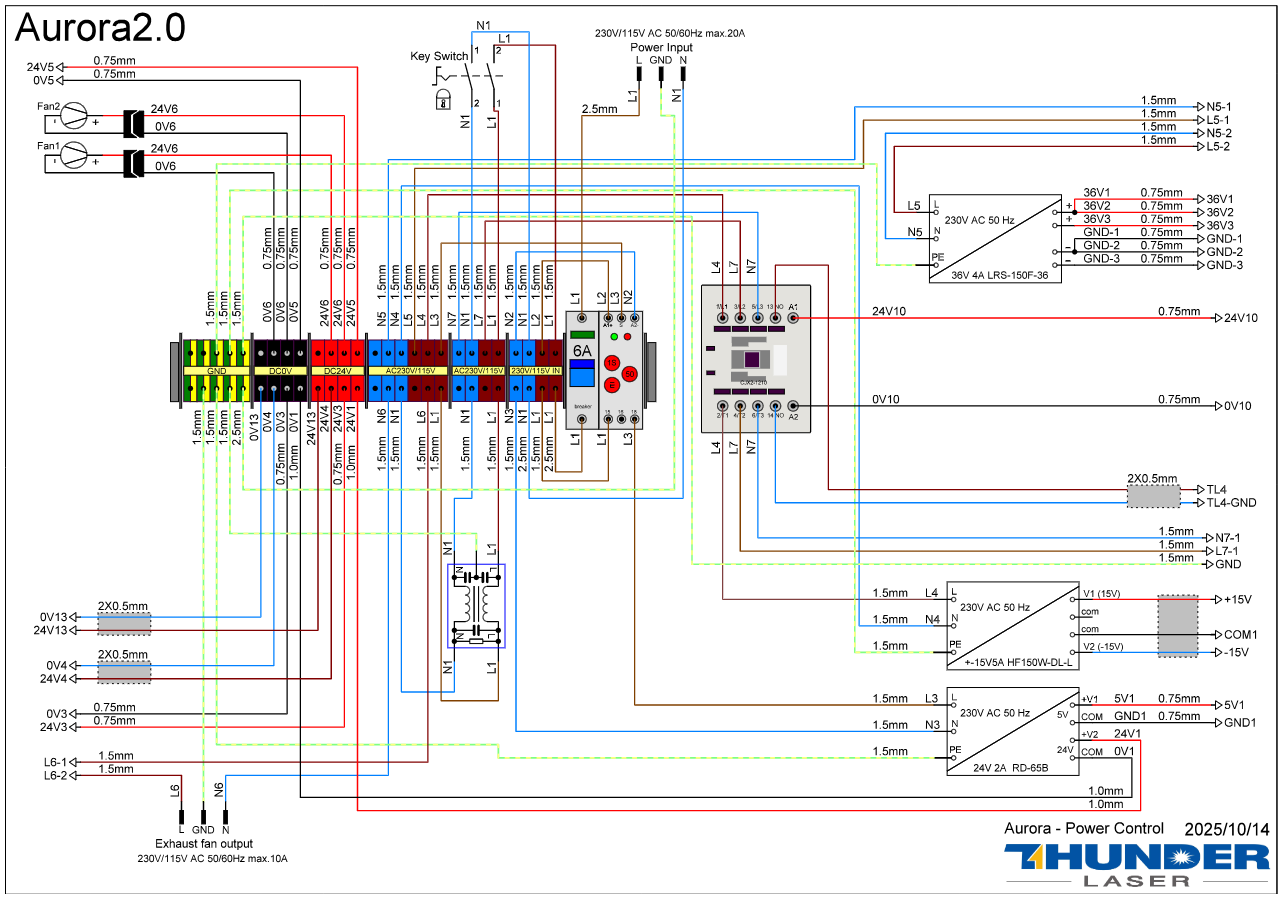
Aurora 2.0 Series Wiring Diagram TL Timer v9.6
Full Schematics: Aurora V9.6 Schematics (Pick based on the model that you have)
How to import
- Download the
.clblibrary file above. - In LightBurn, open the Material Library window (Window ▸ Material Library).
- Click the load icon and choose Load an existing library, then select the downloaded
.clbfile. - Assign settings to a layer by double-clicking an entry.
Provided as-is for Thunder Laser USA customers. Always run a test cut on scrap first — settings vary by material and machine. Please do not redistribute.