How to Choose the Right Laser Engraver for Your Business

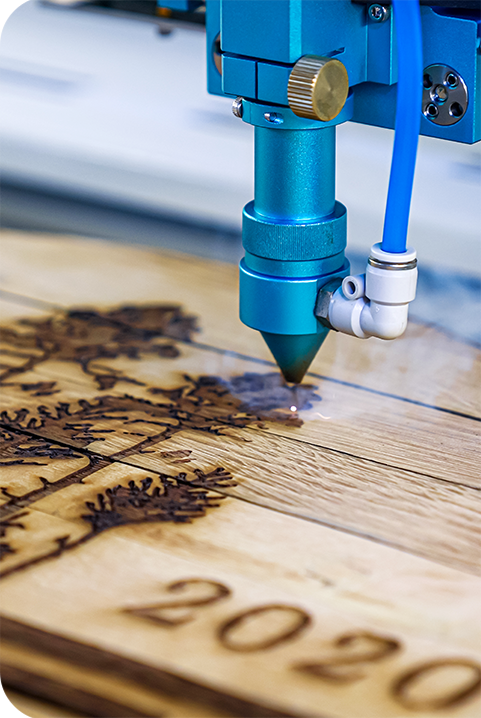
Choosing the right laser engraver is one of the most important decisions for any business that wants to produce high-quality, consistent results. The wrong machine can slow production, limit the materials you can work with, and increase operating costs. The right one can improve efficiency, expand your services, and deliver a faster return on investment.
Whether you’re starting a custom engraving business, expanding your manufacturing workflow, or upgrading an existing machine, this guide explains everything you need to know before buying a laser engraver.
What should you consider before buying a laser engraver?
Before comparing brands and specifications, start by understanding your business requirements. The best laser engraver depends on what you plan to make—not simply the machine with the highest power.
Ask yourself:
- What materials will you engrave or cut?
- How many products will you produce each day?
- What is the largest item you need to process?
- Do you need engraving only, or engraving and cutting?
- What is your available budget?
Answering these questions will help narrow your options and prevent overspending on features you may never use.
Which type of laser engraver is best for your application?
Different laser technologies are designed for different materials. Choosing the correct laser source is more important than choosing the highest wattage.
| Laser Type | Best For | Common Materials |
|---|---|---|
| CO₂ Laser | Most businesses and makers | Wood, acrylic, leather, rubber, glass, paper, fabric |
| Fiber Laser | Industrial metal engraving | Stainless steel, aluminum, brass, titanium, jewelry |
| UV Laser | High-precision marking | Plastic, glass, medical devices, electronics |
According to industry experts and manufacturers, CO₂ laser engravers remain the most versatile choice for businesses working with non-metal materials, while fiber lasers are the preferred option for permanent metal marking.
How much laser power do you actually need?
Laser power affects engraving speed, cutting capability, and production efficiency.
| Laser Power | Recommended Use |
|---|---|
| 20–40W | Crafts, gifts, paper, leather, thin acrylic |
| 50–80W | Small businesses, wood products, signage, thicker acrylic |
| 100W+ | High-volume production, thicker materials, faster cutting |
Higher wattage doesn’t always produce better engraving quality. For detailed engraving, beam quality, focus, and machine stability often matter more than raw power.
Why does work area size matter?
A machine’s working area determines the maximum size of the materials you can process.
Choose a desktop machine if you mainly engrave:
- Tumblers
- Jewelry
- Awards
- Small signs
- Promotional products
Choose a larger-format laser engraver if you regularly produce:
- Furniture panels
- Large signs
- Cabinet components
- Architectural materials
- Batch production jobs
Buying a machine that’s too small often limits future business growth.
Which materials can laser engravers process?
Material compatibility should always be verified before purchasing.
Common materials include:
- Wood
- MDF
- Plywood
- Acrylic
- Leather
- Rubber
- Glass
- Cardboard
- Fabric
- Stainless steel
- Aluminum
- Brass
Never process materials containing PVC or vinyl. According to laser safety guidelines, these materials release corrosive hydrogen chloride gas that can damage equipment and create serious health risks.
What software features should you look for?
The software often determines how easy the machine is to operate.
Look for compatibility with popular design programs such as:
- Adobe Illustrator
- CorelDRAW
- AutoCAD
- LightBurn
- RDWorks (where applicable)
Useful connectivity features include:
- USB
- Ethernet
- Wi-Fi
- Camera positioning
- Batch processing
- Barcode workflows
Businesses handling production orders benefit from software that supports automation and repeatable workflows.
How important are maintenance and technical support?
Maintenance directly affects engraving quality and machine lifespan.
A reliable maintenance routine includes:
- Cleaning mirrors and lenses
- Inspecting belts and rails
- Checking beam alignment
- Lubricating moving parts
- Replacing consumables when needed
Equally important is manufacturer support.
Before buying, check whether the company offers:
- Technical support
- Training resources
- Video tutorials
- Spare parts availability
- Warranty coverage
- Active user community
Strong after-sales support often saves far more money than choosing the lowest-priced machine.
How can you compare different laser engravers?
Instead of focusing only on specifications, compare machines using real-world buying criteria.
| Factor | Why It Matters |
|---|---|
| Build quality | Better accuracy and durability |
| Engraving speed | Higher productivity |
| Material compatibility | Greater business flexibility |
| Software | Easier operation |
| Safety features | Protects operators |
| Warranty | Lowers long-term risk |
| Customer support | Faster troubleshooting |
| User reviews | Shows real-world reliability |
Reading customer reviews, watching demonstration videos, and attending industry trade shows can provide valuable insights beyond marketing specifications.
Is a more expensive laser engraver worth it?
Not always—but the cheapest machine often becomes the most expensive over time.
A higher-quality laser engraver may provide:
- Faster production
- Better engraving consistency
- Lower maintenance costs
- Longer machine lifespan
- Better resale value
- Reliable technical support
For businesses producing customer orders every day, machine reliability often matters more than the initial purchase price.
How do you choose the best laser engraver?
A simple buying process looks like this:
- Identify the materials you will process.
- Estimate your daily production volume.
- Determine the required work area.
- Select the appropriate laser type.
- Choose the correct wattage.
- Compare software compatibility.
- Review warranty and support.
- Read independent customer reviews.
- Watch real production demonstrations.
- Invest in a machine that supports future growth.
Following these steps helps avoid costly purchasing mistakes while ensuring your machine meets both current and future production needs.
Ready to Choose the Right Laser Engraver?
Whether you’re launching a laser engraving business or upgrading your current equipment, choosing the right machine makes all the difference. Thunder Laser USA offers reliable CO₂ laser engravers designed for small businesses, manufacturers, makers, and production shops that need speed, precision, and long-term reliability.
Explore our laser engraving machines, compare models, or speak with our team to find the best solution for your workflow and production goals.
Explore Thunder Laser USA Laser Engravers
Final Thoughts
The best laser engraver is the one that matches your workflow, materials, and production goals. While specifications like power and speed are important, factors such as software, reliability, maintenance, and manufacturer support often have a greater impact on long-term success.
Take time to evaluate your business needs, compare multiple machines, and invest in equipment that can grow with your operation. A well-chosen laser engraver can improve productivity, expand your service offerings, and deliver consistent, professional-quality results for years to come.
Related Articles
- Can You Laser Engrave Marble?
- Can You Laser Engrave a Mirror?
- Laser Machine Comparison: Which One Is Best?
Frequently Asked Questions
What is the best laser engraver for beginners?
A CO₂ laser engraver is usually the best option for beginners because it works with many common materials, including wood, acrylic, leather, and glass.
Is a fiber laser better than a CO₂ laser?
It depends on the material. Fiber lasers are ideal for engraving metals, while CO₂ lasers perform better on non-metal materials.
How much laser power do I need?
Most small businesses find that a 50–80W CO₂ laser offers the best balance between engraving quality, cutting capability, and production speed.
Can one laser engraver work on every material?
No. Different laser technologies are designed for different materials. Always verify material compatibility before purchasing.
How often should a laser engraver be maintained?
Basic cleaning should be performed regularly, while alignment, lubrication, and component inspections should follow the manufacturer’s maintenance schedule.
Is technical support important when buying a laser engraver?
Yes. Fast technical support, available spare parts, and quality training can reduce downtime and extend the life of your machine.
What should I avoid when using a laser engraver?
Never engrave PVC, vinyl, or unknown plastics, as they can release hazardous gases and damage both the machine and the operator.