Can You Laser Engrave Plastic? Safe Materials and Settings
Acrylic settings that work, why ABS is a chemistry problem rather than a settings problem, and the laser type that changes the answer.

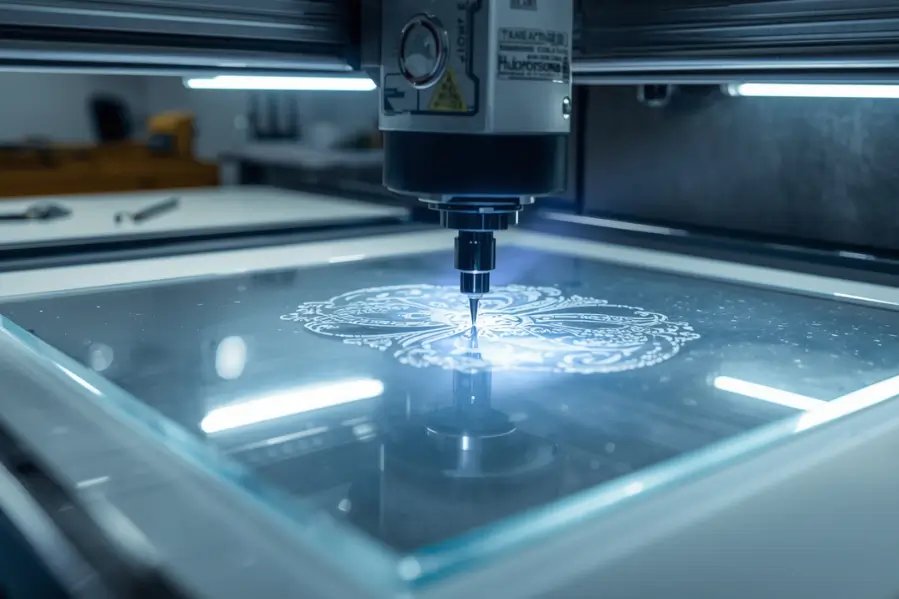
Some plastics, not all. Acrylic is the right answer for a CO2 laser and engraves to a clean frosted white with almost no effort. PVC must never be lasered at any setting, because it releases hydrochloric acid that destroys the machine and harms the operator. ABS should not be engraved on a CO2 laser either, because its acrylonitrile content releases hydrogen cyanide when thermally decomposed, and that is a chemistry problem no setting adjusts around. Polycarbonate technically marks and does it badly, melting rather than vaporizing and coating your optics with soot. If you need to mark ABS, PET or PETG cleanly, a UV laser does it photochemically at far lower temperature.
Key takeaways
- Acrylic is the material CO2 lasers were made for. Frosted white engraving, polished cut edges, forgiving settings. If a job can be done in acrylic, do it in acrylic.
- Cast and extruded acrylic behave completely differently. Cast engraves to a bright frosty white. Extruded barely frosts at all but cuts with a beautifully polished edge. Buying the wrong one is the most common acrylic mistake.
- ABS is not a settings problem. Acrylonitrile carries a nitrile group, and heating it releases hydrogen cyanide. Lower power produces less of it, not none of it.
- Polycarbonate fails on quality before it fails on safety. It melts rather than vaporizing, goes sticky and bubbly, discolors, and deposits soot on your lens and mirrors.
- A UV laser changes the answer. At 355 nm the mark is made by breaking molecular bonds rather than burning, so plastics that a CO2 laser cannot handle cleanly mark sharply with very little heat.
Plastic is the material category where laser advice goes most badly wrong. Search this question and you will find pages recommending ABS and polycarbonate alongside acrylic, and at least one listing PVC as engravable. Those pages are not being careless about results. They are being careless about chemistry.
This guide separates the plastics that work, the ones that work badly, and the ones that should never go near a laser, with settings for the ones that do.
Which Plastics Can Be Laser Engraved?
Plastic | CO2 Laser | UV Laser | Why |
|---|---|---|---|
Cast acrylic (PMMA) | Excellent | Excellent | Frosted white engrave, polished cut edge. The benchmark |
Extruded acrylic | Cuts well, engraves poorly | Good | Polished cut edges, but barely frosts when engraved |
Delrin / acetal (POM) | Good | Good | Clean engrave, releases formaldehyde, so extraction matters |
PET and PETG | Fair, melts easily | Excellent | CO2 tends to melt the edge; UV marks crisply |
Polypropylene (PP) | Poor | Fair | Melts and distorts rather than ablating |
ABS | No | Good | Releases hydrogen cyanide under thermal decomposition |
Polycarbonate (PC) | No | Fair | Melts, discolors, soots the optics, releases BPA |
Polystyrene (PS) | No | Poor | Melts and ignites readily; a fire risk |
PTFE (Teflon) | Never | Never | Releases hydrogen fluoride |
PVC and vinyl | Never | Never | Releases hydrochloric acid. Destroys the machine |
Acrylic: The Plastic CO2 Lasers Were Built For
If a job can be done in acrylic, do it in acrylic. It ablates cleanly rather than melting, engraves to a bright frosted white that needs no fill or paint, cuts with a flame-polished edge straight off the machine, and tolerates a wide settings window.
Cast and extruded acrylic are not interchangeable. Cast acrylic is poured between glass and engraves to a brilliant frosty white, which is what people picture when they imagine engraved acrylic. Extruded acrylic is pushed through a die, costs less, cuts with a beautifully polished edge, and engraves to a faint, dull, almost invisible mark. If your engraving came out disappointingly grey rather than white, you almost certainly bought extruded. Buy cast for engraving and extruded for cutting, or cast for both if you are only buying one. |
Mask it before engraving. Low-tack paper masking stops vapor redepositing on the surface as a hazy film. Most acrylic ships with protective film already on it; leave it in place for cutting and remove only the face you are engraving.
Engrave face down if you can. On clear acrylic, engraving the reverse face and viewing through the sheet gives a crisper, brighter result and protects the mark from handling. Remember to mirror the artwork.
Settings for Acrylic
Starting points for a CO2 laser with air assist on. As with any material, run a test grid before a job that matters.
Job | 40W | 60W | 80W | 100W |
|---|---|---|---|---|
Engrave, cast acrylic | 22% / 300 | 16% / 320 | 12% / 350 | 14% / 550 |
Engrave, deep / bold | 35% / 200 | 25% / 220 | 18% / 250 | 20% / 400 |
Cut 3mm cast | 80% / 10 | 60% / 14 | 48% / 18 | 42% / 24 |
Cut 6mm cast | 95% / 4 | 80% / 6 | 65% / 9 | 55% / 12 |
Cut 10mm cast | Not practical | 95% / 2.5 | 80% / 4 | 68% / 6 |
Power percent means nothing without the tube wattage. Multiply the two to get effective watts, and that is the figure to hold constant if you are converting settings from another machine. Twenty percent on a 40W tube is 8 watts; the same setting on a 100W tube is 20.
Frequency matters more on plastics than on wood. Acrylic runs best high, roughly 1,000 to 5,000 Hz, which keeps the pulses close enough together to melt a continuous smooth edge rather than a scalloped one. Around 500 to 1,000 Hz suits materials where you want less heat accumulation. If you are setting a machine up for the first time, our guide to using LightBurn with CO2 and fiber machines covers the controls.
Keep engraving depth modest on thin parts. Most plastics take 0.1 to 0.5mm without trouble. Beyond that you start reducing structural strength, which matters on thin sheet, on load-bearing parts, and on anything with a snap fit or a thread. For visual contrast you rarely need more than 0.2mm anyway.
For polished cut edges, turn the air assist down. Acrylic's flame-polished edge comes from the material melting smooth as it cuts. Aggressive air cools the edge and leaves it frosted. Use just enough air to clear smoke and prevent flare-ups.
Our free materials library has tested settings across 22 materials if you would rather start from measured numbers than a chart.
Can You Laser Engrave ABS Plastic?
Not on a CO2 laser, and this is the point where most articles on this subject give bad advice.
ABS releases hydrogen cyanide when thermally decomposed. ABS stands for Acrylonitrile Butadiene Styrene. Acrylonitrile carries a nitrile group, a carbon triple-bonded to nitrogen, and when nitrile-containing polymers are decomposed by heat that nitrogen leaves as hydrogen cyanide. This is established fire science, not a laser-specific worry, and it is why ABS is a recognized hazard in enclosed fires. A laser is a very small, very hot fire held a few inches from your face. |
Reducing the power does not solve it. Lower energy produces less decomposition, not none. You cannot tune your way below a chemical threshold that does not exist, which is why framing this as a settings question is the mistake.
The practical problems come on top of the chemical one. ABS softens well below its decomposition point, so the engraved area warps and the edges melt rather than ablating. Natural ABS barely absorbs the CO2 wavelength at all; black ABS absorbs better only because the carbon black in it does, which means results vary wildly between colors of the same material.
If you need to mark ABS, use a UV laser. Covered below. It is not a workaround; it is a different mechanism that produces a better mark with far less heat.
Can You Laser Engrave Polycarbonate?
Technically yes. In practice it is the material most likely to make you wish you had not.
It melts rather than vaporizing. Polycarbonate does not ablate cleanly under a CO2 beam. The surface goes sticky and bubbly, edges deform, and the mark is a muddy brown or grey rather than a crisp frost. It is the opposite of acrylic in every respect that matters.
It discolors around the mark, because a yellow-brown halo spreads beyond the engraved area as the heat conducts, and it is permanent.
It coats your optics. The combustion produces heavy black soot that settles on the lens and mirrors. That costs beam energy, which you compensate for with more power, which produces more soot. It compounds across a session.
And it releases BPA and carbon monoxide. Less acutely dangerous than hydrogen cyanide, but not something to breathe, and another reason extraction is not optional.
The honest summary is that polycarbonate fails on quality before it fails on safety. If you need a tough transparent part marked, either use acrylic where the application allows it, or mark the polycarbonate with a UV laser.
Plastics You Must Never Laser
PVC and vinyl, including PVC-backed banner and sign material. PVC is roughly 57 percent chlorine by weight. Heating it releases chlorine gas, which combines with moisture to form hydrochloric acid. That harms the operator, corrodes the machine's rails, optics and electronics from the inside, and the damage continues long after the job. No setting, no extraction and no power level makes this acceptable.
PTFE and Teflon release hydrogen fluoride, which is severely corrosive and toxic.
Polystyrene and styrene foam melt and ignite readily rather than cutting, which makes it a live fire risk inside the machine.
And anything you cannot identify. This is the most important rule, because unmarked offcuts are where PVC usually enters a workshop. If you do not know what a plastic is, do not put it in the machine.
Our full guide to materials that are not suitable for laser cutting and engraving covers the complete list across every material category, not just plastics.
Why a UV Laser Changes the Answer
Almost every article on this question assumes CO2, and that assumption is doing a lot of the work. Change the laser and several plastics move from the unsafe column to the straightforward one.
A UV laser operates at around 355 nm and marks photochemically rather than thermally. The photons carry enough energy to break molecular bonds directly, so the mark forms without the material being heated to its decomposition point. This is often called cold marking, and the heat-affected zone is a fraction of what a CO2 beam produces.
For plastics, that is the difference between a problem and a product. ABS, PET, PETG, polycarbonate and many engineering plastics mark crisply and with high contrast under UV, with far less thermal decomposition and no melting at the edges. It is the standard industrial approach for marking plastic components, medical devices and electronics for exactly this reason.
It does not make anything safe that was unsafe for chemical reasons. PVC stays off the list on any laser, because the chlorine is in the polymer regardless of how you break it. UV changes the thermal argument, not the chemical one.
Our Aurora UV is the machine we use for plastics work in-house, and it is the honest answer when someone asks how to mark ABS or PET properly rather than how to get away with it on a CO2.
How to Identify an Unknown Plastic
Most plastic that goes wrong in a laser was unlabeled offcut. Three checks before anything unknown goes in the machine.
Look for the resin identification code, the recycling triangle with a number, usually molded into the part. Three is PVC and means stop. One is PET, five is PP, six is PS, seven is a catch-all that includes polycarbonate.
Ask the supplier for a data sheet. Any legitimate plastics supplier will provide one. If a seller cannot tell you what a sheet is made of, that is your answer.
Do not use the burn test. The traditional copper wire or flame test for identifying PVC works by producing exactly the fumes you are trying to avoid. If the suspicion is PVC, the answer is simply not to use it.
Extraction and Ventilation
Every plastic produces something you should not breathe, including the safe ones. Acrylic releases methyl methacrylate vapor, Delrin releases formaldehyde, and all of them produce fine particulate.
Extract at the source, not the room. The machine should pull air through the cabinet and out, with the operator on the clean side of the flow. A room extractor fan does not achieve this.
Filtered units need the right media. A HEPA filter catches particulate and does nothing about vapor. Vapor needs activated carbon, and carbon has a finite capacity that is used up whether you are watching or not.
Check the extraction path as routine maintenance rather than only when something smells wrong. Our CO2 laser engraver checklist covers what to inspect before and after each session.
If you can smell the job, extraction is inadequate. The smell is the material reaching you. It is not a reliable danger signal, because the most dangerous products are not the most pungent, but it is a reliable sign that the airflow is wrong.
Where Plastic Engraving Is Actually Used
Electronics manufacturers mark buttons, housings and connectors. Medical device makers need labeling that survives sterilization. Automotive work covers serial numbers and control panels. Signage and promotional work is almost entirely acrylic. And the maker market runs on acrylic too, for awards, keychains and display pieces that need a clean edge straight off the machine.
If you work across materials rather than only plastics, the behavior differs more than people expect. Our guides to engraving resin, engraving rubber and engraving silicone rubber cover three materials that look like plastics and do not behave like them. For organic materials, leather laser engraving is a different problem again.
Troubleshooting Acrylic
If the engraving is faint and grey rather than white, it is almost certainly extruded acrylic rather than cast. No setting fixes this; change the material.
If the cut edge is frosted rather than polished, there is too much air assist, or the speed is too high so the edge is not melting smooth. Reduce air pressure first.
If the cut edge has ripples or striations, the speed is too high for the power, or the focus is off. Slow down before adding power.
A hazy film over the engraved area is vapor redepositing. Mask the surface before engraving, or clean afterwards with a plastic-safe cleaner. Avoid alcohol and ammonia-based glass cleaners on acrylic, which cause crazing.
If the acrylic cracked after cutting, that is internal stress, more common in extruded. Annealing the sheet before cutting reduces it, and avoiding solvent contact afterwards prevents the rest.
The Short Version
Use cast acrylic, extract properly, and buy the right acrylic for the job. That covers the overwhelming majority of plastic laser work and it is why acrylic is the material people associate with laser engraving in the first place.
For the rest, match the laser to the plastic rather than the settings to the problem. ABS, PET and polycarbonate are not CO2 materials, and no amount of power reduction turns them into one. A UV source marks all three cleanly because it works by a different mechanism.
And when a material is unidentified, leave it out of the machine. The plastics that cause real damage are rarely labeled, which is exactly why they cause it. If you want numbers you can trust rather than a chart, our sample material testing will run your actual material and send back tested settings, or you can book a demo and watch a machine run your parts before committing to anything.
Frequently asked questions
Can you laser engrave plastic?
Some plastics, yes. Cast acrylic is the best material for a CO2 laser and gives a frosted white engrave with polished cut edges. Delrin and PETG work with care. ABS, polycarbonate and polystyrene should not go on a CO2 laser, and PVC and PTFE must never be lasered at all.
Can you laser engrave ABS plastic?
Not on a CO2 laser. ABS contains acrylonitrile, and heating nitrile-containing polymers releases hydrogen cyanide. Reducing power produces less of it rather than none, so it is not a settings problem. ABS also warps and melts rather than ablating. A UV laser marks it cleanly and photochemically, at much lower temperature.
Is laser engraving ABS dangerous?
Yes, on a thermal laser. The hazard is hydrogen cyanide from thermal decomposition of the acrylonitrile component, which is why ABS is a recognized hazard in enclosed fires. Extraction reduces exposure but does not remove the chemistry.
Can you laser engrave polycarbonate?
Technically, but badly. It melts rather than vaporizing, the surface goes sticky and bubbly, a yellow-brown halo spreads around the mark, and the combustion deposits heavy soot on the lens and mirrors. It also releases BPA and carbon monoxide. Use acrylic if the application allows it, or mark polycarbonate with a UV laser.
What are the best settings for engraving acrylic?
On a 60W CO2 laser, around 16 percent power at 320 mm/s for a standard engrave, and roughly 60 percent at 14 mm/s to cut 3mm cast acrylic. Scale between machines by effective wattage, meaning power percent multiplied by tube wattage. Keep air assist low when cutting, because aggressive air frosts the polished edge.
Why is my acrylic engraving not white?
You are almost certainly using extruded acrylic rather than cast. Cast acrylic engraves to a bright frosty white; extruded barely frosts and leaves a dull grey mark. It is the single most common acrylic mistake and no setting change will fix it.
What plastic should never be laser cut?
PVC and vinyl first, because the chlorine content releases hydrochloric acid that harms the operator and corrodes the machine internally. PTFE releases hydrogen fluoride. Polystyrene is a fire risk. And anything unidentified, since unmarked offcuts are the usual way PVC gets into a workshop.
Does a UV laser make unsafe plastics safe?
It makes thermally problematic plastics workable, not chemically dangerous ones safe. UV marks by breaking molecular bonds rather than heating, so ABS, PET and polycarbonate mark cleanly with minimal decomposition. PVC remains off the list on any laser, because the chlorine is in the polymer regardless of the mechanism.
How do I know what plastic I have?
Check for the resin identification code molded into the part, the recycling triangle with a number. Three is PVC, which means stop. Ask the supplier for a data sheet, which any legitimate supplier will provide. Do not use the traditional flame or copper wire test, since it produces exactly the fumes you are trying to avoid.
Why does my plastic turn brown when engraved?
Too much energy. Lower the power or raise the speed, and consider two light passes rather than one deep one. Browning on polycarbonate is not a settings fault, though, since it discolors around the mark as heat conducts outward no matter how carefully you run it.
How do I stop plastic warping during engraving?
Keep power low and speed high so heat does not accumulate, make sure the sheet is flat and fully supported on the bed, and run multiple light passes rather than one slow deep one. Thin ABS and polypropylene warp most readily, which is one of several reasons they are poor choices.
Does laser engraving rub off plastic?
No. The laser alters the surface itself rather than applying ink or paint, so the mark is permanent. What can change is the surrounding plastic, since some materials yellow or become brittle with UV exposure.
Can laser engraved plastic be used outdoors?
Acrylic holds up well and keeps its clarity. ABS yellows and embrittles under sustained UV, so avoid it for anything permanently outside. For exterior signage, cast acrylic is the standard choice for good reason.
How deep can you engrave plastic?
Most plastics take 0.1 to 0.5mm comfortably. Beyond that you begin reducing structural strength, which matters on thin sheet, load-bearing parts and anything with a snap fit or thread. For visual contrast you rarely need more than 0.2mm.
Should I clean plastic after engraving?
Yes, with a damp cloth or mild soap solution to remove residue. Avoid alcohol, acetone and ammonia-based glass cleaners on acrylic, which cause crazing, meaning a network of fine surface cracks that cannot be polished out.
Do I need extraction for acrylic?
Yes. Acrylic is among the safest plastics to laser and it still releases methyl methacrylate vapor and fine particulate. Extract at the source so air is pulled through the cabinet and away from the operator, and remember that HEPA media catches particulate while vapor needs activated carbon.