How Long Can You Run a CO₂ Laser Engraver Continuously? A Complete Guide

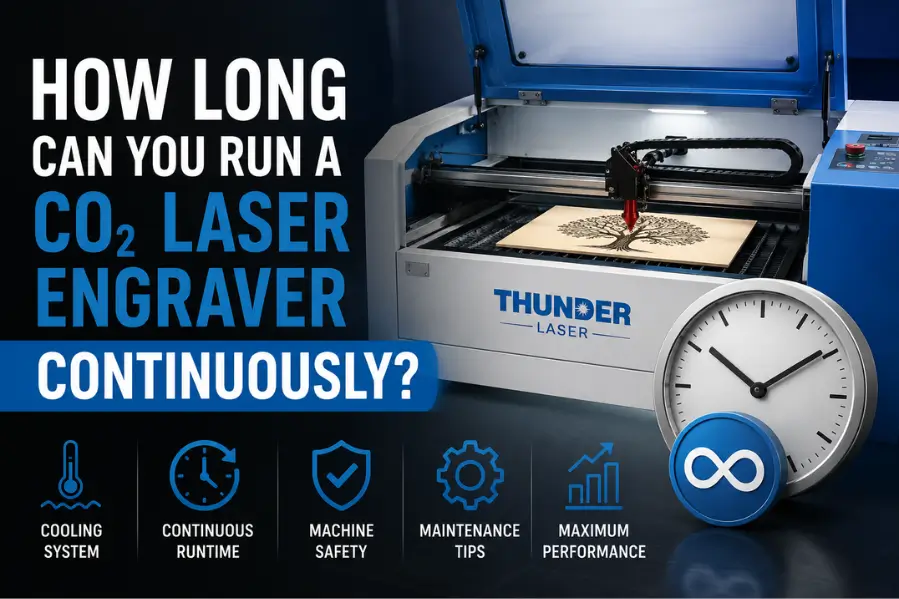
A well-maintained CO₂ laser engraver with a dedicated water chiller can typically run for several hours continuously, and in many production settings it can operate throughout a full workday. There is no universal time limit. Safe runtime depends on the cooling system, laser tube quality, power settings, ambient temperature, and maintenance schedule. Machines with industrial water chillers support far longer runs than those using basic water pumps. Clean optics and a regular maintenance schedule help prevent overheating during long engraving or cutting jobs.
Key takeaways
- A well-maintained CO₂ laser engraver can typically run for several hours continuously with proper cooling.
- The cooling system, laser tube quality, power settings, and ambient temperature all affect continuous runtime.
- Using a dedicated water chiller helps prevent overheating and extends the life of the laser tube.
- Regular maintenance, clean optics, and proper ventilation are essential for reliable long production runs.
- Following the manufacturer’s operating guidelines helps maximize performance while reducing wear on your machine.
A CO₂ laser engraver is designed to handle long engraving and cutting sessions, but that doesn’t mean you should run it continuously without considering cooling, maintenance, and machine specifications. Understanding how long a CO₂ laser can safely operate helps prevent overheating, extend the life of the laser tube, and maintain consistent engraving quality.
Whether you’re running a hobby workshop or a production business, this guide explains how long you can safely operate a CO₂ laser engraver, what factors affect continuous runtime, and how to maximize machine performance.
How long can a CO₂ laser engraver run continuously?
A quality CO₂ laser engraver with proper cooling can typically operate for several hours continuously during production. Many industrial-grade machines are designed to run throughout a standard workday, provided they receive adequate cooling, ventilation, and routine maintenance.
However, there isn’t a universal time limit.
Continuous runtime depends on several factors, including:
Laser tube type
Cooling system
Laser power
Ambient temperature
Machine quality
Workload
Maintenance schedule
Machines equipped with industrial water chillers generally support much longer operating periods than those using basic water pumps.
What determines how long a CO₂ laser can run?
Several components work together to determine safe operating time.
Cooling System
The cooling system is the single most important factor.
Most professional CO₂ laser engravers use a dedicated water chiller that keeps the laser tube within its recommended operating temperature.
Proper cooling helps:
Prevent overheating
Maintain stable laser power
Extend laser tube life
Improve engraving consistency
Without adequate cooling, excessive heat can reduce performance and shorten the lifespan of the laser tube
Laser Tube Quality
Not all CO₂ laser tubes are built the same.
Higher-quality tubes generally provide:
Better heat management
More stable power output
Longer operating life
Improved engraving consistency
Investing in a quality laser machine often results in fewer interruptions during long production runs.
Laser Power Settings
Running your laser at maximum power for extended periods creates more heat than engraving at moderate power.
For many engraving jobs, operating below maximum power:
Reduces stress on the laser tube
Produces cleaner engraving
Extends component life
Improves overall reliability
Using only the power required for the material is considered a best practice.
Ambient Temperature
Your workshop environment also affects continuous operation.
High room temperatures make it harder for the cooling system to dissipate heat efficiently.
For best performance:
Keep the workspace well ventilated.
Maintain a stable room temperature.
Ensure unrestricted airflow around the machine.
Can you run a CO₂ laser all day?
Yes—many commercial laser engraving businesses run their CO₂ laser engravers throughout the workday.
However, continuous operation assumes the machine is:
Properly cooled
Correctly maintained
Operated within manufacturer recommendations
Clean and well ventilated
Professional production environments often run multiple engraving jobs back-to-back with only brief pauses for material changes and inspections.
What are the risks of running a laser engraver too long?
Running a poorly maintained or improperly cooled laser engraver for extended periods can lead to several issues.
Potential problems include:
Overheating
Reduced engraving quality
Inconsistent laser output
Shorter laser tube lifespan
Increased wear on moving components
Unexpected downtime
Most of these problems are preventable through regular maintenance and proper operating practices.
How can you safely run a CO₂ laser for long production jobs?
Following a few simple practices can significantly improve reliability.
Monitor Cooling Performance
Always verify that your water chiller is functioning correctly before starting long jobs.
Monitor coolant temperature throughout production if your system provides temperature readings.
Keep Optics Clean
Dirty mirrors and lenses reduce laser efficiency.
Regularly clean:
Focus lens
Mirrors
Protective windows
Clean optics help maintain consistent power while reducing unnecessary heat buildup.
Use Proper Ventilation
A good exhaust system removes smoke and airborne particles that can contaminate optics and reduce engraving quality.
Proper ventilation also improves operator safety.
Inspect Moving Components
During routine maintenance, check:
Belts
Rails
Bearings
Rotary attachments
Air assist system
Smooth machine movement reduces mechanical stress during extended production.
How often should you give a CO₂ laser engraver a break?
For well-maintained commercial machines with an appropriate cooling system, frequent cooling breaks are generally unnecessary.
Instead, operators should:
Inspect the machine between production runs.
Clean debris from the work area.
Verify coolant circulation.
Check optics periodically.
Short inspections between jobs help identify small issues before they become expensive repairs.
Best practices for maximizing continuous runtime
Following these habits helps keep your machine running efficiently.
Best Practice | Benefit |
|---|---|
Use a quality water chiller | Prevents overheating |
Keep optics clean | Maintains engraving performance |
Monitor coolant temperature | Protects the laser tube |
Operate at appropriate power | Reduces wear |
Maintain proper ventilation | Improves safety and machine performance |
Follow regular maintenance schedules | Extends machine life |
Should you worry about laser tube lifespan?
Every CO₂ laser tube has a finite lifespan, typically measured in operating hours. While tube life varies by manufacturer and operating conditions, proper cooling, moderate power settings, and routine maintenance can significantly extend its usable life.
Rather than focusing only on how many hours a machine can run continuously, it’s more important to operate it efficiently and maintain stable operating conditions.
Final Thoughts
A professional CO₂ laser engraver is built for extended production, but continuous operation depends on more than simply turning the machine on. Proper cooling, routine maintenance, clean optics, and good ventilation all play an important role in keeping your laser running safely and efficiently.
By following manufacturer recommendations and maintaining your equipment, you can confidently handle long engraving sessions while protecting both your machine and your investment.
Keep Your Production Running with Thunder Laser USA
Thunder Laser USA CO₂ laser engravers are engineered for reliability, precision, and demanding production environments. Combined with professional cooling systems and routine maintenance, our machines deliver consistent performance for long engraving and cutting jobs.
Explore Thunder Laser USA laser engravers and find the right machine for your production needs.
Related Articles
Continue learning with these helpful guides:
Laser Engraver Maintenance: Keep Your Machine Running Like New
Best Laser Cutting Software: Complete Guide for Precision, Speed, and Workflow
Frequently asked questions
Can a CO₂ laser engraver run continuously?
Yes. A well-maintained CO₂ laser engraver with a proper water chiller can operate continuously for several hours or throughout a production shift, depending on the machine and workload.
Does running a laser engraver continuously damage it?
Not if the machine is properly cooled, maintained, and operated within the manufacturer’s recommended limits.
Why is water cooling important for a CO₂ laser?
Water cooling prevents the laser tube from overheating, helping maintain stable performance and extending the tube’s lifespan.
Should I run my laser at 100% power all the time?
Not usually. Using only the power required for the material reduces heat buildup and can extend the life of the laser tube.
How do I know if my laser is overheating?
Signs may include inconsistent engraving quality, reduced cutting performance, unusually high coolant temperatures, or machine warnings, depending on your equipment.