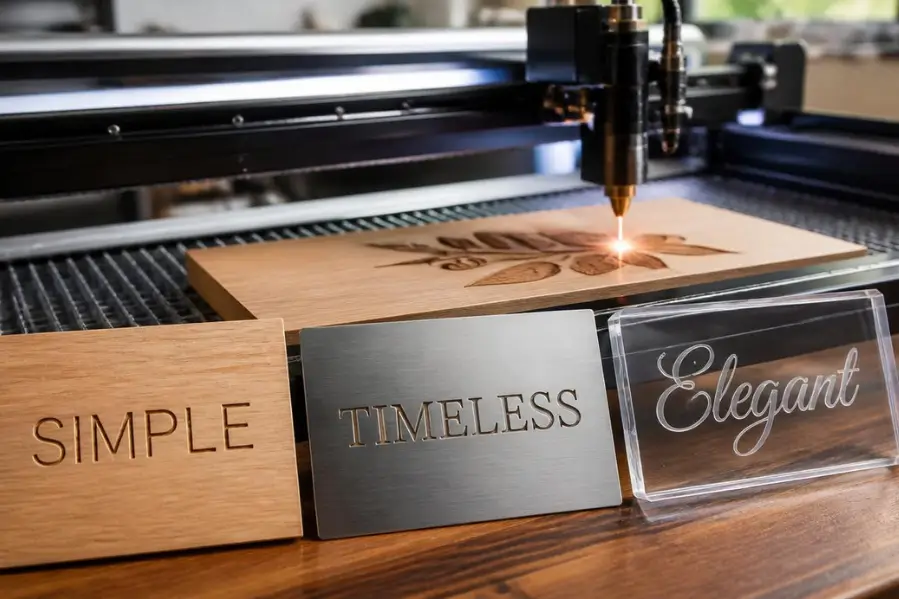

Laser engraving can turn a simple design into a professional-looking product, but the final result often depends on one overlooked factor: the font. Whether you’re engraving wood, metal, acrylic, glass, leather, or stone, choosing the right font can improve readability, engraving speed, and overall appearance.
With personalized gifts, branded products, industrial labeling, and custom signage becoming increasingly popular, selecting the best fonts and text styles for laser engraving is more important than ever. A font that looks great on a computer screen may not engrave well in real-world materials.
This guide explains which fonts work best, which styles to avoid, and how to choose the right typography for different engraving projects.
Key Takeaways
- Sans serif fonts like Arial and Helvetica provide the best readability and engraving results.
- Serif fonts create a classic, premium appearance for plaques, awards, and decorative projects.
- Script fonts work best for personalized gifts when engraved at larger sizes.
- Single-line fonts engrave faster and are ideal for industrial marking applications.
- Always test fonts on your chosen material to ensure clear, professional results.
What Makes a Font Suitable for Laser Engraving?
The best laser engraving fonts share several characteristics:
- Clean and readable letterforms
- Consistent stroke widths
- Adequate spacing between letters
- Minimal tiny details
- Scalable without losing clarity
Fonts with extremely thin lines, excessive flourishes, or tightly packed characters often produce poor engraving results, especially on small items. The quality of engraved text depends not only on font choice but also on engraving resolution. Higher DPI settings can produce sharper edges and cleaner details, making a noticeable difference when engraving small text or intricate lettering.
If you’re unfamiliar with engraving resolution, our guide on What Is DPI in Laser Engraving explains how DPI affects text clarity and overall engraving quality.
Key Factors to Consider
| Factor | Why It Matters |
|---|---|
| Readability | Text should remain clear after engraving |
| Stroke Width | Thin strokes may disappear or burn unevenly |
| Letter Spacing | Prevents characters from merging |
| Material Type | Different materials reveal details differently |
| Engraving Size | Small text requires simpler fonts |
Which Sans Serif Fonts Work Best for Laser Engraving?
Sans serif fonts are among the most reliable choices for engraving because they are clean, modern, and easy to read.
Recommended Sans Serif Fonts
- Arial
- Helvetica
- Montserrat
- Roboto
- Open Sans
- Futura
- Bebas Neue
Best Uses
- Metal nameplates
- Industrial labels
- Product branding
- Equipment identification
- Corporate gifts
Advantages
- Excellent readability
- Fast engraving times
- Clean modern appearance
- Suitable for small text
Potential Drawbacks
- Less decorative than script fonts
- May appear plain for luxury products
Which Serif Fonts Create a Premium Engraved Look?
Serif fonts add elegance and sophistication to engraved designs.
Recommended Serif Fonts
- Times New Roman
- Garamond
- Baskerville
- Georgia
- Trajan Pro
- Playfair Display
These fonts are commonly used for:
- Awards and plaques
- Luxury packaging
- Wedding gifts
- Memorial engravings
- Decorative signage
Many engraving professionals prefer serif fonts for high-end projects because they communicate tradition, quality, and craftsmanship.
Are Script Fonts Good for Laser Engraving?
Yes, but only when chosen carefully.
Script fonts can create beautiful personalized engravings on gifts, jewelry, and decorative items. However, overly complex scripts often lose detail during engraving.
Recommended Script Fonts
- Great Vibes
- Allura
- Alex Brush
- Pacifico
- Edwardian Script (for larger projects)
Best Applications
- Wedding gifts
- Personalized tumblers
- Jewelry engraving
- Decorative wooden signs
Common Problems
- Thin connecting lines
- Small decorative flourishes
- Reduced readability at small sizes
For best results, use script fonts at larger engraving sizes.
What Are Single-Line Fonts and Why Are They Popular?
Single-line fonts are specifically designed for CNC machines, laser engravers, and plotters.
Unlike traditional fonts that require engraving the entire character area, single-line fonts use one continuous path.
Benefits of Single-Line Fonts
- Faster engraving speeds
- Reduced machine wear
- Cleaner output
- Lower production costs
Popular examples include:
- Hershey Fonts
- Simplex
- Stick Fonts
- CNC Vector Fonts
Many commercial engraving shops use these fonts for serial numbers, industrial markings, and mass production projects.
Which Font Styles Should You Avoid?
Not every font is engraving-friendly.
Fonts That Often Cause Problems
- Ultra-thin fonts
- Highly decorative calligraphy
- Handwritten fonts with tiny details
- Extremely condensed fonts
- Fonts with overlapping characters
Examples include:
- Thin fashion fonts
- Complex cursive scripts
- Decorative Victorian typography
These styles may look attractive on-screen but often produce inconsistent engraving results.
Which Fonts Work Best for Different Materials?
Different materials reveal engraving details differently.
| Material | Recommended Font Style |
|---|---|
| Wood | Serif, Script, Sans Serif |
| Stainless Steel | Sans Serif, Single-Line |
| Aluminum | Sans Serif |
| Acrylic | Sans Serif, Modern Serif |
| Glass | Bold Sans Serif |
| Leather | Script, Serif |
| Stone | Serif, Bold Sans Serif |
For example, a detailed script font may engrave beautifully on wood but become difficult to read on stainless steel. Material selection plays a major role in engraving quality, especially when working with metals. Anodized aluminum is particularly popular because it produces crisp, high-contrast engravings that make text stand out clearly.
If you’re considering metal engraving projects, check out our guide on Can You Laser Engrave Anodized Aluminum?
How Can You Choose the Right Text Style for Your Project?
A simple decision-making process helps.
Step 1: Identify the Purpose
Ask:
- Is the engraving decorative?
- Is readability the priority?
- Is it a personal gift?
- Is it an industrial marking?
Step 2: Consider the Material
Some materials support fine details better than others.
Step 3: Test Before Production
Experienced engraving businesses almost always run test engravings before full production.
Step 4: Check Small-Size Readability
If text becomes difficult to read below 0.25 inches, consider switching to a simpler font.
Comparison of Popular Laser Engraving Font Types
| Font Type | Readability | Engraving Speed | Decorative Appeal | Best Use |
|---|---|---|---|---|
| Sans Serif | Excellent | Fast | Medium | Labels, branding |
| Serif | Very Good | Medium | High | Plaques, awards |
| Script | Moderate | Slow | Very High | Gifts, personalization |
| Single-Line | Excellent | Very Fast | Low | Industrial marking |
| Decorative | Low | Slow | High | Large signage only |
Bring Your Laser Engraving Ideas to Life
The right font can make a big difference in the quality and appearance of your engraving projects. Pairing great design with the right equipment helps ensure clean, professional results every time.
At Thunder Laser USA, we provide powerful laser engraving machines, expert resources, and practical guidance to help makers, businesses, and creators achieve outstanding results on wood, metal, acrylic, and more. Explore our solutions to find the right laser system for your needs.
Conclusion
The best fonts for laser engraving balance readability, aesthetics, and production efficiency. Sans serif fonts such as Arial, Helvetica, and Montserrat are excellent all-purpose choices. Serif fonts add a premium feel, while script fonts work well for personalized projects when used carefully. For industrial applications, single-line fonts often deliver the best performance.
Before engraving any final product, always test the font on the intended material. A small adjustment in typography can dramatically improve the appearance, durability, and professionalism of the finished engraving.
Frequently Asked Questions
What is the easiest font to laser engrave?
Arial and Helvetica are among the easiest fonts to engrave because they are clean, simple, and highly readable.
Are script fonts suitable for metal engraving?
Yes, but larger text sizes work best because fine details can be lost on metal surfaces.
What font size is recommended for laser engraving?
Most professionals recommend at least 8–10 pt for small engravings, though this depends on the material and machine settings.
Are single-line fonts better than regular fonts?
For speed and efficiency, yes. Single-line fonts require less engraving time and produce clean results.
Which font is best for engraving logos?
Bold sans serif fonts usually provide the best balance of clarity and durability.
Can laser engravers use any font?
Technically yes, but some fonts produce poor results due to thin strokes, excessive decoration, or poor spacing.
What is the best font for engraving personalized gifts?
Fonts such as Great Vibes, Allura, and Alex Brush are popular choices for gifts, wedding items, and custom keepsakes.