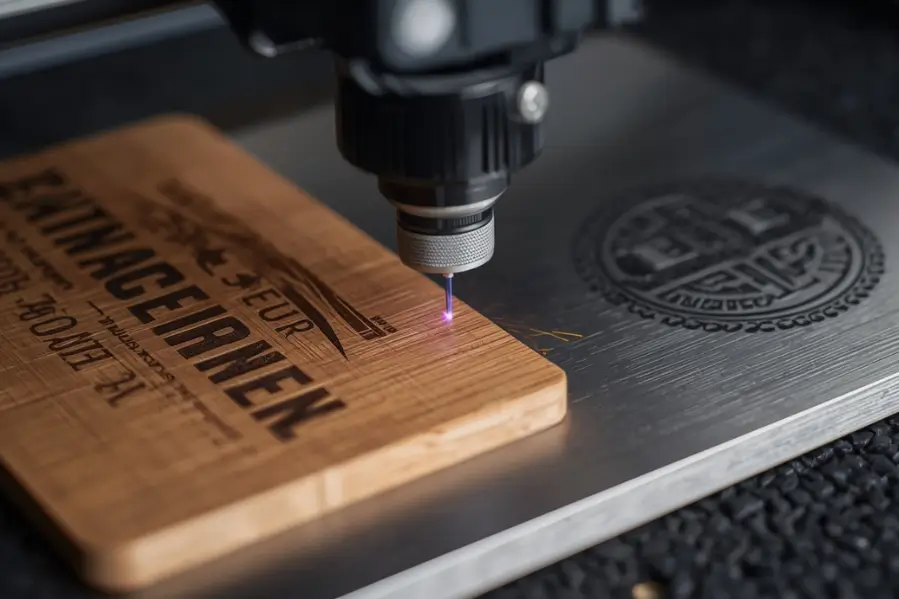

A professionally engraved logo can instantly elevate the appearance of a product. Whether you’re branding corporate gifts, creating promotional items, manufacturing custom products, or personalizing handmade goods, a clean and precise logo engraving helps build credibility and brand recognition.
However, achieving a perfect logo engraving isn’t simply a matter of pressing the start button. The quality of the final result depends on factors such as artwork preparation, material selection, laser settings, resolution, and machine calibration.
In this guide, you’ll learn how to get flawless logo engravings on both wood and metal, avoid common mistakes, and achieve professional-quality results every time.
Key Takeaways
- Clean vector artwork is essential for achieving sharp, professional logo engravings.
- Wood species such as maple, walnut, cherry, and bamboo produce excellent engraving results.
- Metals like anodized aluminum, stainless steel, and brass are ideal for durable logo engravings.
- Proper laser settings, including power, speed, DPI, and focus, directly impact engraving quality.
- Testing your logo on a sample material helps identify issues before production.
- Simplifying complex logos and avoiding extremely small details improves engraving clarity.
- High-contrast materials and finishes help logos stand out and remain easily readable.
- Consistent artwork preparation and machine calibration are key to producing professional logo engravings every time.
What Makes a Logo Suitable for Laser Engraving?
Not every logo is engraving-friendly.
A logo that looks great on a website or printed material may not engrave well without adjustments.
Before engraving any logo, it’s important to prepare the artwork correctly. Using the right file format, resolution, and vector settings can significantly improve engraving accuracy. Learn more in our guide on How to Make a Laser Engraving File.
Characteristics of a Good Engraving Logo
- Clean vector artwork
- High contrast design
- Readable text
- Consistent line thickness
- Limited fine details
- Proper spacing between elements
Complex logos with tiny text or intricate graphics may require simplification before engraving.
Best File Formats
- SVG
- AI
- EPS
- PDF (Vector)
Vector files allow the laser software to reproduce designs accurately at any size without losing quality.
Which Materials Work Best for Logo Engraving?
Material selection plays a major role in engraving quality.
Best Woods for Logo Engraving
- Maple
- Birch
- Cherry
- Walnut
- Bamboo
These woods generally produce clean engravings with excellent detail retention.
Best Metals for Logo Engraving
- Anodized Aluminum
- Stainless Steel
- Brass
- Titanium
- Powder-Coated Metals
These materials create durable, professional-looking engravings suitable for commercial applications.
How Should You Prepare a Logo for Engraving?
Proper artwork preparation is one of the most important steps in the entire process.
Step 1: Convert the Logo to Vector Format
Vector artwork ensures:
- Sharp edges
- Accurate scaling
- Clean engraving paths
Raster images may need to be traced before engraving.
Step 2: Simplify Unnecessary Details
Remove:
- Tiny decorative elements
- Overly thin lines
- Excessive gradients
- Complex textures
Simple designs often produce the best engraving results.
Step 3: Check Text Readability
If the logo contains text:
- Increase spacing if necessary
- Avoid extremely thin fonts
- Verify readability at final engraving size
Small text can quickly become unreadable if not properly optimized.
How Do You Choose the Right Laser Settings?
Even perfect artwork can produce poor results if machine settings are incorrect.
DPI settings play a major role in how much detail your logo retains during engraving. Higher DPI can improve fine details, while lower DPI may be sufficient for bold designs.
Important Settings to Adjust
Power
Controls how much energy reaches the material.
Too much power may cause:
- Burn marks
- Excessive depth
- Loss of detail
Too little power may create weak engravings.
Speed
Determines how quickly the laser moves.
Slower speeds typically increase engraving depth.
DPI
Higher DPI settings can improve detail reproduction, particularly for logos with fine lines.
Frequency and Dot Duration
These settings help control engraving quality and surface appearance, especially on metal materials.
Always test settings before running a production job.
What Is the Step-by-Step Process for Engraving a Logo on Wood?
Step 1: Prepare the Surface
Ensure the wood is:
- Clean
- Dry
- Free of dust
- Properly secured
Step 2: Import the Logo
Load the vector artwork into your laser software.
Verify:
- Scale
- Positioning
- Alignment
Step 3: Focus the Laser
Proper focus helps achieve:
- Sharp edges
- Consistent depth
- Better detail retention
Step 4: Run a Test Engraving
Test on a scrap piece of the same wood whenever possible.
This helps identify:
- Burn issues
- Contrast problems
- Detail loss
Step 5: Engrave the Final Piece
Once settings are verified, engrave the final product.
Step 6: Clean the Surface
After engraving, gently remove residue and dust for a cleaner appearance.
What Is the Step-by-Step Process for Engraving a Logo on Metal?
Metal engraving follows a similar workflow but often requires different settings.
Step 1: Clean the Metal Surface
Remove:
- Oil
- Dirt
- Fingerprints
- Protective coatings
Step 2: Position the Material
Secure the metal to prevent movement.
Step 3: Configure Metal-Specific Settings
Different metals react differently to laser energy.
For example:
- Stainless steel may require different power levels than anodized aluminum.
- Powder-coated metals often engrave differently than bare metals.
Step 4: Perform a Test Mark
Testing helps verify:
- Contrast
- Readability
- Depth
- Placement
Step 5: Complete the Engraving
Run the final engraving once settings are confirmed.
Step 6: Inspect the Finished Logo
Check for:
- Sharpness
- Consistency
- Proper positioning
- Surface quality
What Common Mistakes Can Ruin Logo Engravings?
Even experienced users occasionally encounter issues.
Common Errors
Using Low-Resolution Artwork
Poor-quality images often produce blurry engravings.
Engraving Logos That Are Too Small
Tiny details may disappear during engraving.
Incorrect Focus
Improper focus can reduce sharpness and detail.
Skipping Test Runs
Testing helps catch problems before production.
Using the Wrong Material Settings
Every material responds differently and requires optimization.
Avoiding these mistakes can dramatically improve engraving quality.
How Can You Improve Contrast and Visibility?
Contrast is critical for creating logos that stand out.
Tips for Better Visibility
- Use darker woods for light engravings
- Select high-contrast anodized aluminum colors
- Optimize DPI settings
- Use clean vector artwork
- Choose appropriate engraving depth
- Test multiple settings before production
The goal is to create a logo that remains visible from a distance while preserving fine details.
Which Industries Commonly Use Logo Engraving?
Logo engraving is widely used across many sectors.
Popular Applications
- Corporate gifts
- Promotional products
- Awards and plaques
- Product branding
- Industrial identification
- Personalized merchandise
- Custom packaging
- Retail products
Because engraved logos are permanent and durable, they are often preferred over printed alternatives.
Ready to Create Professional Logo Engravings?
A great logo engraving starts long before the laser fires. Proper artwork preparation, material selection, machine settings, and testing all contribute to the final result.
At Thunder Laser USA, we provide professional laser engraving machines, expert resources, and practical guidance to help makers, businesses, and manufacturers achieve exceptional engraving results on wood, metal, and many other materials.
Conclusion
Perfect logo engraving on wood or metal requires a combination of quality artwork, proper material selection, optimized settings, and careful testing. By following the techniques outlined in this guide, you can consistently create clean, detailed, and professional engravings that strengthen brand identity and enhance product value.
Whether you’re producing custom gifts, promotional products, industrial markings, or branded merchandise, mastering logo engraving can help you deliver better results and create products that leave a lasting impression.
Frequently Asked Questions
What file format is best for logo engraving?
Vector formats such as SVG, AI, EPS, and vector PDFs generally provide the best engraving results.
Can you engrave a logo on metal?
Yes. Stainless steel, anodized aluminum, brass, titanium, and powder-coated metals are commonly used for logo engraving.
Is vector artwork necessary for laser engraving?
While raster images can sometimes be used, vector artwork typically produces cleaner and more accurate engravings.
What is the best wood for logo engraving?
Maple, cherry, walnut, birch, and bamboo are popular choices because they engrave cleanly and consistently.
Why does my engraved logo look blurry?
Common causes include low-resolution artwork, incorrect focus, poor settings, or excessive engraving speed.
Should I test before engraving the final product?
Yes. Test engravings help identify issues with settings, alignment, and artwork before production.