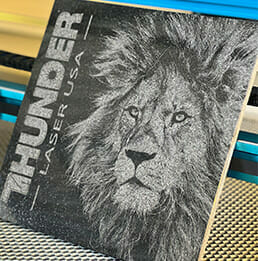

Are you struggling to achieve the quality you want with your laser engraving projects? Fear not! In this article, we’ll explore five proven techniques to help you improve the quality of your laser engraving projects. Whether you’re a beginner or a seasoned pro, these tips will help you achieve the results you desire.
How to Improve Laser Engraving Quality
Follow these five practical tips to get cleaner, sharper, and more consistent engraving results.
1. Proper Material Preparation
Proper material preparation is essential for achieving high-quality laser engraving results. Before engraving, always check that the material is clean and free from dust, dirt, or debris.
If you’re engraving wood, sand the surface and remove any blemishes that might affect the finish. For metal or plastic, clean off any oils or residues that could interfere with the engraving.
Taking the time to prepare your materials properly helps ensure your final result is clean, sharp, and consistent.
2. Adjusting the Focus
The focus of your laser is crucial for achieving clean and detailed engraving results. If the laser is too high or too low, the engraving may turn out blurry or uneven.
Always adjust the focus based on the type and thickness of the material you’re using. Different materials may require slight variations in focus for best results.
As a general rule, set the laser focus about 1/16th of an inch below the surface of the material. This small adjustment can make a big difference in the final outcome.
3. Optimizing Software Settings
The software that controls your laser engraver plays a big role in the final quality of your work. Good results depend on using the right power, speed, and resolution settings.
Start by using lower power and slower speed, then gradually adjust upward until you get the result you want. This helps you avoid burning or under-engraving the material.
Also, adjust the resolution based on your material and design. Higher resolution gives more detail and precision but will take longer to finish.
4. Experimenting with Engraving Angles
Changing the angle of the laser can improve depth, contrast, and overall engraving quality—especially for 3D effects or textured surfaces. Slight adjustments can enhance how the material reacts to the beam.
For example:
- Tilting the material slightly can create better shading on glass or acrylic.
- Angled engraving may help reveal fine details in layered or coated materials.
Always test angles on scrap pieces before starting your final project.
5. Calibrating Your Laser Engraver
Regular calibration is key to maintaining consistent and accurate engraving results. Without proper calibration, your machine may produce uneven lines, poor alignment, or reduced detail.
Check the laser alignment, clean the laser head, and verify that power and focus settings are accurate. Doing this regularly helps keep your engraver performing at its best.
Conclusion
To get better results from your laser engraver, follow these five steps. Clean your materials, set the right focus, adjust your software settings, try different engraving angles, and calibrate your machine. These actions will help you create cleaner, sharper, and more accurate engravings.