
Buying a laser engraver is a long-term investment. Whether you’re starting a laser engraving business, expanding production, or upgrading your workshop, the features you choose will directly affect engraving quality, productivity, and return on investment.
While many machines look similar on paper, the right combination of power, software, safety, and build quality can make a huge difference in everyday use.
This guide explains the most important laser engraver features to consider before purchasing your next machine.
What are the most important laser engraver features?
The best laser engraver isn’t simply the most expensive or the most powerful. It’s the one that matches your materials, production volume, and business goals.
Before buying, compare machines based on:
- Laser power
- Working area
- Material compatibility
- Software support
- Air assist
- Exhaust system
- Safety features
- Build quality
- Technical support
- Warranty
Looking at all these factors together helps you choose a machine that delivers consistent results for years.
Why does laser power matter?
Laser power determines how quickly a machine engraves and how thick a material it can cut.
| Power | Best For |
|---|---|
| 20–40W | Crafts, paper, leather, thin acrylic |
| 50–80W | Small businesses, signs, wood, acrylic |
| 100W+ | Production shops, thicker materials, faster cutting |
Higher wattage generally increases cutting speed, but engraving quality also depends on beam quality, optics, and machine stability.
Choose the power that fits your production needs rather than simply buying the highest wattage available.
How important is the working area?
Your machine’s working area determines the maximum size of the projects you can complete.
A larger bed allows you to:
- Process larger materials
- Batch multiple products
- Increase production efficiency
- Reduce setup time
If you regularly produce signs, furniture components, or large decorative pieces, investing in a larger work area can significantly improve workflow.
Which materials should your laser engraver support?
Material compatibility is one of the most important buying considerations.
CO₂ Laser Engravers
Ideal for:
- Wood
- Acrylic
- Leather
- Rubber
- Glass
- Paper
- Fabric
Fiber Laser Engravers
Best for:
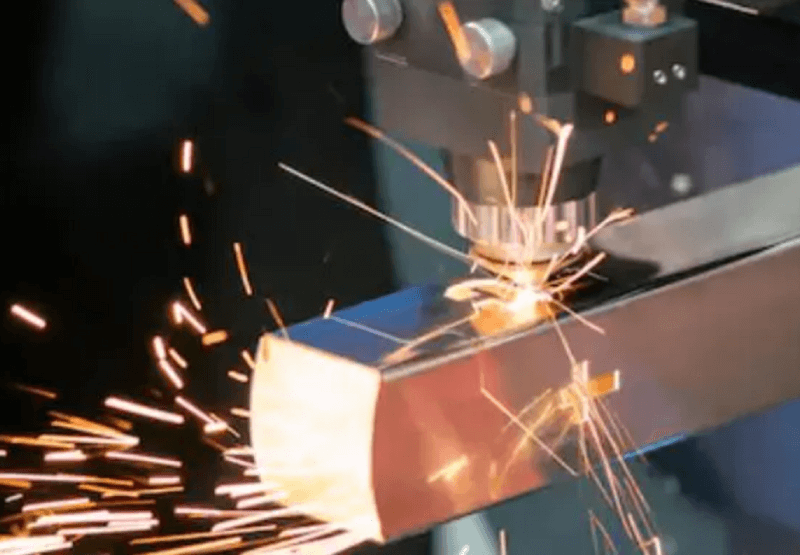
- Stainless steel
- Aluminum
- Brass
- Titanium
- Industrial metal parts
Always verify the machine is designed for the materials you plan to process before purchasing.
What software should a laser engraver support?
Good software improves productivity and reduces the learning curve.
Look for compatibility with industry-standard programs such as:
- LightBurn
- Adobe Illustrator
- CorelDRAW
- AutoCAD
Useful software features include:
- Camera positioning
- Batch engraving
- Job memory
- Material libraries
- Barcode workflows
- Multi-layer engraving
The easier the software is to use, the faster you can complete projects.
Why are air assist and ventilation important?
Proper airflow improves both safety and engraving quality.
Air Assist
Air assist blows compressed air directly onto the cutting area to:
- Reduce burn marks
- Produce cleaner cuts
- Minimize flare-ups
- Extend lens life
Exhaust System
A quality exhaust system removes smoke and fumes while keeping optics cleaner.
Good ventilation also creates a safer working environment, especially during long production runs.
Which safety features should every laser engraver include?
Laser safety should never be overlooked.
Look for machines with:
- Emergency stop button
- Safety interlocks
- Enclosed design
- Flame detection (where available)
- Water protection
- Overheat protection
- Safety warning indicators
These features help protect both operators and equipment.
How important are machine construction and reliability?
Build quality affects engraving accuracy and machine lifespan.
A well-built laser engraver typically includes:
- Rigid frame construction
- Precision linear rails
- Quality motors
- Stable laser tube
- Durable optics
Machines built with industrial-grade components generally require less maintenance and deliver more consistent results over time.
Why do warranty and technical support matter?
Even the best machines occasionally require maintenance or troubleshooting.
Choose a manufacturer that offers:
- Responsive technical support
- Training resources
- Replacement parts
- Video tutorials
- Comprehensive warranty
Strong after-sales support reduces downtime and protects your investment.
Should you buy the cheapest laser engraver?
Price matters—but value matters more.
Instead of comparing only purchase price, consider the total cost of ownership.
| Factor | Why It Matters |
|---|---|
| Purchase price | Initial investment |
| Reliability | Less downtime |
| Maintenance costs | Lower operating expenses |
| Production speed | Higher profitability |
| Software | Better workflow |
| Support | Faster issue resolution |
| Warranty | Long-term protection |
A higher-quality machine often pays for itself through increased productivity and fewer repairs.
What features should you prioritize?
If you’re comparing multiple laser engravers, prioritize these features:
- Correct laser type (CO₂ or fiber)
- Appropriate power level
- Large enough work area
- Material compatibility
- Software support
- Air assist
- Reliable exhaust system
- Strong safety features
- Industrial build quality
- Excellent technical support
Choosing a machine based on these factors will provide better long-term value than focusing only on price.
Final Thoughts
The best laser engraver combines performance, reliability, safety, and ease of use. While laser power and work area are important, features such as software compatibility, airflow, build quality, and manufacturer support have just as much impact on daily productivity.
Before making a purchase, compare machines carefully and choose one that fits your current workflow while leaving room for future growth.
Find a Laser Engraver Built for Long-Term Performance
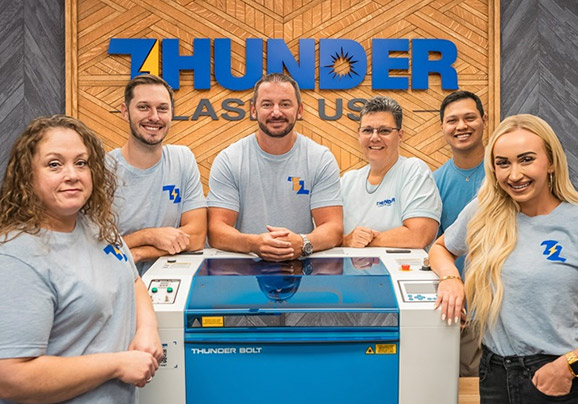
Thunder Laser USA designs professional CO₂ laser engraving machines that combine precision, reliability, and user-friendly operation. Whether you’re creating custom products, expanding production, or starting a new business, our team can help you choose the right machine for your needs.
Explore Thunder Laser USA laser engravers and discover the features that matter most for your workflow.
Related Articles
Continue learning with these helpful guides:
- How to Choose the Right Laser Engraver
- Laser Machine Comparison: Which One Is Best?
- Best Laser Cutting Software: Complete Guide for Precision, Speed, and Workflow
- How Much Does a Laser Cutting Machine Cost?
- Laser Engraver Maintenance: Keep Your Machine Running Like New
Frequently Asked Questions
What is the most important feature in a laser engraver?
The most important feature depends on your application, but laser type, power, work area, and material compatibility are usually the biggest factors.
Is higher laser power always better?
Not necessarily. Higher power increases cutting speed, but engraving quality also depends on beam quality, optics, and machine stability.
Do I need air assist for laser engraving?
Yes. Air assist helps produce cleaner cuts, reduces burn marks, minimizes flare-ups, and extends the life of your optics.
Which software works best with laser engravers?
Many professional users prefer LightBurn, while Adobe Illustrator and CorelDRAW are commonly used for creating designs before sending them to the laser.
How important is warranty coverage?
A strong warranty and responsive technical support can reduce downtime, lower repair costs, and protect your investment over the life of the machine.