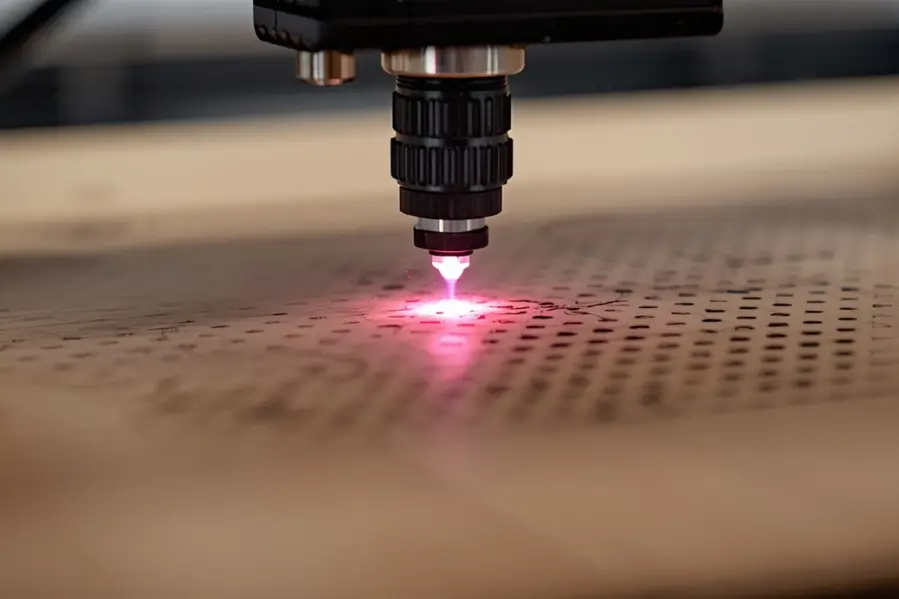

If you have ever adjusted laser settings and noticed changes in darkness, sharpness, or burning without changing power or speed, dot duration is likely the reason. Dot duration is one of the least understood laser engraving settings, yet it has a major impact on engraving quality.
Unlike DPI or power, dot duration controls time, not distance or energy level. This article explains what dot duration really means, how it affects engraving results, and when adjusting it makes more sense than changing other settings.
Key takeaways
- Dot duration is the time the laser stays on each engraved dot
- Longer dot duration increases darkness and heat
- Dot duration controls contrast, not engraving depth
- Soft materials are most sensitive to dot duration
What does dot duration mean in laser engraving?
Dot duration refers to how long the laser stays on at each individual dot during engraving.
Every engraved image is made up of thousands or millions of tiny laser dots. Dot duration controls the amount of time the laser fires at each dot before moving to the next one.
In simple terms
- Short dot duration means the laser fires briefly
- Long dot duration means the laser fires longer at each dot
Even if power stays the same, increasing dot duration increases heat at each point.
How dot duration works inside a laser engraver
When engraving raster images, the laser does not draw continuous lines. Instead, it pulses rapidly, creating dots in sequence.
Dot duration determines
- How long each pulse lasts
- How much heat builds up at each point
- How dark or deep each dot becomes
This is why dot duration is often described as a micro timing control rather than a strength control.
Dot duration vs laser power
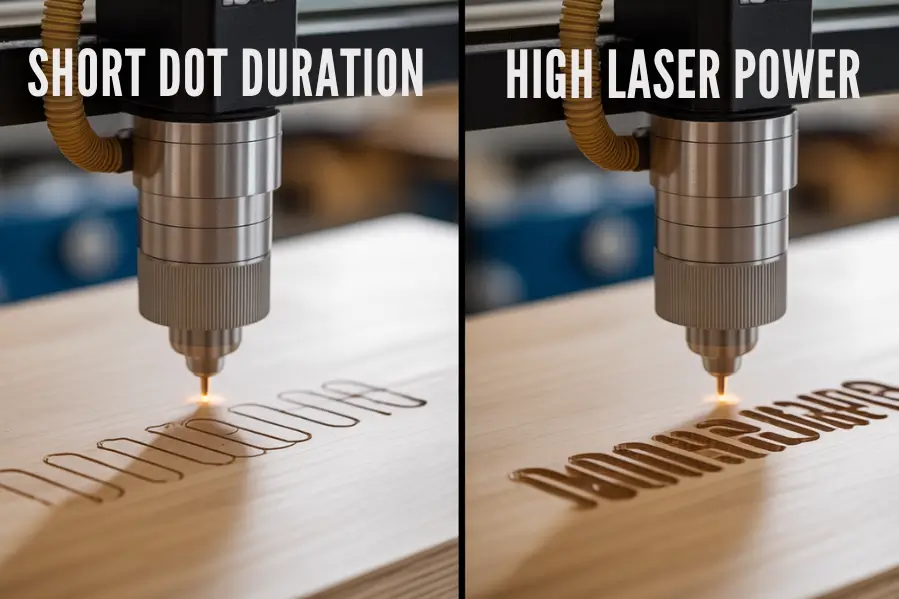
Dot duration and power are related but not the same.
Laser power controls how strong the beam is.
Dot duration controls how long that beam stays in one place.
A lower power laser with longer dot duration can sometimes produce darker results than a higher power laser with very short dot duration.
This is especially noticeable on soft materials.
How dot duration affects engraving appearance
Changing dot duration alters how the engraving looks and feels.
Short dot duration results in
- Lighter engravings
- Sharper fine details
- Less burning on soft materials
Long dot duration results in
- Darker engravings
- More heat buildup
- Increased risk of charring or melting
Dot duration is often adjusted to control contrast without changing speed or power.
Does dot duration affect engraving depth?
Yes, but indirectly.
Longer dot duration allows heat to stay concentrated longer at each point, which can increase engraving depth on soft or organic materials.
However, on hard materials like anodized aluminum or coated metals, dot duration mostly affects darkness rather than depth.
Depth is still primarily controlled by
- Power
- Speed
- Number of passes
When should you adjust dot duration instead of speed?
Speed controls how fast the laser head moves. Dot duration controls how long the laser fires at each point.
Adjust dot duration when
- You want darker engraving without slowing the entire job
- Fine details are burning at lower speeds
- Images look washed out despite correct DPI
Adjusting dot duration is more precise than reducing speed for small detail work.
How dot duration affects photo engraving
Dot duration is critical for photo engraving quality.
If dot duration is too short
- Photos appear faded
- Dark areas lack contrast
If dot duration is too long
- Photos lose detail
- Shadows become muddy
- Highlights burn
Balancing dot duration allows smooth gradients and better tonal range.
What materials are sensitive to dot duration?
Some materials respond strongly to small changes in dot duration.
Highly sensitive materials include
- Cork
- Leather
- Rubber
- Paper
- Soft wood
Less sensitive materials include
- Acrylic
- Anodized aluminum
- Painted surfaces
On sensitive materials, even small increases in dot duration can cause burning.
Is dot duration the same on all laser machines?
No.
Dot duration behavior depends on
- Laser type
- Controller firmware
- Software interpretation
- Pulse frequency limits
Some machines label dot duration differently, such as pulse length or dwell time. Always refer to your machine documentation.
Typical dot duration ranges
There is no universal value, but general guidance helps.
- Very short dot duration is used for fine detail and light marking
- Medium dot duration is used for balanced engraving
- Long dot duration is used for dark, bold engraving
Testing is essential because materials and machines vary.
Common mistakes when using dot duration
Many engraving issues come from misunderstanding this setting.
Common mistakes include
- Increasing dot duration to compensate for low power
- Using long dot duration on soft materials
- Adjusting dot duration without testing
- Combining high DPI with long dot duration
These mistakes often lead to over engraving.
How to dial in dot duration correctly
Use this simple process.
- Set power and speed first
- Choose a reasonable DPI
- Start with short dot duration
- Increase dot duration gradually
- Test on scrap material
- Stop once contrast improves without damage
Small adjustments make a big difference.
Dot duration vs DPI and speed
Each setting has a different role.
- DPI controls dot spacing
- Speed controls movement rate
- Dot duration controls time per dot
Understanding how they work together gives you precise control over engraving results.
Is dot duration more important than power?
In many cases, yes.
For image engraving, dot duration often has more impact on contrast and clarity than power alone. Power sets the ceiling, but dot duration fine tunes the result.
Final thoughts on dot duration in laser engraving
Dot duration is a timing control that determines how long the laser fires at each engraved dot. It plays a major role in darkness, contrast, and heat buildup, especially for raster engraving and photo work.
Once you understand dot duration, you gain finer control over engraving quality without relying on extreme power or slow speeds.
Mastering dot duration is one of the key steps toward consistent, professional laser engraving results.
If you are exploring how different materials and settings affect laser engraving results, these related guides may also be useful.
- What is DPI in laser engraving and how it affects engraving quality
- Can you laser engrave cork and get clean consistent results
- Can a diode laser engrave brass and what actually works
- Can a diode laser engrave aluminum for practical use
- Can you laser engrave stainless steel and achieve permanent marks
These guides help you understand how different materials respond to laser engraving and which techniques work best for each one.
FAQs
What is dot duration in laser engraving?
Dot duration is the amount of time the laser stays on at each engraved dot during raster engraving.
Does dot duration affect engraving depth?
Dot duration mainly affects darkness and contrast. Depth is mostly controlled by power, speed, and the number of passes.
Is dot duration the same as laser power?
No. Power controls how strong the laser is, while dot duration controls how long the laser fires at each point.
What happens if dot duration is too high?
Too high dot duration can cause excessive burning, loss of detail, and heat damage, especially on soft materials.
Should I adjust dot duration or speed first?
You should set power and speed first, then fine tune dot duration to improve contrast and detail.
Does dot duration matter for photo engraving?
Yes. Proper dot duration is critical for photo engraving because it controls contrast and tonal balance.
Which materials are most sensitive to dot duration?
Soft materials like cork, leather, rubber, paper, and soft wood are most sensitive to changes in dot duration.