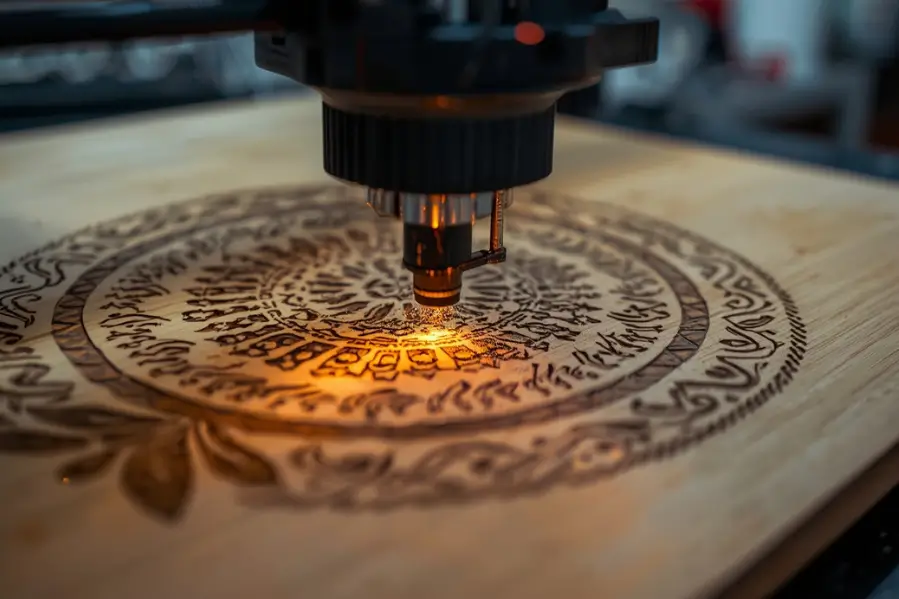

If you use a laser engraver or are planning to buy one, you have likely seen the term DPI in the settings or software. Many beginners assume higher DPI always means better engraving, but that is not always true. Understanding what DPI actually means in laser engraving can help you get cleaner results, save time, and avoid over engraving materials.
This guide explains DPI in simple terms, how it affects engraving quality, and how to choose the right DPI for different materials.
Key takeaways
- DPI in laser engraving means dots per inch and controls engraving resolution
- Higher DPI increases detail but also engraving time and heat
- DPI does not affect engraving depth or laser power
- Using the highest DPI does not always produce better results
- Different materials require different DPI ranges
- Image resolution and DPI must work together for clean engravings
What does DPI mean in laser engraving?
DPI stands for dots per inch. In laser engraving, DPI refers to how many individual laser dots are placed within one inch of engraved space.
Each dot represents a point where the laser fires. More dots per inch means the laser places dots closer together. Fewer dots per inch means the dots are spaced farther apart.
In simple terms
- Higher DPI equals more detail and more laser passes
- Lower DPI equals faster engraving with less detail
DPI controls engraving resolution, not cutting power or depth.
How DPI works in laser engraving software
When you engrave an image or text, the laser software converts it into a pattern of dots. The DPI setting tells the machine how tightly those dots should be packed.
For example
- 300 DPI places 300 dots in one inch
- 600 DPI places 600 dots in one inch
At higher DPI, the laser makes more movements and fires more frequently. This increases engraving time and heat exposure.
DPI does not change laser wattage. It only controls dot density.
Is DPI the same as PPI in laser engraving?
DPI and PPI are often used interchangeably, but they are not exactly the same.
DPI refers to dots per inch, which is the engraving output.
PPI refers to pixels per inch, which is the image resolution.
In most laser software, the DPI setting determines how the image pixels are translated into laser dots. If your image resolution is lower than the DPI setting, increasing DPI will not improve quality.
Both image resolution and DPI must work together.
How does DPI affect engraving quality?
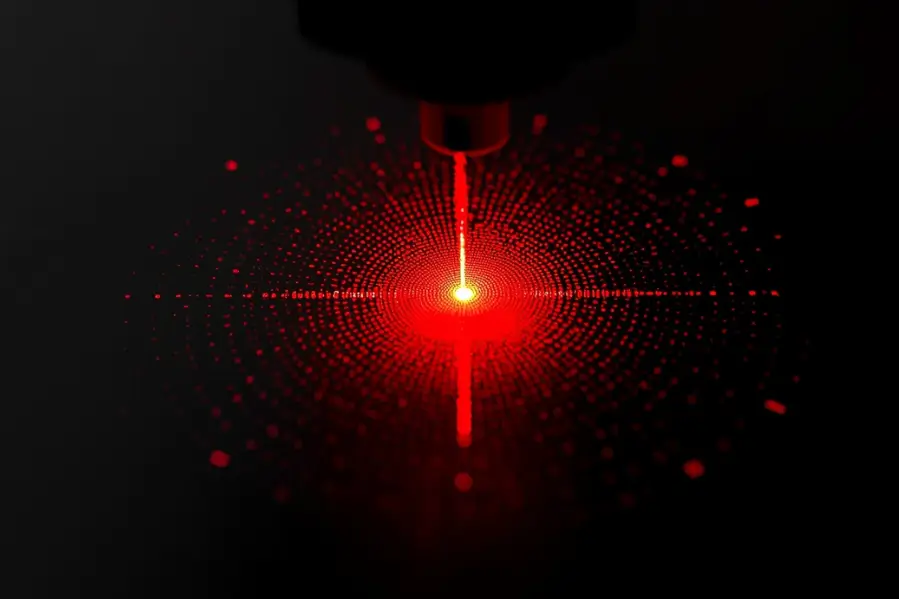
DPI directly impacts how sharp and detailed an engraving looks.
At low DPI
- Engraving is faster
- Lines may appear rough
- Fine details can be lost
At high DPI
- Engraving looks smoother
- Small details are clearer
- Engraving time increases
- Risk of burning or over engraving increases
Using the highest DPI possible does not always produce the best result.
Does higher DPI make engravings deeper?
No. DPI does not control engraving depth.
Depth is controlled by
- Laser power
- Speed
- Number of passes
- Material type
Higher DPI can make an engraving look darker because more laser dots overlap, but it does not physically engrave deeper into the material.
This is a common misunderstanding among beginners.
What DPI should you use for laser engraving?
The best DPI depends on the material and the type of design.
Here are practical guidelines.
DPI for wood engraving
Recommended range is 250 to 400 DPI.
Wood burns easily, and very high DPI can cause excessive charring and dark edges. Medium DPI provides good detail without over burning.
DPI for leather engraving
Recommended range is 300 to 500 DPI.
Leather responds well to moderate DPI. Higher DPI improves image clarity but may darken soft leather too much.
DPI for acrylic engraving
Recommended range is 400 to 600 DPI.
Acrylic benefits from higher DPI because it melts rather than burns. This results in smooth, frosted engravings.
DPI for anodized aluminum
Recommended range is 300 to 600 DPI.
Higher DPI improves sharpness, especially for small text and logos, without damaging the surface.
DPI for rubber and cork
Recommended range is 250 to 400 DPI.
Lower DPI helps prevent crumbling, melting, or excessive residue.
How DPI affects engraving speed
Higher DPI increases engraving time because the laser must fire more dots per inch.
For example
- 300 DPI engraves faster than 600 DPI
- 600 DPI can take nearly twice as long as 300 DPI
For production work, using unnecessarily high DPI can slow down output without noticeable quality improvement.
Balancing speed and quality is key.
Common mistakes people make with DPI
Many engraving issues come from misunderstanding DPI.
Common mistakes include
- Using maximum DPI for every material
- Increasing DPI to fix low contrast instead of adjusting power
- Ignoring image resolution
- Over engraving soft materials
DPI should be adjusted based on the material and the design, not left at a default value.
How to choose the right DPI for your project
Use this simple process.
- Start with a medium DPI for the material
- Run a small test engraving
- Check detail, darkness, and edge quality
- Adjust DPI only if needed
- Change power or speed before increasing DPI too much
Test pieces save time and material in the long run.
Does DPI matter for text engraving?
Yes. DPI is especially important for small text.
Low DPI can cause
- Blurry letters
- Broken strokes
- Poor readability
For fine text, increasing DPI improves clarity, but only if the material can handle it without burning.
Is higher DPI always better?
No. Higher DPI only improves results up to a point.
Beyond that point
- Details do not improve
- Engraving time increases
- Heat damage becomes more likely
The goal is to use the lowest DPI that still produces clean and sharp results.
Final thoughts on DPI in laser engraving
DPI is a resolution setting, not a power setting. It controls how detailed an engraving looks, how long the job takes, and how much heat is applied to the material.
Understanding DPI allows you to
- Improve engraving quality
- Reduce trial and error
- Avoid material damage
- Increase productivity
Once you learn how DPI interacts with power, speed, and material type, your engraving results become more predictable and professional.
If you are learning how laser settings affect engraving quality, these related guides may also be helpful.
- How to laser engrave soft materials
- Can You Laser Engrave Cork
- Can you laser engrave rubber
- Can you laser engrave silicone rubber
- Can you laser engrave plastic
- Can you laser engrave tempered glass
- Can you laser engrave stone like slate and marble
These guides help you understand how different settings work together to produce clean and consistent engravings.
FAQs
What is a good DPI for laser engraving?
A good DPI for most laser engraving projects is between 300 and 600, depending on the material and level of detail required
Does higher DPI mean deeper engraving?
No. DPI only affects resolution and dot density. Engraving depth is controlled by power, speed, and passes.
Is DPI the same as laser power?
No. DPI controls how detailed the engraving is, while power controls how much energy the laser applies.
What happens if DPI is too high?
Very high DPI can increase engraving time, cause overheating, and lead to burning or over engraving on some materials.
What DPI is best for photos?
Photo engravings usually work best between 400 and 600 DPI if the material can handle the extra detail.
Does DPI affect engraving speed?
Yes. Higher DPI slows engraving because the laser fires more dots per inch.
Should I change DPI or power first?
You should adjust power and speed first. Change DPI only if detail or smoothness needs improvement.