
Bolt Series Laser Won't Turn On - No Power
Preface: This article covers some of the basics for when your Bolt Series Machine will not power on.
Emergency Stop Button
The E-Stop button could have been accidentally pressed by an pet, long piece of material, someone else in the shop space. It happens, however the first thing to check is the E-Stop. Give it a quick twist to see if that is the culprit.
Symptom | Fix |
|---|---|
 | In the video above, we show the estop being triggered and cleared. You Estop should do the same. |
Laser Machine Main Breaker
Check to see if the main breaker is off. Look on the left side of your machine, inside the control panel. Depending on the exact model, the location and orientation may vary.
Breaker Off | Breaker Reset |
|---|---|
A tripped\off main breaker in your Laser Control Panel Example of a tripped breaker on a Bolt. Green Indicator means the breaker is Off and not passing power  | Determine what tripped the breaker or if it was just off. Correct the issue and reset the breaker. How to Reset: 1.Press the Estop 2.Reset the breaker 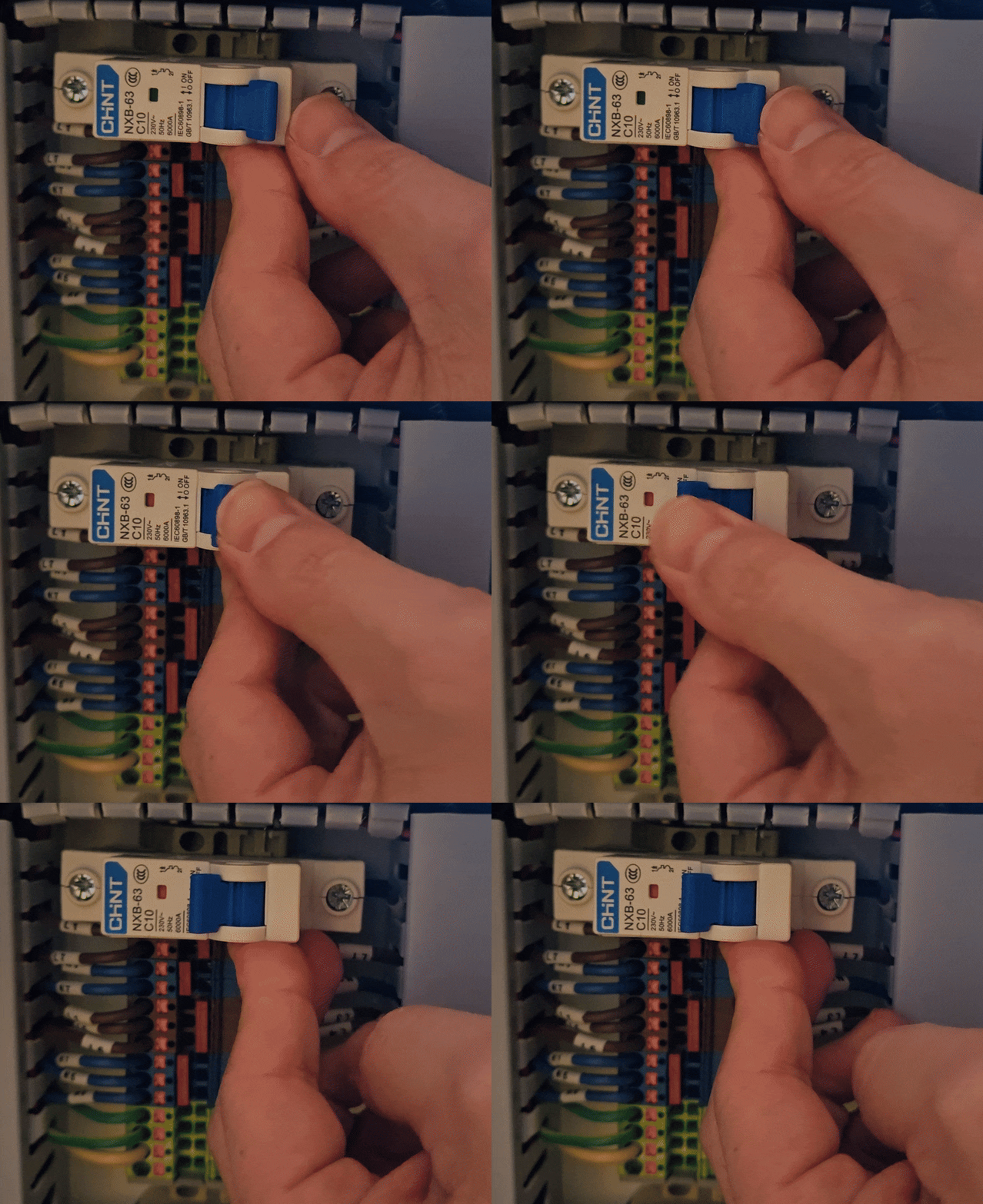 3. Clear the Estop 4. Check for power up |
Check power cord Connection
Check that the power cord is fully inserted and locked in place with the silver tab.
Inserted | Twisted to Lock Position |
|---|---|
 |  |
Feeder Breaker for Laser Machine Receptacle
You will need to locate your panel and know which breaker feeds the machine. Each users panel will be different so this information is relative to the situation
Symptom | Fix |
|---|---|
Locate the main breaker for your Receptacle that the Laser Machine Plugs into. Is it Tripped?  (Look for an Orange Tripped indicator, may not be exactly like that is shown here) | If you are not using a dedicated breaker (you have other items on your circuit) you need to remove them and dedicate the receptacle to the laser only. Here is how to reset: |
Still stuck?
Fastest response times in the industry from our US-based support team.