
Cleaning Your Stock Exhaust Fan
Preface: This article covers cleaning your exhaust fan and the air flow path.
⚠️ Warning: The exhaust fan shall be disconnected from the machine electrically before servicing.
Before You Begin
- Gather tools to service the fan and exhaust. You will need screwdrivers, rags, brushes and a mild cleaner.
- Identify which fan you have, the older Centrifugal type or the newer Axial Inline type that are quieter.
- Take note that the fans are not "washdown" rated. Be careful when cleaning to not get liquid buildup or runoff near the motor and other electrical parts. Failure to heed this advice can damage the fan and is not covered under warranty.
- Depending on how much dust/moisture you create, your fan may require a shorter time between cleanings.
| Centrifugal Fan | Axial Inline Fan |
|---|---|
 This style fan was found on Q3 2021 and older Nova Series machines (Excluding the Nova 24, Mini 60 unless really old)
|
 This style fan is found on all Bolt, Aurora, Odin and 2022+ Nova Series machines
|
Exhaust Path Areas to Clean
- Exhaust Fan
- Machine Exhaust Grate/Cover
- Your specific exit point of your space (No details on that since each one will vary)
- Inspect exhaust ducting for holes, excess buildup. Replace if worn.
Inline Fans (New)
Here is how to clean an inline exhaust fan:
Bolt
How to Disassemble the fan to access the fan body:

Centrifugal Fans (Old)
Here is how to clean the CZ-TD550 Centrifugal Fan that ships with the Nova 35, 51, and 63:
| Remove the Cover | Inspect and Clean the Cover |
|---|---|
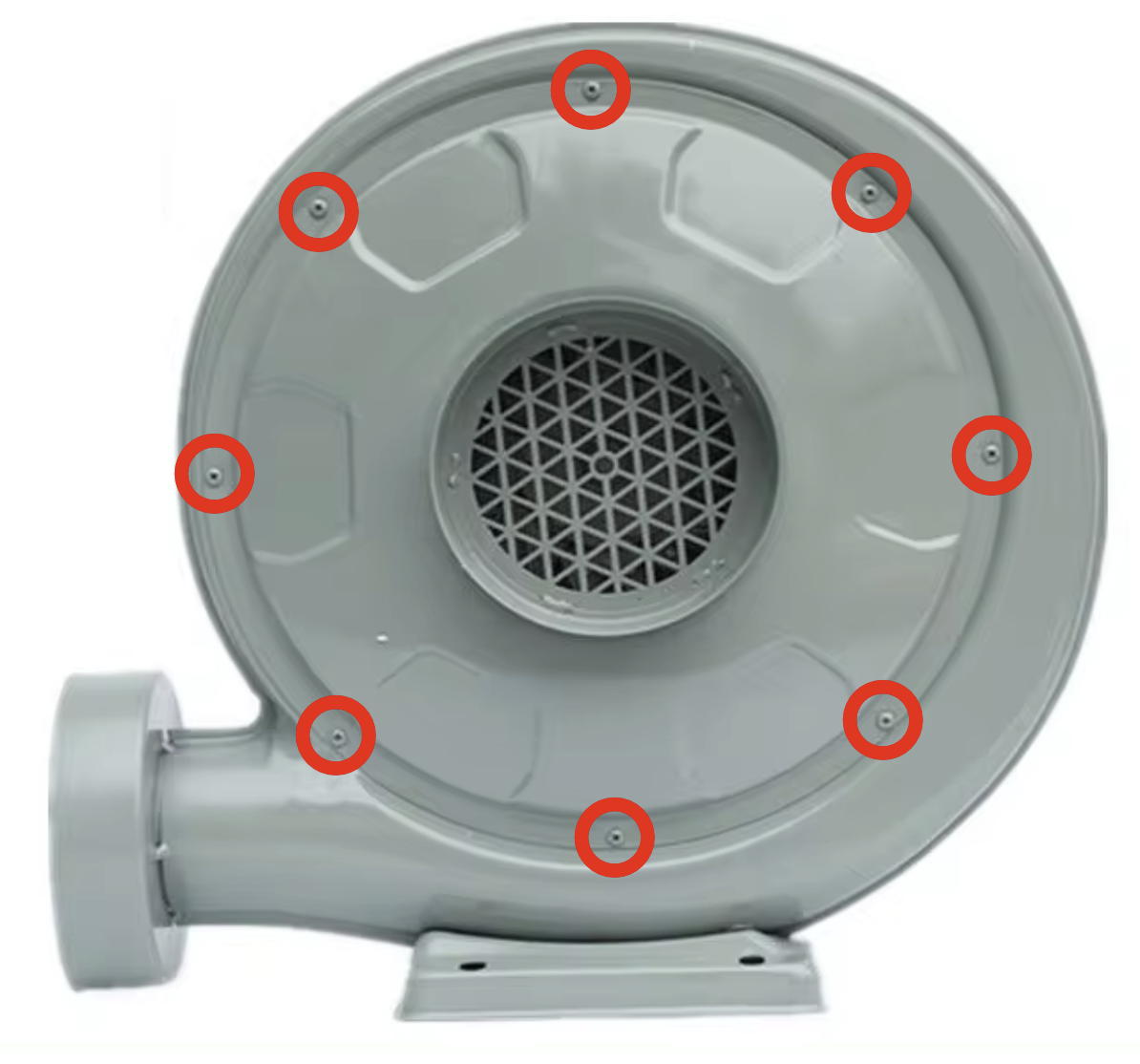 Remove the 8 Phillips head screws as shown
|

|
Here is more on that fan: CZ-TD550 Exhaust Fan Specs
Exhaust Panel in the Machine
Nova and Bolt/Odin Machines
Lower the Z bed all the way down to gain access to the panel at the back of the laser bay of the machine.
Use a brush (foam, bristle etc) to knock the dust off the grate and then follow up with a paper towel and cleaner to wipe off the rest.
| Nova Before | Nova After |
|---|---|

|

|
| Bolt Before | Bolt After |
|---|---|

|

|
Aurora Galvo Machines
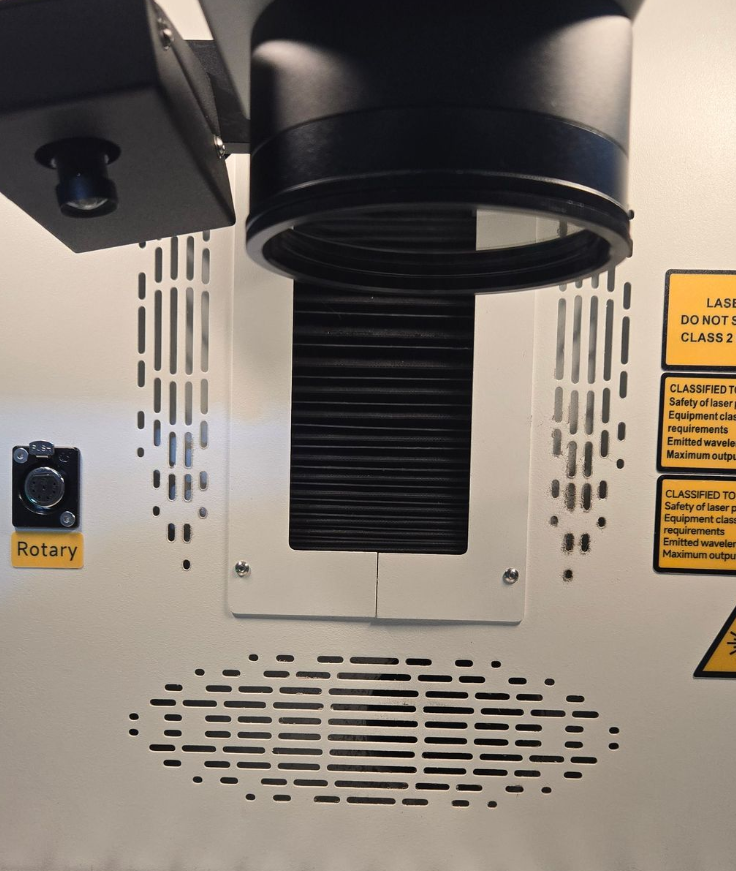
Use a brush (foam, bristle etc) to knock the dust off the grate and then follow up with a paper towel and cleaner to wipe off the rest.
| Aurora Before | Aurora After |
|---|---|
|

|
Reference Articles
Still stuck?
Fastest response times in the industry from our US-based support team.