
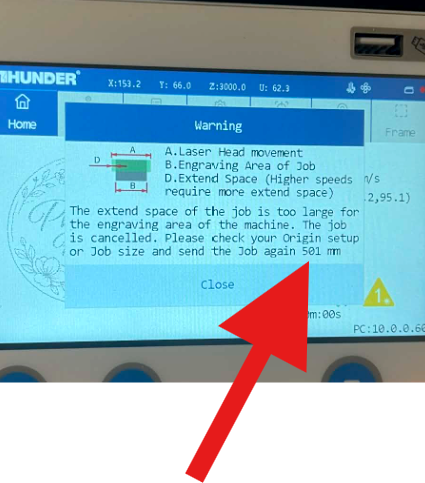
GT5 Touchscreen shows Large Not Enough Extend Space Error
Preface: This article covers a possible firmware issue in the new Thunders with Touchscreens
The Error Message
If you get the extend space error with a very large value and you are not exceeding your machines max speed (Like if you accidentally put 1000 INCHES per second vs 1000 millimeter) then you likely have a firmware setting issue.
How to Fix
Currently only Lasermaker and RDworks can access the settings. We suggest using Lasermaker (2.3.2 or greater) to correct it since LaserMaker works with both Windows and Mac. To obtain a copy of Lasermaker, please email [email protected].
Once you have it download and installed, you will need to connect to your machine and make the edits.
Few things to note:
Password is TL9501
Values:
Line Change Delay (ms) | X Unidirectional Scan Buffer Length (mm) | |
|---|---|---|
Titan Series | 0 | 10 |
Bolt Series | 0 | 30 |
Reference Video
Still stuck?
Fastest response times in the industry from our US-based support team.