
How to upgrade the firmware ——TITAN Series
Applies toTitanTopicGetting Started
Note:
The firmware must be provided by Thunderlaser.
Please make sure the software and laser machine are connected before updating.
It is recommended to connect the device using an Ethernet cable to ensure more stable and reliable data transmission.
Install the RDWorks software included in the attachment.
Step 1

Step 2

Step 3

Step 4
Choose the firmware we provide.

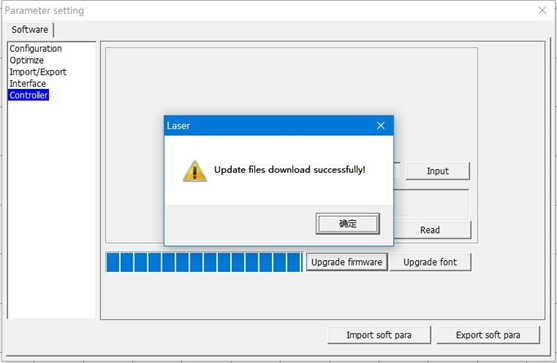
After this step, the software will show that "Update files download successfully".
Warning: After upgrading the controller and HMI firmware versions, certain parameter settings need to be manually modified in the touchscreen panel.
Please refer to the following video link for the modification process.
END.
Still stuck?
Fastest response times in the industry from our US-based support team.