
Optional lenses for Thunder Bolt
Intro Video
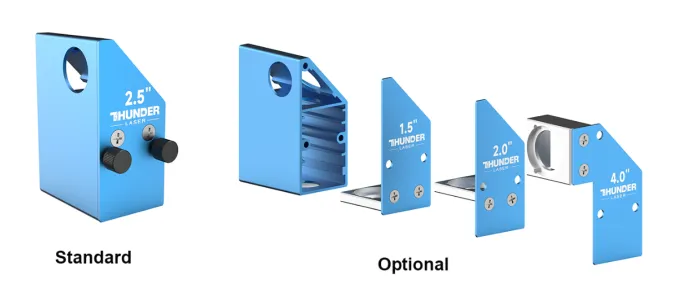
Appearance of the four lenses
Engraving Test
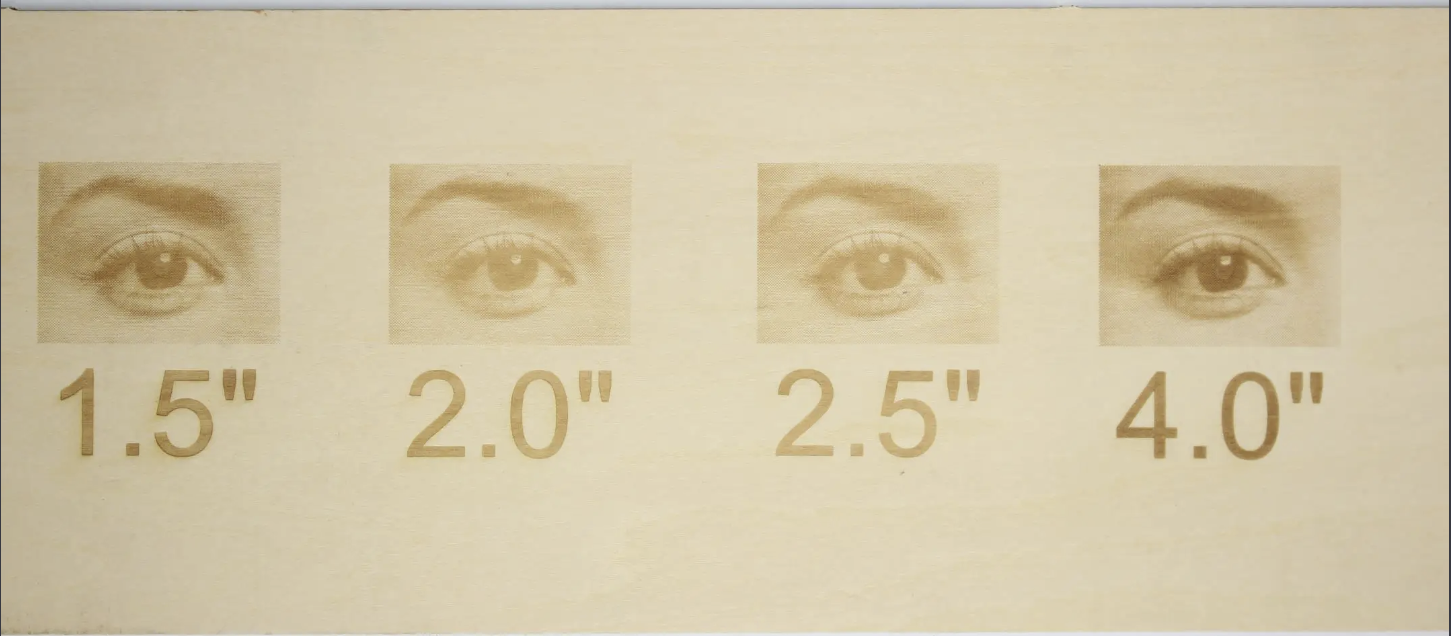
The same picture was engraved with all four lenses with the same power speed with the picture parameters set as shown:
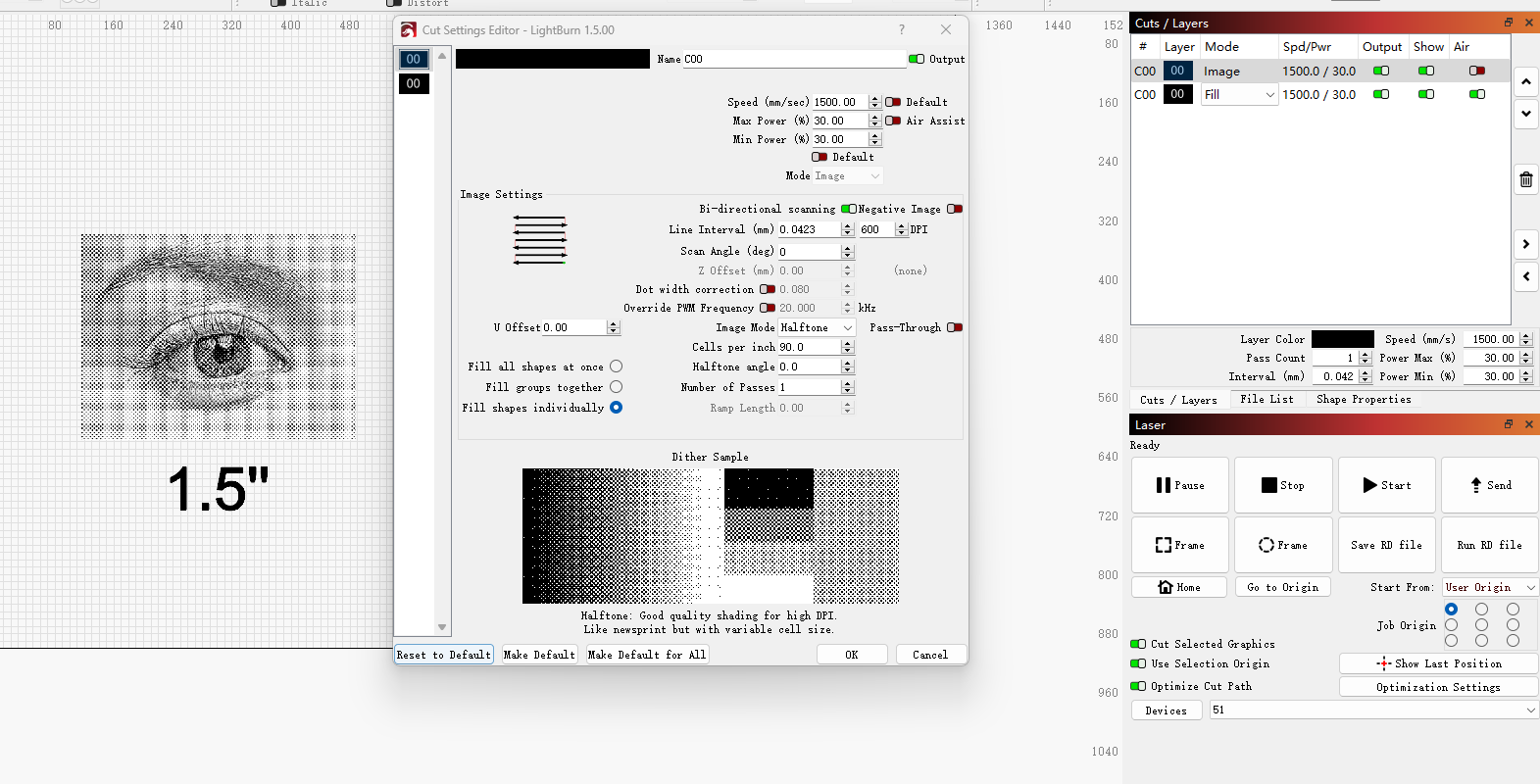
Speed: 1500mm/s
Power: 30%
Picture mode: Halftone
Cells per inch: 90
Comparisons
1.5 inch lens
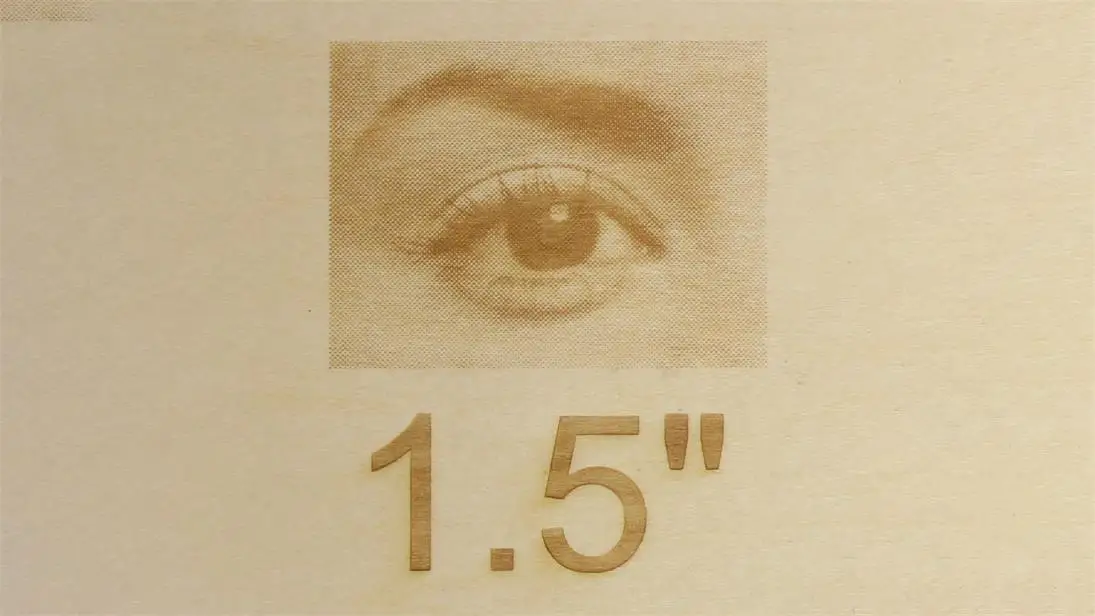
The 1.5″ lens has the smallest burn dot to provide the most detailed engraving effect. But at the same time it has the shortest cutting thickness.
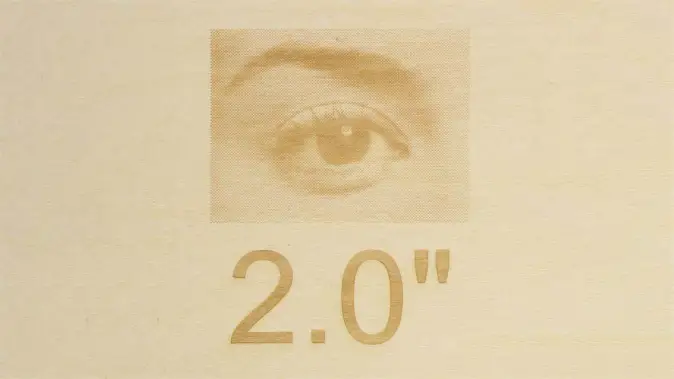
2.0 inch lens
The thickness of the 2.0″ lens cuts and the engraving effect are well balanced for most cases.
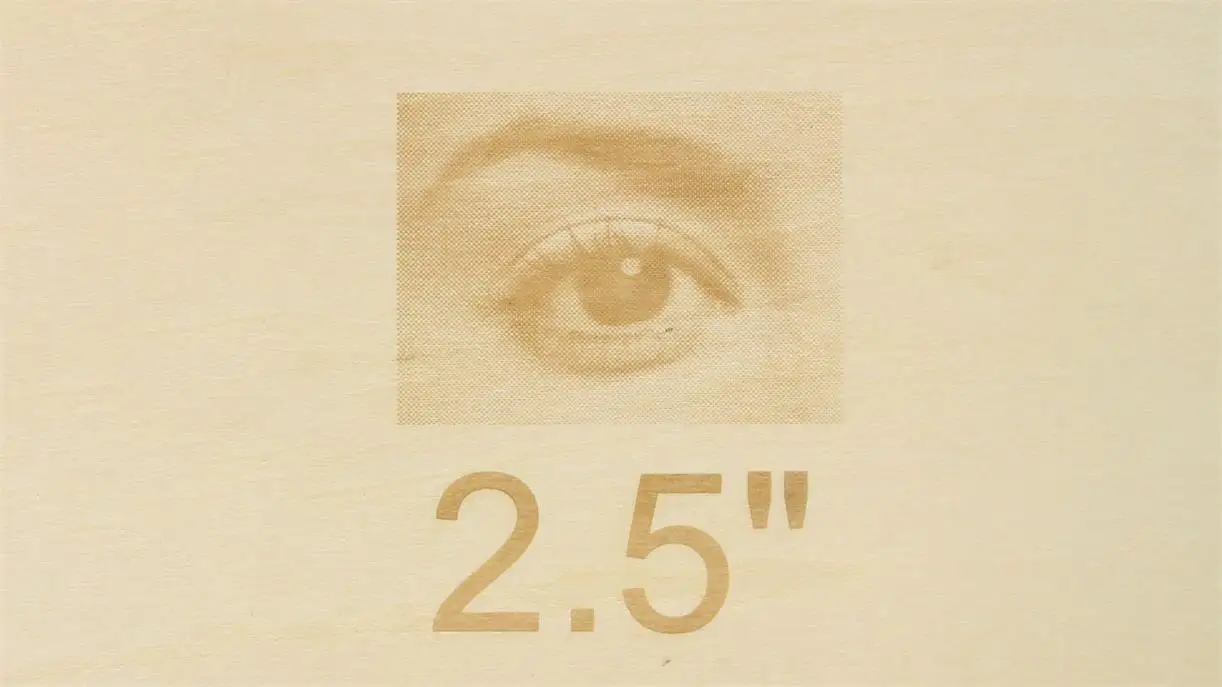
2.5 inch lens
The 2.5″ lens is ideal for thicker materials that require engraving and cutting.
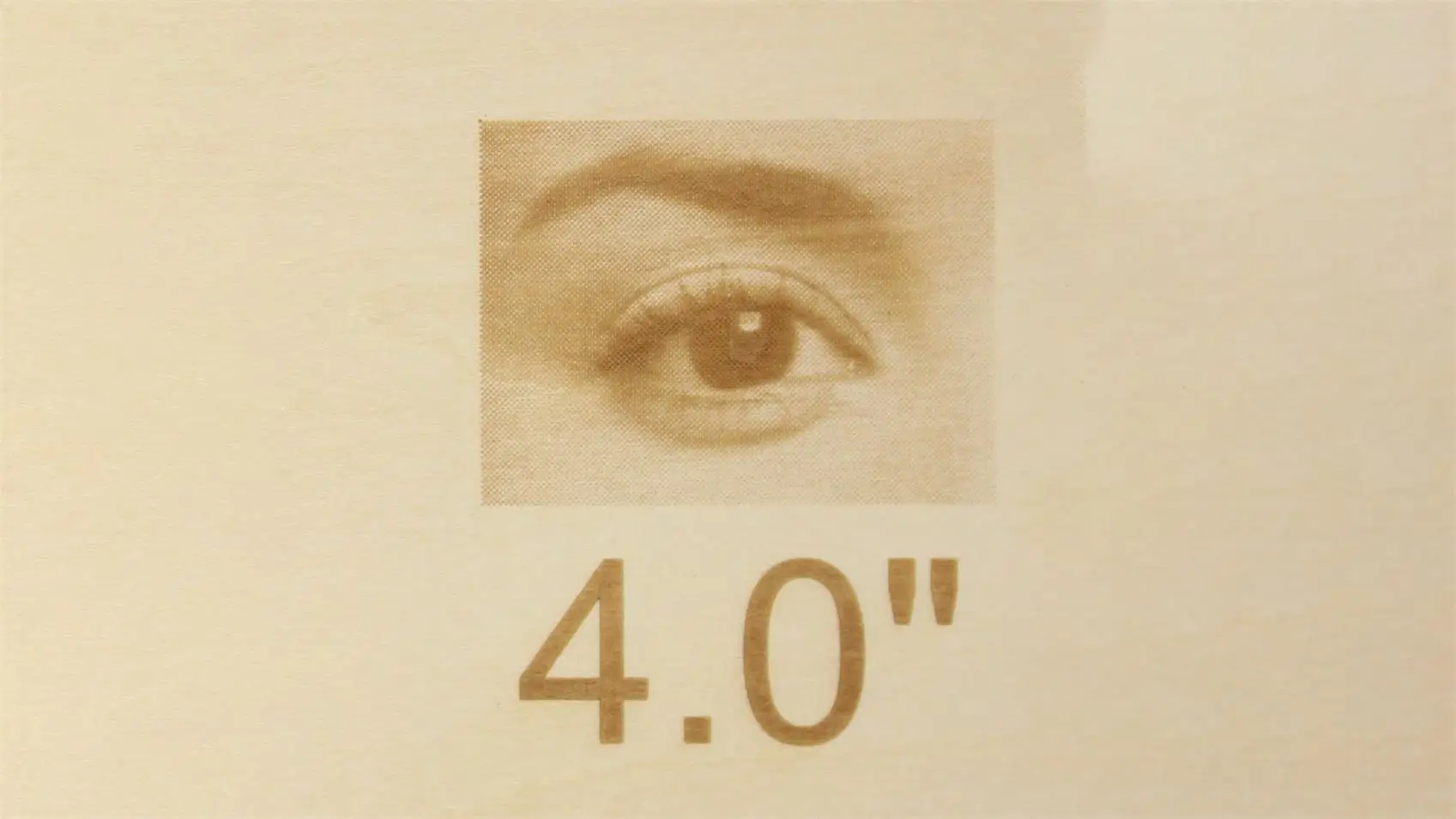
4.0 inch lens
4.0″ lens engraving fidelity is not as good as other lenses but it is meant for cutting thicker materials.
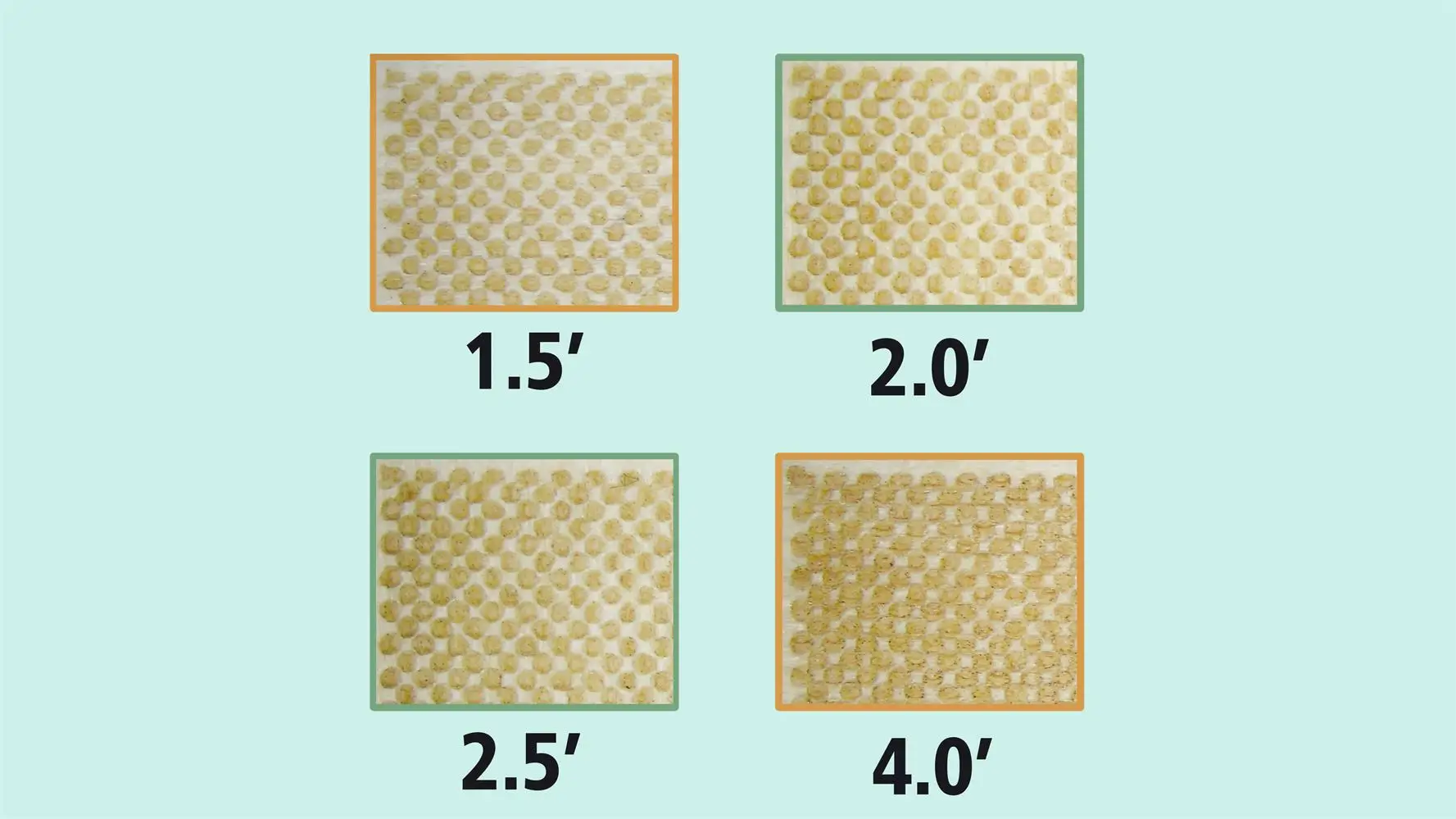
Dot Spacing Comparison
When we have finished engraving all the images, we can then use a magnifying glass to compare the size of the burn dots engraved by each lens.
Lens Selection based on Engraving and Cutting needs
Fineness of engraving:
1.5″ better than 2.0″ better than 2.5″ better than 4.0″
Depth of cut:
4.0″ better than 2.5″ better than 2.0″ better than 1.5″
How to replace the lens
Please refer to this article: Odin/Bolt Laser head assembly diagram
Still need help?
For specific technical questions or help requests, please open a Ticket with picture or video, so our Support team can assist you ASAP.
For the information provided in the ticket, please refer to this link: Help Tech Support Troubleshoot Faster
End.
Still stuck?
Fastest response times in the industry from our US-based support team.