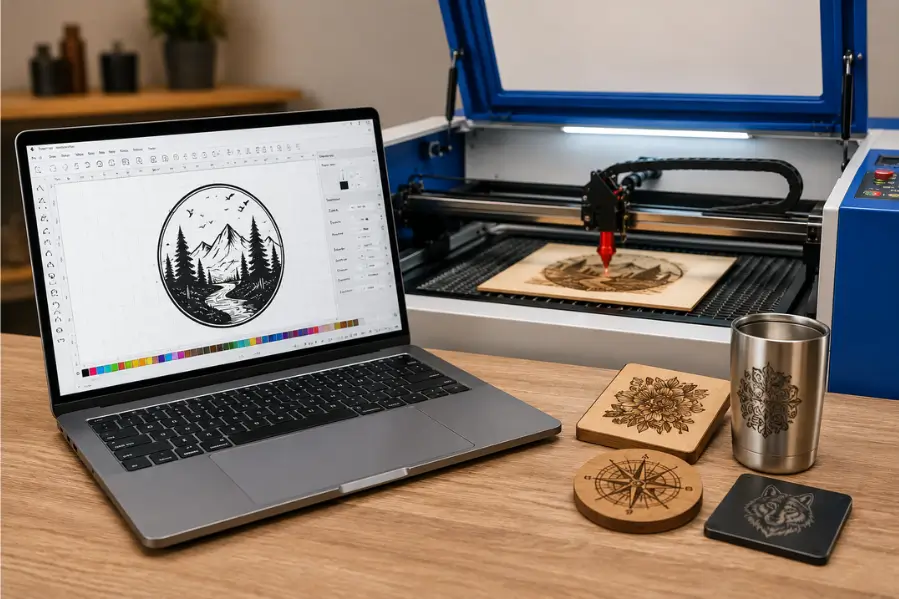

CorelDRAW has been one of the most popular design programs in the laser engraving industry for decades. Many laser machine manufacturers recommend it, and thousands of engraving businesses use it daily to create logos, signs, awards, and personalized products.
But is CorelDRAW actually necessary for laser engraving?
The short answer is no. While CorelDRAW is a powerful design tool, it’s not the only option. Today, laser engravers can use software like LightBurn, Adobe Illustrator, Inkscape, and AutoCAD depending on their workflow and machine compatibility.
This guide explains when CorelDRAW is worth using, when you can skip it, and which alternatives may better suit your needs.
Key Takeaways
- CorelDRAW is not required for laser engraving, but it remains one of the most popular design programs.
- Many CO₂ laser engravers work directly with LightBurn, eliminating the need for CorelDRAW.
- CorelDRAW excels at creating vector graphics, logos, signs, and detailed layouts.
- Your laser machine and controller determine which software you can use.
- Beginners can start with free or lower-cost alternatives if CorelDRAW doesn’t fit their budget.
Is CorelDRAW required for laser engraving?
No. You do not need CorelDRAW to operate most modern laser engravers.
CorelDRAW is primarily a vector graphic design program. It helps you create artwork that can later be imported into laser control software or sent directly to compatible laser machines.
Many users successfully engrave projects using:
- LightBurn
- Adobe Illustrator
- Inkscape
- AutoCAD
- Affinity Designer (depending on workflow)
The best software depends on your laser engraver, controller, and the type of work you produce.
Why is CorelDRAW so popular in the laser engraving industry?
CorelDRAW has built a strong reputation because it offers powerful vector editing tools and has long been compatible with many laser engraving systems.
Its strengths include:
- Professional vector drawing tools
- Precise object alignment
- Easy text editing
- Excellent node editing
- Color management
- Print and engraving workflow support
For businesses creating signs, trophies, awards, promotional products, and custom gifts, CorelDRAW remains a reliable choice.
What can you do in CorelDRAW?
CorelDRAW allows you to create nearly every type of artwork commonly used in laser engraving.
Popular projects include:
- Company logos
- Nameplates
- Awards
- Business signage
- Personalized gifts
- Monograms
- Product labels
- Decorative artwork
After designing your artwork, you can export it in formats supported by your laser software.
Is LightBurn a better option than CorelDRAW?
For many CO₂ laser users, LightBurn has become the preferred solution because it combines both design tools and laser control into one application.
CorelDRAW
Best for:
- Professional graphic design
- Advanced vector editing
- Print production
- Complex layouts
LightBurn
Best for:
- Laser job setup
- Machine control
- Material libraries
- Camera positioning
- Laser settings
- Production workflows
Many businesses actually use both programs together—CorelDRAW for creating artwork and LightBurn for preparing and sending engraving jobs to the machine.
CorelDRAW vs. LightBurn
| Feature | CorelDRAW | LightBurn |
|---|---|---|
| Vector Design | Excellent | Good |
| Laser Machine Control | No | Yes |
| Material Library | No | Yes |
| Camera Support | No | Yes |
| Advanced Graphic Design | Yes | Limited |
| Beginner Friendly | Moderate | Easy |
| Best For | Design | Laser Production |
If your primary goal is operating a laser engraver efficiently, LightBurn often provides everything you need.
Which laser engraving software is best for beginners?
Beginners should choose software that matches both their experience level and their machine.
| Software | Best For |
|---|---|
| LightBurn | Most CO₂ laser users |
| CorelDRAW | Professional vector design |
| Adobe Illustrator | Graphic designers |
| Inkscape | Free vector editing |
| AutoCAD | Engineering drawings |
Many new laser engraving businesses begin with LightBurn because it combines design and machine control in one interface.
Can you use free software instead of CorelDRAW?
Yes.
Several free programs work well for laser engraving.
Popular options include:
- Inkscape
- LibreCAD
- LaserGRBL (supported machines)
- FreeCAD (certain workflows)
While these programs may not offer every advanced feature found in CorelDRAW, they are capable of producing professional engraving designs for many projects.
Should professionals still use CorelDRAW?
Absolutely.
Many experienced engraving shops continue to use CorelDRAW because of its powerful vector editing capabilities and established workflows.
CorelDRAW is especially useful when creating:
- Multi-layer artwork
- Large sign layouts
- Technical drawings
- Complex typography
- Customer proofs
For businesses already using CorelDRAW, there’s often little reason to switch unless another program better fits their production process.
How do you choose the right software?
When selecting laser engraving software, consider:
- Machine compatibility
- Design experience
- Budget
- Production volume
- File formats
- Required features
If your machine supports LightBurn, many users find it offers the easiest workflow. If you regularly create complex vector graphics, CorelDRAW remains an excellent investment.
Final Thoughts
CorelDRAW is a powerful design program, but it is not essential for laser engraving. Modern laser engravers support a variety of software solutions, and many users successfully complete projects using LightBurn, Adobe Illustrator, or free alternatives like Inkscape.
The best software is the one that fits your workflow, your laser machine, and your design needs. Whether you choose CorelDRAW or another platform, understanding your machine and producing clean vector artwork will have the biggest impact on engraving quality.
Find the Right Software and Laser Engraver with Thunder Laser USA
Thunder Laser USA machines are compatible with industry-leading laser software, helping you create accurate designs and efficient production workflows. Whether you’re new to laser engraving or running a professional shop, our team can help you choose the right machine and software for your business.
Explore Thunder Laser USA laser engravers and discover the best workflow for your projects.
Related Articles
Continue learning with these helpful guides:
- Best Laser Cutting Software: Complete Guide for Precision, Speed, and Workflow
- How to Choose the Right Laser Engraver
- Laser Engraver Features: 10 Must-Have Features to Look For
- Starting a Laser Engraving Business: A Step-by-Step Guide
- Laser Machine Comparison: Which One Is Best?
Frequently Asked Questions
Do I need CorelDRAW to use a laser engraver?
No. Most modern laser engravers can be used with software like LightBurn, Adobe Illustrator, or Inkscape, depending on machine compatibility.
Is CorelDRAW better than LightBurn?
CorelDRAW is better for advanced vector design, while LightBurn is designed specifically for laser machine control and production workflows.
Can I use CorelDRAW with Thunder Laser USA machines?
Yes. You can create artwork in CorelDRAW and import it into compatible laser software such as LightBurn for engraving.
Is there a free alternative to CorelDRAW?
Yes. Inkscape is one of the most popular free vector design programs used for laser engraving.
Which software is easiest for beginners?
LightBurn is often recommended because it combines design tools with laser machine control in a single application.
Can I switch from CorelDRAW to LightBurn?
Yes. Many users transition to LightBurn or use both programs together, depending on their workflow and design requirements.