What Can a Fiber Laser Engrave? A Complete Materials Guide
Every material a fiber laser handles well, the ones it cannot touch, why reflective metals are harder than they look, and the one material that will damage your machine.

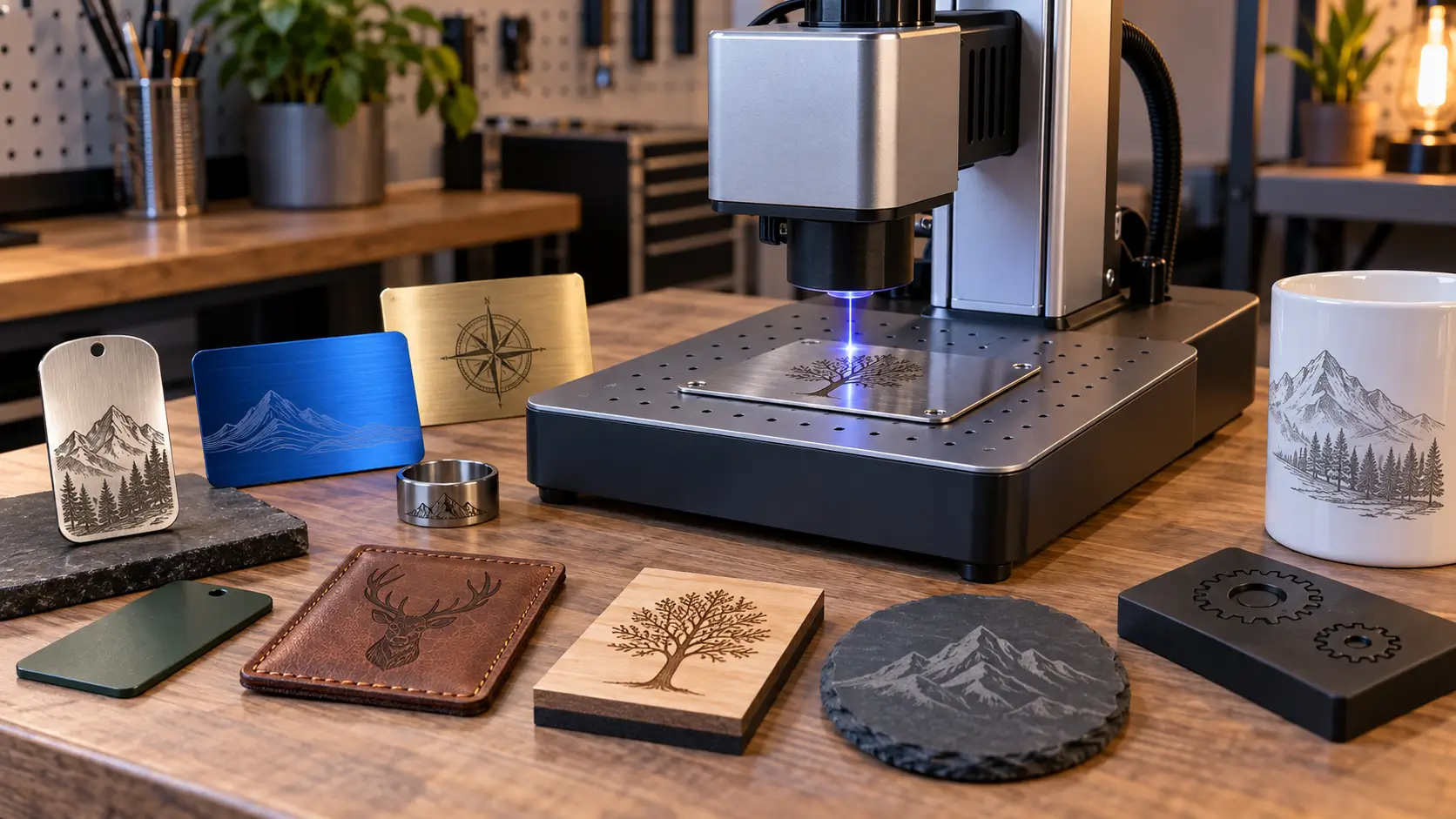
A fiber laser emits at roughly 1,064 nm, a wavelength metals absorb efficiently, so it engraves and marks steel, stainless, aluminium, brass, titanium, tungsten and most alloys extremely well. It also handles anodised and powder-coated metal, certain engineering plastics, coated wood, finished leather, slate and glazed ceramic. It does not work on glass, raw wood, fabric, paper or foam, because those materials barely absorb that wavelength. Never put PVC in any laser, fiber included. And highly reflective metals like copper, gold and silver need a machine with back-reflection protection.
Key takeaways
- Metal is what fiber is for. Steel, stainless, aluminium, brass, titanium and most alloys absorb 1,064 nm efficiently and mark permanently without any coating or spray.
- On non-metals, you are usually marking a coating, not the material. Fiber works on painted metal, anodised aluminium, coated wood and finished leather because it removes the surface layer. Raw wood and bare glass barely absorb the beam at all.
- Reflective metals are a machine question, not a settings question. Copper, gold and silver reflect most of the beam back toward the source. Confirm your machine has back-reflection protection before committing to that work.
- Never laser PVC. It releases hydrogen chloride that becomes acid inside the enclosure and corrodes optics and electronics. This applies to every laser type.
- A desktop fiber marks; it does not cut. Cutting metal needs kilowatt-class industrial systems with assist gas. A 20 to 100 W marker engraves surfaces and may cut very thin foil at best.
Fiber lasers get bought for metal, and metal is where they genuinely excel. But the question people actually ask before buying is broader than that: what else will this thing do, and will it handle the specific material sitting on my bench?
This guide answers both. It covers what fiber handles well, what it handles conditionally, what it cannot do at all, and the two situations that cause real problems: reflective metals and PVC.
Why Fiber Works on Some Materials and Not Others
Everything comes down to absorption at one wavelength. A fiber laser emits at around 1,064 nm, in the near infrared. Whether a material engraves cleanly depends almost entirely on how much of that specific wavelength it absorbs.
Metals absorb near-infrared efficiently. The energy couples straight into the surface, heats it almost instantly, and either alters it chemically or vaporises a thin layer. That is why a fiber laser marks bare steel with no preparation, no coating and no marking spray.
Most organic materials do the opposite. Wood, fabric, paper and foam barely absorb 1,064 nm, so the beam passes through, scatters, or deposits just enough heat to scorch without cutting cleanly. Glass is worse still, because it transmits the wavelength almost entirely and what little energy it does take tends to arrive as thermal shock.
The exception that explains most of the confusion: Fiber lasers do work on painted metal, anodised aluminium, coated wood and finished leather. In every one of those cases you are not marking the base material. You are removing or altering a surface coating that absorbs the wavelength, revealing what is underneath. Strip the coating off and the same laser will do very little.
Metals: What Fiber Does Best
Metal | Result | Notes |
|---|---|---|
Stainless steel | Excellent | Anneal for a flat black mark, etch for speed, or deep engrave. The benchmark material |
Mild and carbon steel | Excellent | Marks and deep engraves readily |
Anodised aluminium | Excellent | Removes the anodised layer for a crisp white mark. Very fast, very high contrast |
Bare aluminium | Very good | Marks and engraves, though contrast is lower than on anodised |
Titanium | Excellent | Takes oxide colour marking particularly well with a MOPA source |
Brass and bronze | Very good | Moderately reflective; usually fine on a machine with back-reflection protection |
Tungsten and carbide | Very good | Hard and dense; suits deep engraving for tool marking |
Nickel, chrome, zinc | Good | Mark reliably; plated finishes behave like their coating |
Copper | Conditional | Highly reflective. See the section below before planning production work |
Gold, silver, platinum | Conditional | Highly reflective. Common in jewellery but machine-dependent |
Powder-coated metal | Excellent | You are removing coating to expose the metal beneath. Low power, fast |
Anodised vs Bare Aluminium
These get treated as one material and behave completely differently, which trips up a lot of new owners.
Anodised aluminium has a hard oxide layer, usually dyed black or a colour. The laser removes that layer and exposes the pale metal underneath, producing a bright, crisp, high-contrast mark at low power and high speed. It is one of the fastest and most reliable things a fiber laser does.
Bare aluminium has no layer to remove. You are working the metal itself, which means either etching a shallow grey mark or deep engraving with multiple passes. It works, but expect lower contrast and slower cycle times than the anodised samples in every manufacturer's gallery.
If you are quoting a job and the sample you tested was anodised, do not assume the same settings and timings apply to raw stock.
The Reflective Metals Problem
This is the part of the answer that most buying guides leave out, and it is the one that can cost you a laser source.
Absorption at 1,064 nm is not uniform across metals. Copper and silver absorb very poorly at this wavelength, far less than iron or steel. What is not absorbed is reflected, and on copper that can be the large majority of the beam.
Reflected light travels back into the machine. The reflected beam re-enters the focusing optics and can couple back down the delivery fibre toward the laser source. Uncontrolled, it can destabilise the laser, damage the delivery fibre and optics, and reach the pump diodes. This is a well-documented failure mode in fiber systems, not a theoretical risk.
Two things keep this in proportion.
It scales with power. The dramatic failures come from kilowatt-class cutting and welding, where piercing a copper sheet generates enormous back-reflection. A 20 to 60 W marking laser working on a small engraved area is a far milder case.
Modern machines are usually protected. Most current fiber sources include back-reflection protection, either hardware isolation that dumps the reflected energy as heat, or software monitoring that shuts the laser down when it detects a problem. Hardware isolation is preferable because software protection interrupts the job and needs a reset.
The practical advice is simple. If copper, brass, gold or silver is incidental to your work, most machines will handle it without drama. If it is your core business, jewellery being the obvious case, ask the manufacturer directly what back-reflection protection the source has before you buy. It is a specification question, and a reputable supplier will answer it plainly.
Angling the part slightly off perpendicular also helps, since it directs the reflection away from the beam path rather than straight back down it.
Non-Metals a Fiber Laser Can Handle
Material | Result | Why It Works |
|---|---|---|
Anodised or painted surfaces | Excellent | The coating absorbs; the laser removes it |
Engineering plastics (ABS, PBT, PC, PA) | Good | Filled and pigmented plastics absorb enough to mark cleanly |
Acrylic | Good | Marks well; darker and pigmented sheet works best |
Slate | Very good | Tolerates thermal shock and gives high contrast |
Glazed ceramic | Conditional | Works on glossy glazes; low power to avoid cracking |
Coated or finished leather | Good | Marks the finish layer. Raw vegetable-tanned leather is poor |
Coated and lacquered wood | Good | The coating absorbs. Raw wood barely does |
Carbon fibre | Good | Marks readily; extraction essential for the dust |
Silicone | Conditional | Pigmented silicone marks; clear does not |
Plastics: Which Ones and Why
Plastics are the most variable category in the whole list, and the variation is not random.
Pigmented and filled plastics mark well. ABS, PBT, polycarbonate and nylon are used across electronics, automotive and consumer goods precisely because they take a permanent laser mark. Phone cases, connectors, keyboard keys and tool housings are routine fiber laser work.
Clear and transparent plastics usually do not. The beam passes straight through with nothing to absorb it. Darker and more heavily pigmented material gives far better results than clear stock of the same polymer.
Some plastics produce problematic fumes. ABS and polystyrene both release fumes that are unpleasant, and residue from them settles on internal optics. Extraction is not optional on plastic work.
If your business is primarily plastics rather than metal, a UV laser is worth investigating. Its much shorter wavelength marks a far wider range of polymers, including many that fiber cannot touch, and it does so with very little heat.
What a Fiber Laser Cannot Engrave
Being clear about the limits saves a lot of wasted material.
Material | Why Not | Use Instead |
|---|---|---|
Glass | Transmits 1,064 nm; the energy that does land causes microfractures and cracking | CO2 laser |
Raw and untreated wood | Poor absorption; scorches rather than engraves cleanly | CO2 laser |
Fabric and textiles | Almost no absorption at this wavelength | CO2 laser |
Paper and card | Same; also a fire risk with no clean cut | CO2 laser |
Foam (EVA, PE, PU) | Passes through or melts unevenly | CO2 laser |
Untreated leather | Poor absorption without a surface finish | CO2 laser |
Clear plastics | Beam passes through with nothing to absorb it | UV laser, or pigmented stock |
PVC and vinyl | Releases hydrogen chloride; corrodes the machine | Nothing. Do not laser it at all |
PVC is the one absolute rule. PVC is roughly 57 percent chlorine by weight. Heated by any laser it releases hydrogen chloride, which combines with ambient moisture to form hydrochloric acid inside the enclosure. That acid attacks optics, rails, metalwork and electronics, and the fumes are a respiratory hazard. Ventilation does not prevent it, because deposition happens during the cut. Check the recycling mark for a 3, PVC or V, and if a material is unidentified, do not run it.
PVC turns up in more places than people expect, including rigid foam board sold under names like Sintra and Forex, faux leather, some vinyl banner stock and many flexible tubes. Our guide to laser cut foam covers how to identify it before it reaches the bed.
The Four Things a Fiber Laser Does to Metal
Engraving is only one of them, and choosing the right one matters more than any parameter you set.
Process | What Happens | Depth | Best For |
|---|---|---|---|
Annealing | Surface is heated to grow an oxide layer; no material removed | None | Medical, food contact, corrosion-critical parts |
Etching | A shallow surface layer is vaporised | Very shallow | Fast, high-contrast general marking |
Engraving | Repeated passes remove measurable material | 0.05 mm and up | Tooling, parts exposed to abrasion |
Colour marking | Controlled oxide thickness creates interference colours | None | Decorative work, branding; needs a MOPA source |
The choice has consequences beyond appearance. Etching and deep engraving break the passive chromium oxide layer on stainless steel, which can create a corrosion site on parts that will meet moisture or sterilisation. Annealing does not. Our guide to laser engraving stainless steel covers when each process is appropriate.
Can a Fiber Laser Cut?
Industrial fiber lasers cut metal extremely well. Desktop and benchtop fiber markers do not, and the difference is not marginal.
Metal cutting is done at kilowatt power levels with assist gas, on machines that cost as much as a house and occupy a factory bay. A 20 to 100 W fiber marker is a surface-processing tool. It will mark, etch and deep engrave, and at the top of that range it may cut very thin foil or shim stock, slowly.
If you need parts cut to shape from sheet material, that is either an industrial fiber cutter or, for non-metals, a CO2 laser. Our comparison of CO2 vs fiber lasers covers which technology suits which kind of work.
Where MOPA Extends the Range
A standard fiber source has a fixed pulse width. A MOPA source lets you vary it, typically from a few nanoseconds to a few hundred, and that control opens up two things a standard fiber struggles with.
Colour marking on stainless and titanium. Colour comes from controlling oxide layer thickness precisely, which requires precise, repeatable heat input. That is a pulse-control problem, so it is a MOPA capability rather than a standard fiber one.
Plastics and thin materials. Short pulses deposit energy quickly and let it dissipate before it spreads. On thin sheet that is the difference between a clean mark and a warped part, and on dark plastics it widens the range of materials that mark well.
If your work is entirely steel nameplates, a standard fiber is fine. If it includes anodised colour work, plastics or delicate parts, MOPA is worth the difference.
Common Applications by Material
Material | Typical Products |
|---|---|
Stainless steel | Surgical instruments, tumblers, tools, industrial nameplates, UDI codes |
Anodised aluminium | Aerospace part marking, electronics housings, branded hardware, tags |
Brass and copper | Jewellery, plaques, decorative hardware, instrument components |
Titanium | Medical implants, jewellery, aerospace fasteners, colour-marked branding |
Powder-coated metal | Tumblers, tool identification, machine plates, signage |
Engineering plastics | Keyboard keys, connectors, phone cases, automotive components |
Carbide and tool steel | Cutting tools, dies, moulds, asset identification |
Slate and ceramic | Coasters, plaques, awards, memorial items |
How to Test an Unknown Material
1. Identify it first. Check for a recycling mark or ask the supplier for a safety data sheet. Never run an unidentified plastic or sheet material on the assumption it is probably fine.
2. Rule out PVC absolutely. A 3, PVC or V marking means it does not go in the machine. Neither does anything described as expanded PVC, vinyl or foamed vinyl.
3. Check for a coating. If the material is non-metallic and it works, it is usually because of a surface layer. Knowing that tells you the mark will be as durable as the coating, no more.
4. Run a parameter grid on scrap. Vary power and speed across a small test array before committing to the real part. Materials vary between batches, even from the same supplier.
5. Start from tested settings where you can. Our free Thunder Materials Library has power, speed and interval settings for 22 materials, tested on our own machines, as a LightBurn file and a printable PDF.
6. Run extraction from the start. Plastics and coated materials both produce residue that settles on the focus lens and degrades every job afterwards.
If you would rather not work it out yourself, Thunder Laser's samples lab will process your material and return it with a report, so you get verified results before committing to production.
Matching the Laser to Your Materials
The short version: if your work is metal, a fiber laser is the right machine and very little else competes. If your work is wood, acrylic, leather, fabric or foam, fiber is the wrong tool no matter how good the machine is, and a CO2 laser is what you want.
The materials that confuse the picture, painted metal, anodised aluminium, coated wood, finished leather, all work for the same reason: you are processing a surface layer rather than the base material. Keep that principle in mind and most compatibility questions answer themselves.
Frequently asked questions
What materials can a fiber laser engrave?
Nearly all metals, including steel, stainless, aluminium, brass, titanium, tungsten and most alloys. It also handles anodised and powder-coated surfaces, many engineering plastics, coated wood, finished leather, slate and glazed ceramic. It does not work on glass, raw wood, fabric, paper or foam.
Can a fiber laser engrave wood?
Coated or lacquered wood, yes, because the coating absorbs the wavelength. Raw untreated wood absorbs 1,064 nm poorly and tends to scorch rather than engrave cleanly. For wood generally, a CO2 laser is the correct tool.
Can a fiber laser engrave glass?
Not well. Glass transmits this wavelength almost entirely, and the small amount of energy it does absorb arrives as thermal shock, causing microfractures and cracking rather than a clean mark. Use a CO2 laser for glass.
Can a fiber laser engrave copper, gold or silver?
Yes, but these metals reflect most of the beam, and that reflected energy travels back toward the laser source. Most modern machines include back-reflection protection. If precious metals or copper are central to your work, confirm what protection the source has before buying.
Can a fiber laser cut metal?
Industrial fiber cutters do, at kilowatt power with assist gas. Desktop and benchtop fiber markers in the 20 to 100 W range mark and engrave surfaces. They may cut very thin foil, but they are not metal cutting machines.
Can a fiber laser engrave plastic?
Many engineering plastics, yes. ABS, PBT, polycarbonate and nylon mark cleanly, particularly when pigmented. Clear plastics generally do not, because the beam passes through. PVC must never be lasered. For plastics work specifically, a UV laser covers a wider range.
Why can a CO2 laser engrave coated tumblers but not bare stainless?
Because those are different jobs. On a coated tumbler the laser removes powder coating, which absorbs the CO2 wavelength well. Bare stainless reflects it. A fiber laser is the opposite: it marks the bare metal directly.
Do I need a marking spray with a fiber laser?
No. Marking compounds such as CerMark exist so CO2 lasers can mark metal. A fiber laser marks bare metal directly, which removes both the consumable cost and the application and cleanup time.
What is the difference between a fiber laser and a MOPA laser?
MOPA is a type of fiber laser with adjustable pulse width. That extra control enables colour marking on stainless and titanium and reduces heat input on thin parts and plastics. All MOPA lasers are fiber lasers; not all fiber lasers are MOPA.