
Door Safety System information for sensors and flap board
Applies toAll machinesTopicGeneral
Preface: This article covers information about the Door Safety systems found on various Thunder Laser Machines. Depending on the vintage or Class of your machine, your system may vary.
Door Sensor Safety Systems:
Each machine comes standard with door protection sensors wired to a Door Flap control board. These sensors prevent the machine from operating when specific doors are open.This design is for your protection as well as the machine. If you have a Class I machine, you will have more sensors installed than what is shown below.
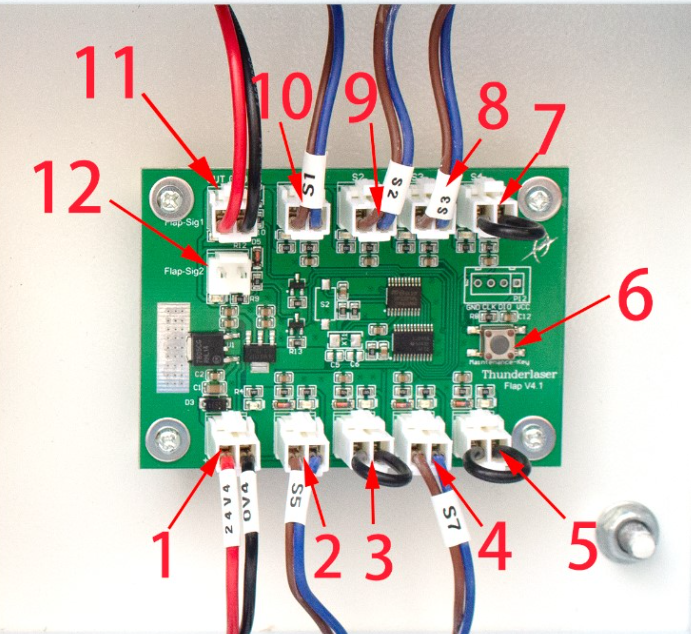
Door Flap Board Connections:
|
Number
|
Description
|
Number
|
Description
|
|
1
|
24V DC Voltage Power Input
|
7 |
spare interface of Signal Input
|
|
2
|
Signal Input for door sensor of S5
|
8
|
Signal Input for door sensor of S3
|
|
3
|
Spare interface of Signal Input
|
9
|
Signal Input for door sensor of S2
|
|
4
|
Signal Input for door sensor of S7
|
10
|
Signal Input for door sensor of S1
|
|
5
|
spare interface of Signal Input
|
11
|
Signal Output, where signal to controller board
|
|
6
|
"Maintenance" button
|
12
|
Spare interface of Signal Output
|
Door Example Board States:
States shown are from a Nova series machine.
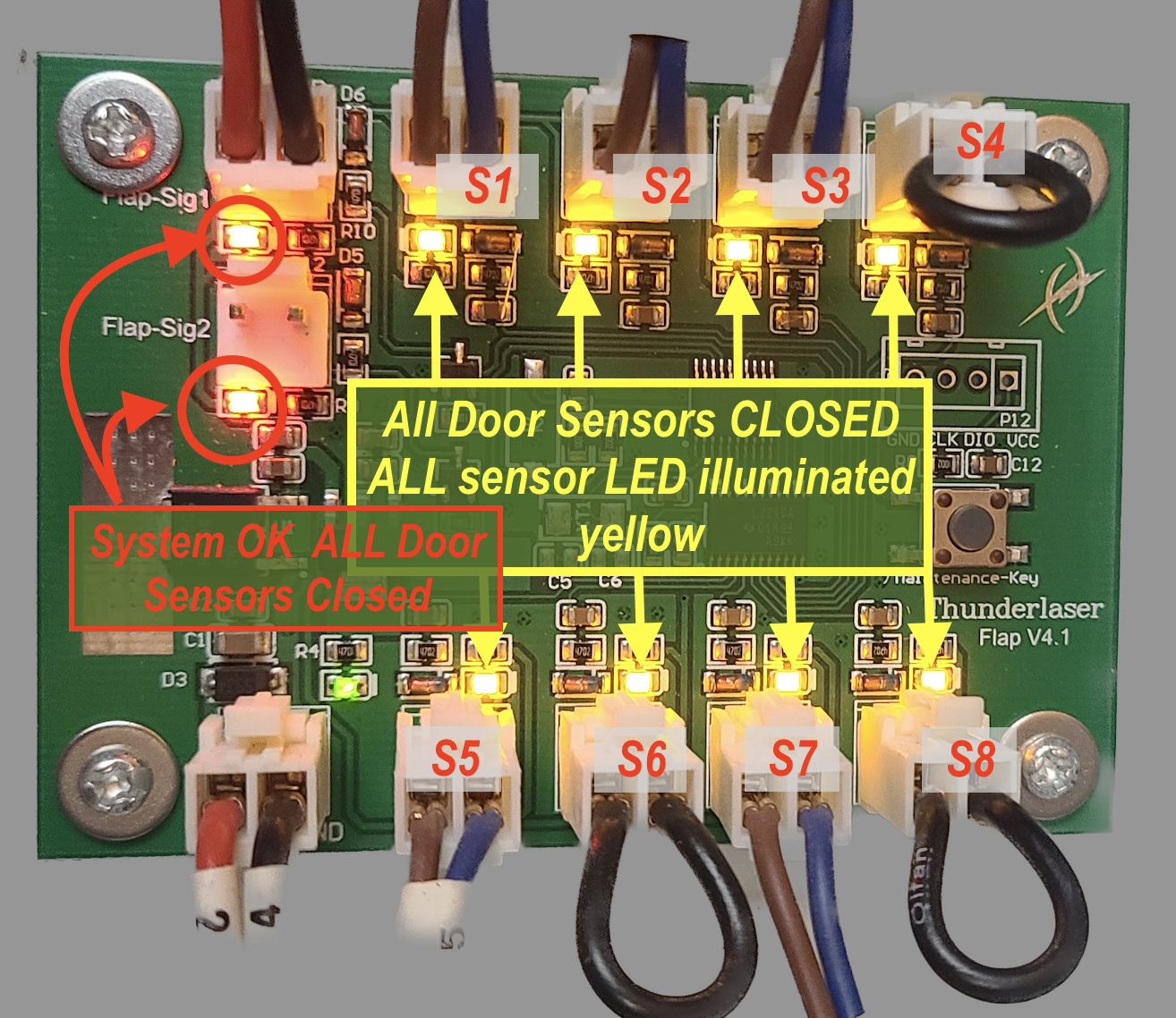
All doors closed, Door Board OK:
All door signalsOK and have Yellow LED illuminated, Red Status LED illuminated.
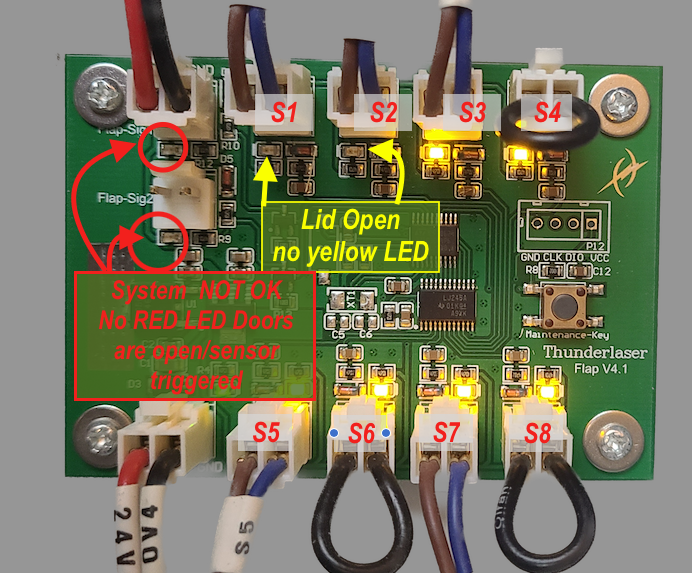
Lid Open Door Board not OK:
All door signals OK except Lid Sensors S1 and S2 Yellow LED OFF, all others have Yellow LED illuminated, Red Status LED NOT illuminated.
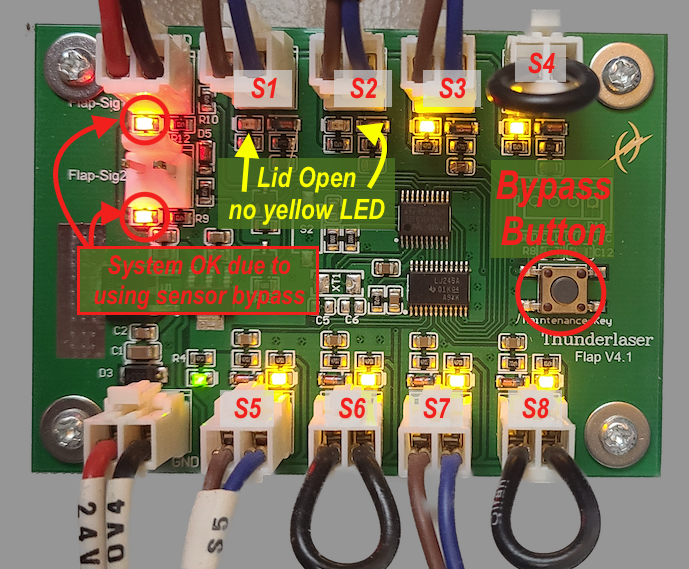
Lid Open, Door Board not OK but Bypassed:
All door signals OK except Lid Sensors S1 and S2 Yellow LED OFF, all others have Yellow LED illuminated, Red Status LED illuminated.
Door Numbering:
Nova Series:
| Sensor Number | Reference Image |
S1: Lid Left Side S2: Lid Right Side S3: Front Lower Panel S4: Not used, jumpered S5: Laser Tube Door in back S6: Not used, jumpered S7: Left Side Upper Door S8: Not used, jumpered |  |
Odin Series:
Sensor Number | Reference Image |
S1: Lid Left Side S2: Lid Right Side S3: Front Door Panel Left Side S4: Front Door Panel Right side S5: Laser Tube Door in back S6: Laser Tube Door in back S7: Left Side Door S8: Left Side Door |  |
Door Board Locations:
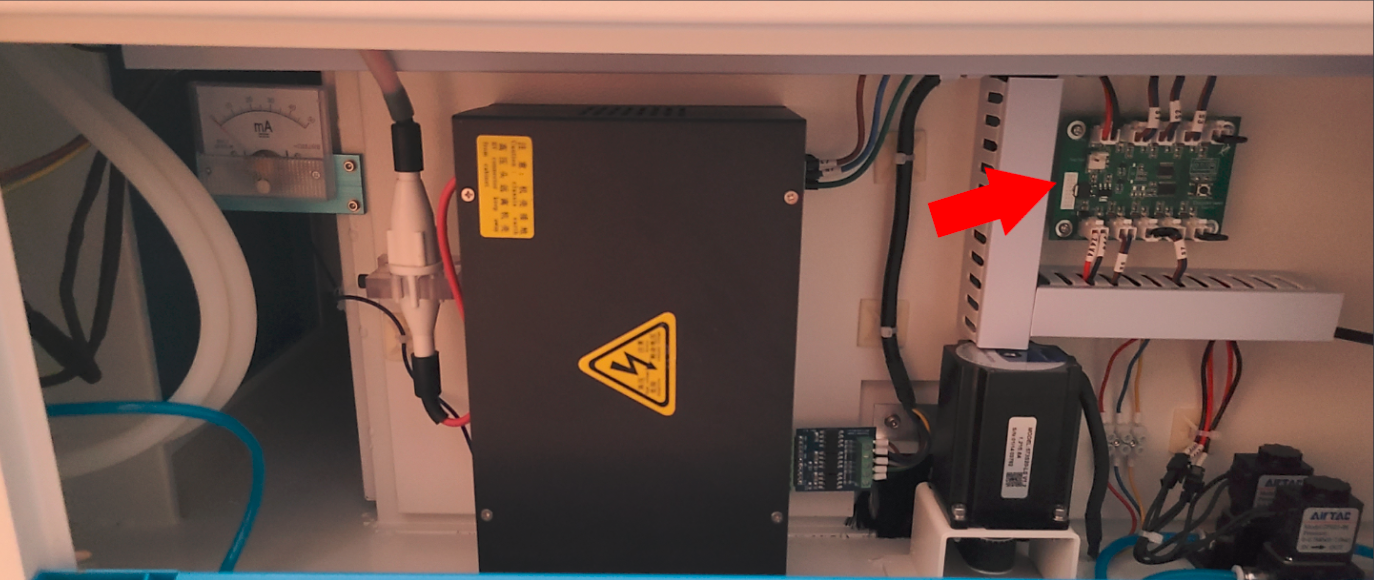
Nova/ Nova Plus 24:
Left side of machine, behind the lower blue door. It is then in the Top Right of that control panel.
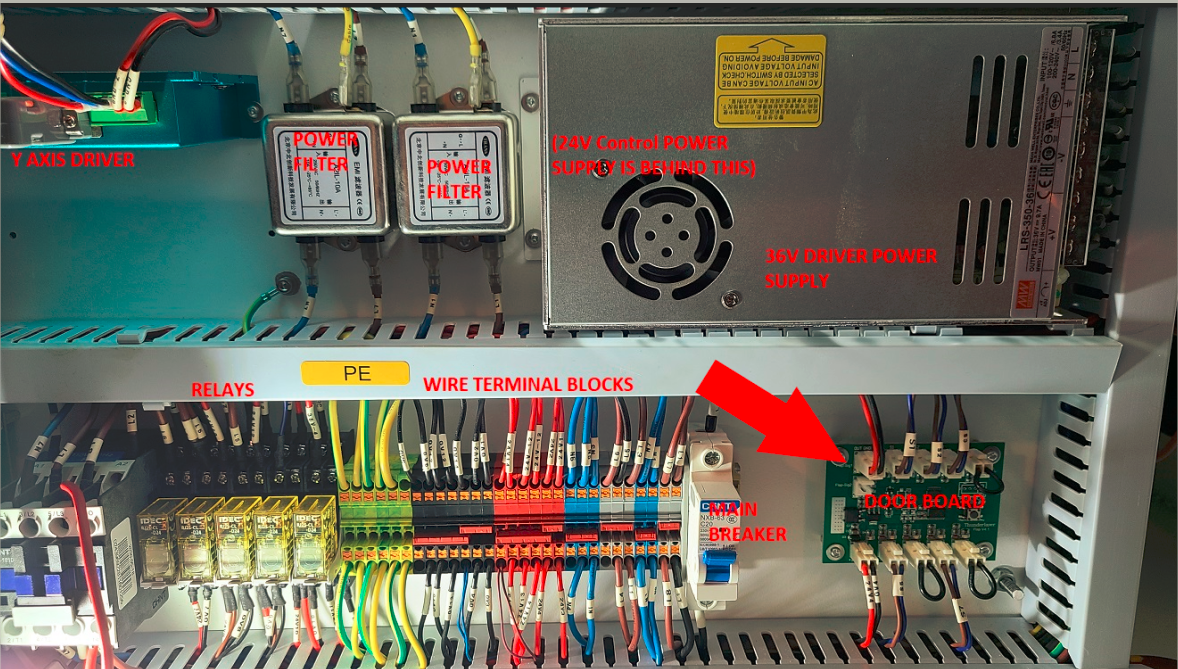
Nova 35, 51 and 63 and Nova Plus 35, 51:
Right side of machine, behind the lower blue door(s). Nova 35 shown below.
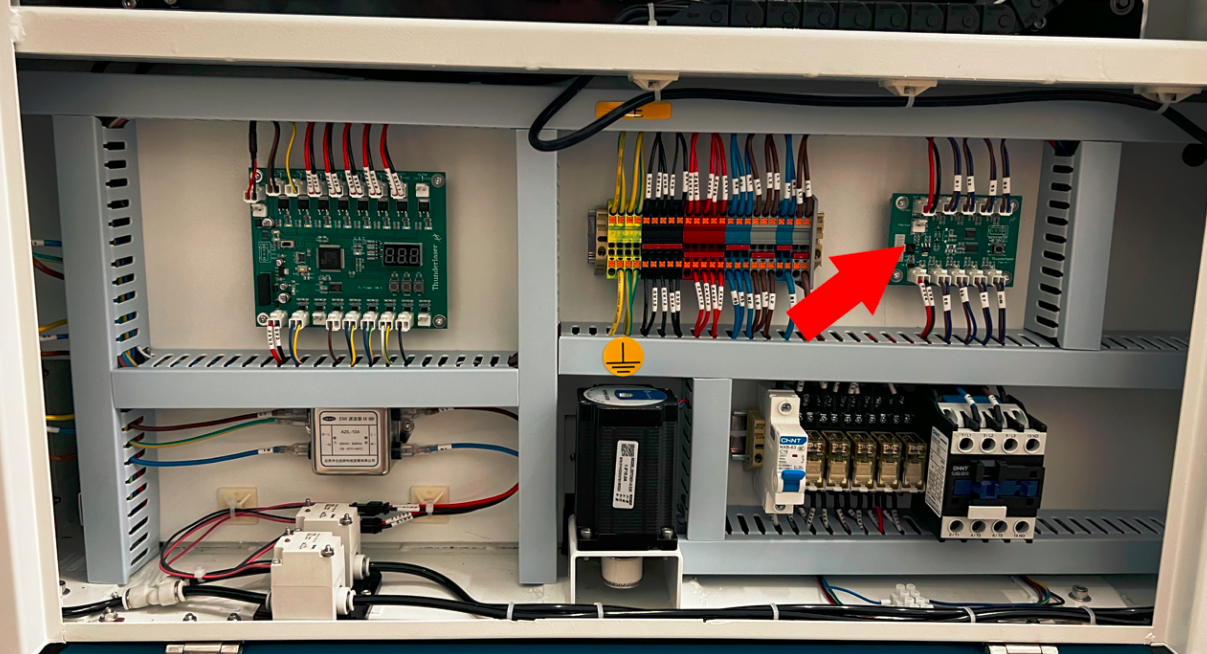
Odin 22 and 32:
Left side of machine, behind the large blue door. Odin 32 Panel Shown.
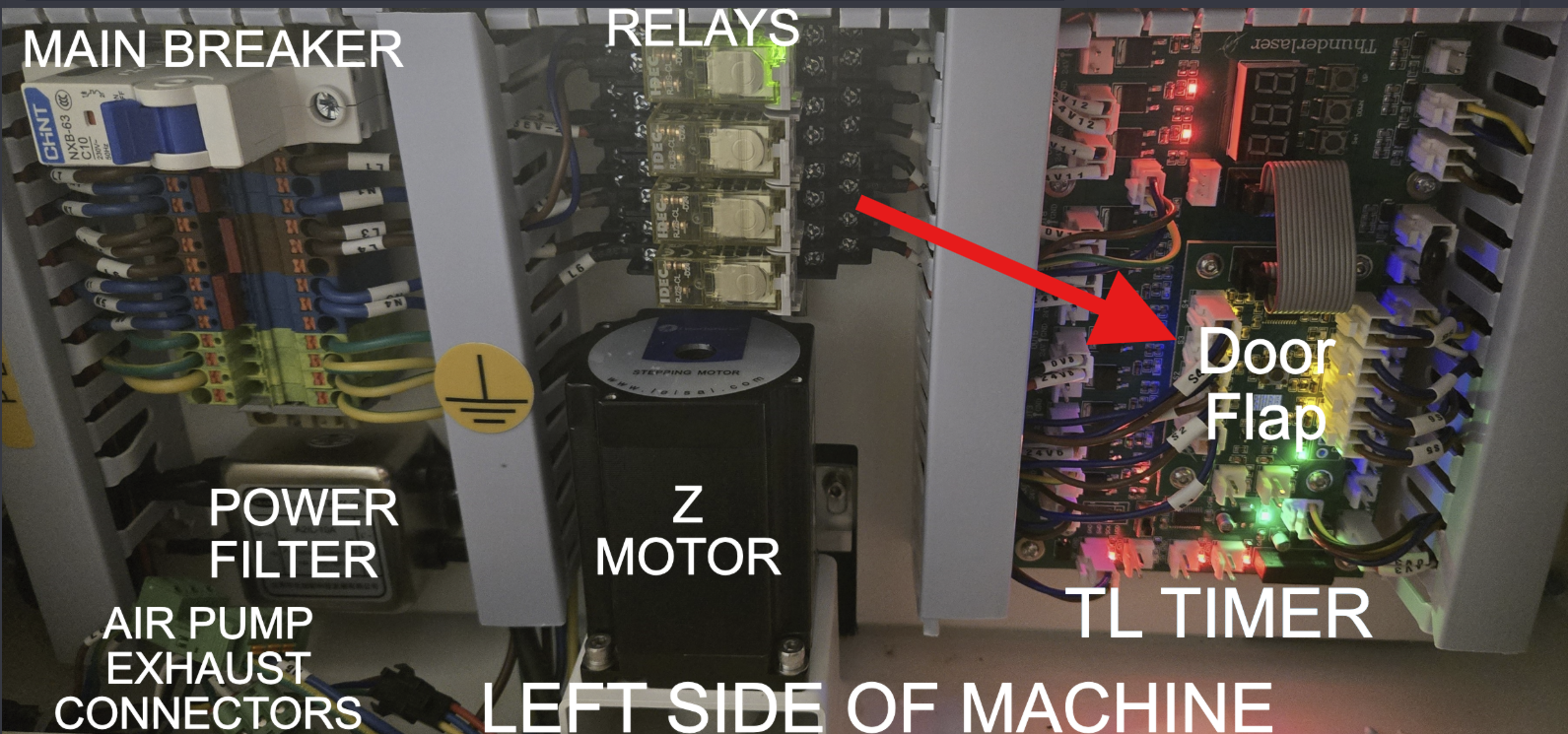
Bolt and Bolt Plus:
Left hand side, mounted to the TL Timer
Example Door Sensor:
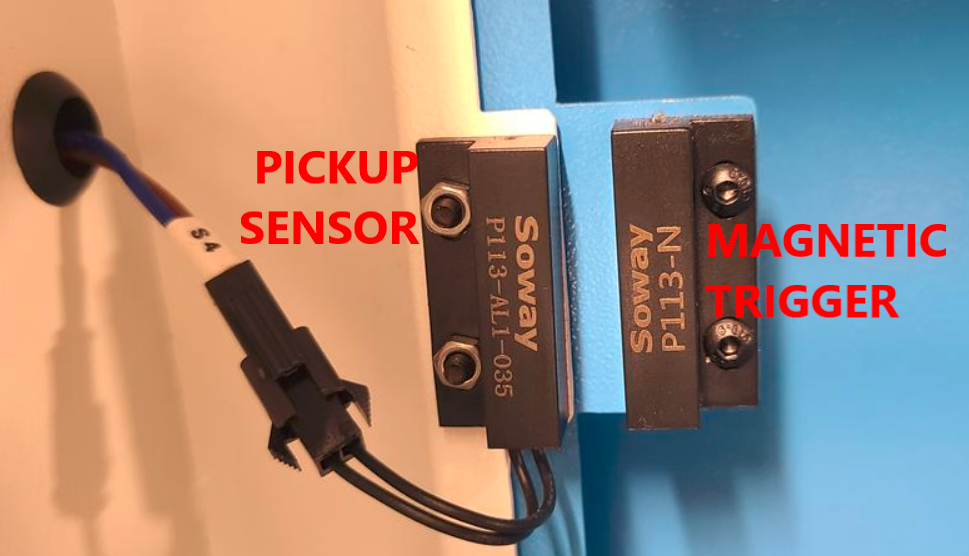
Thunder uses a Solway brand sensor that comprises of a pickup sensor and a magnetic trigger. The magnetic trigger (no wiring) will be mounted to the moving door and the pickup is mounted to the machine with the wiring.
Still stuck?
Fastest response times in the industry from our US-based support team.