
Double Lines & Ghosting When Vectoring Lines
Applies toAll machinesTopicTroubleshooting
If you are getting double lines and/or ghosting when vector engraving, its caused by the laser beam reflecting/refracting off of the nozzle opening.
Here is an example of this phenomenon:

Here is what's happening inside the head, showing a properly aligned beam and one with beam verticality issues.
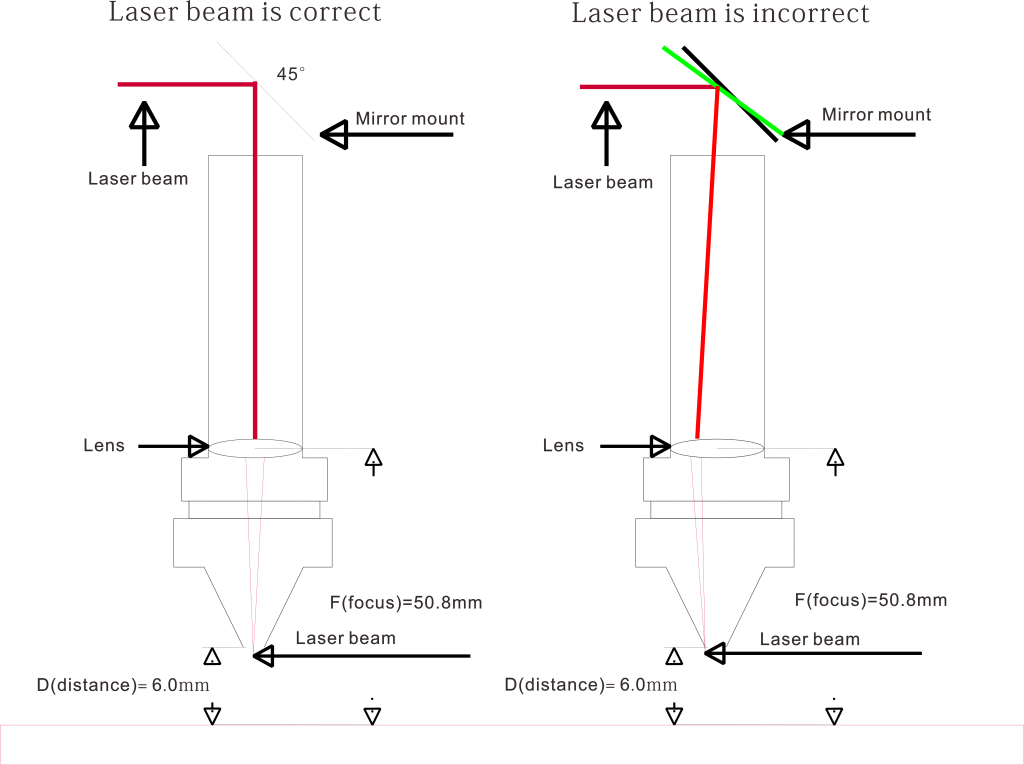
And here is a link to how to correct the beam verticality:
How to correct beam verticality: Step 1 — Verticality Of The Beam
Still stuck?
Fastest response times in the industry from our US-based support team.