
The Machine Beeps Continuously
Problem description:
You can hear a beep continuously that comes from the indicates light, even if the machine is rebooted. It will sound like this:

If the sensor tripped from a legitimate heat event, then it will need time to cool down to clear the output signal. The machine requires a power cycle to clear the TL Timer fault
And will be coming from the stack light:
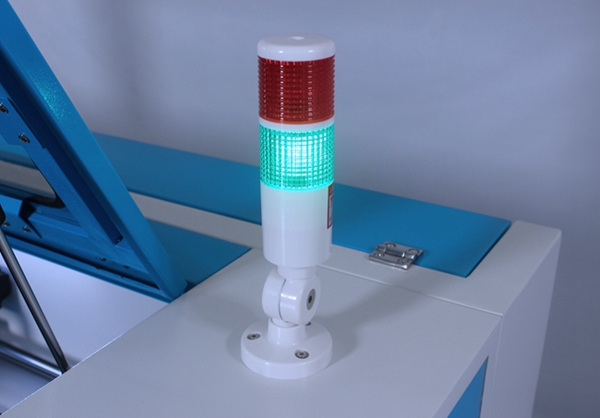
Reasons:
1. Temperature sensing probe is bent
The heat alarm sensor board is installed in the middle under the X-axis rail for single sensor installs. For larger machines (Gantry over 40" there are generally 2 heat sensors, one on each side of center)

Check it clearly, you can see a black probe on the board.
Check for damage to the heat shrink on the heat sensor legs:

Solution:
If the black probe is bent, please make it's straight.

2. The smart board with temp sensor or TL-Timer board is faulty or needs adjustment
If the red light of smart board is on and the probe is straight. Maybe the smart board or TL-Timer board is faulty. Location of the RED led will vary based on the board version.

Check the adjustment:
You will need the and multimeter set to measure DC voltage. Adjust the brass screw on the blue trim pot with a small flathead (like eyeglass repair kit size) . Will be looking for 1.138V with the meter leads on the GND to VREF test points.

Stock setting is 55C (131F)
Temp Value in Degrees *C | Voltage Setting VDC |
|---|---|
40 (104F) | 1.38 |
45 (113F) | 1.517 |
50 (122F) | 1.32 |
55 (131F) | 1.138 |
60 (140F) | .98 |
65 (149F) | .842 |
70 (158F) | .723 |
75 (167F) | .62 |
80 (176F) | .531 |
85 (185F) | .456 |
90 (194F) | .392 |
95 (203F) | .337 |
100 (212F) | .29 |
As you adjust, check for this red light to go off:

If the trim pot adjustment did not correct the issue, try this troubleshooting solution:
Unplug IN2 (If applicable, only on newer Nova 51 and Nova 63) and IN6 connectors of TL-Timer board, if the beep stops, the problem is smart Heat Sensor board or the wire harness. If not, the problem is TL-Timer board. Please contact us:[email protected]

If the beep continues, check the status of the LED for Out 6 On the TL timer:
If the LED that is marked in the image below is on or there is 24v on the Out 6 terminals (measure with the connector with wires 24V10 and 0V10 unplugged) then the TL Timer is likely the issue and needs to be replace.

Replacement Parts:
Part Name | Link to buy: |
|---|---|
TL Timer | |
Heat Sensor | |
Heat Sensor Harness |
Still stuck?
Fastest response times in the industry from our US-based support team.