
Titan: How to Control the Air Pump, Exhaust Fan, and Vacuum Table
Applies to: Titan series laser machines. You'll need: Access to the Titan touchscreen.
Background
The Titan supports setting a start delay and end delay for the built-in exhaust fan and air pump. This optimizes the engraving effect and ensures operational safety through airflow timing control. These delay values are in addition to any values you set in the control software.
Quickstart Video
Step 1 — Open the External Device Menu
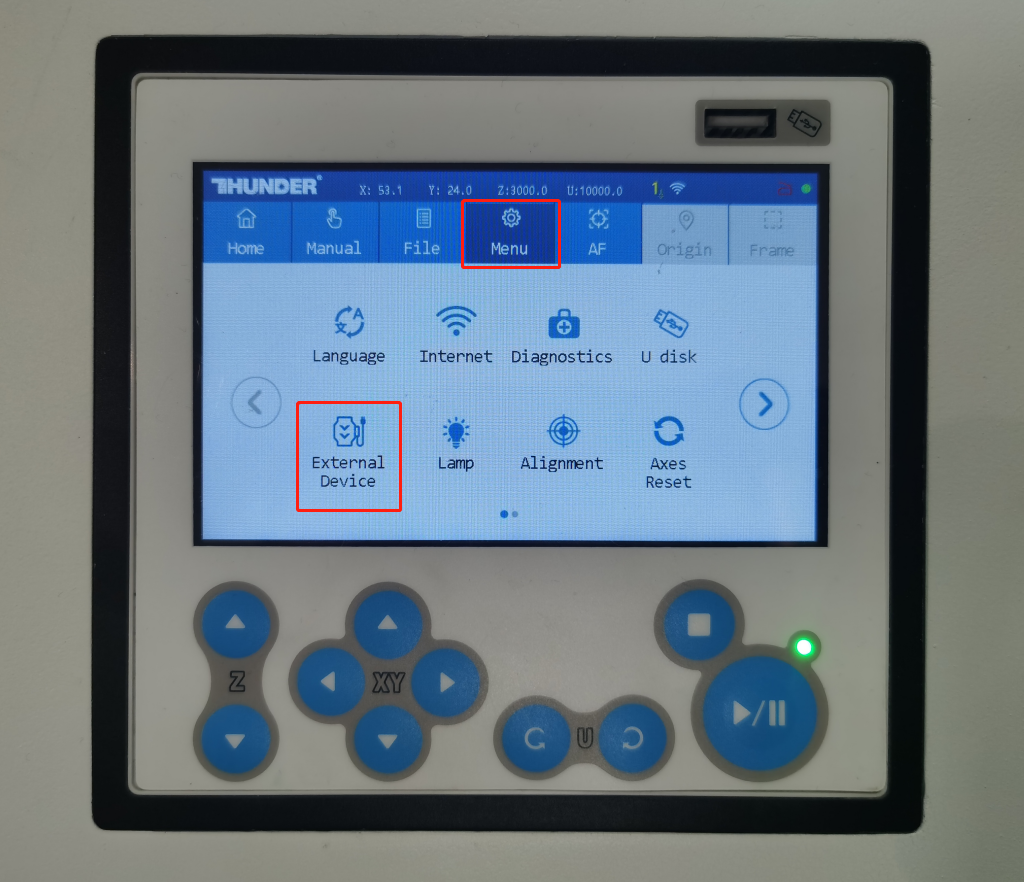
On the machine touchscreen, press the Menu button in the top row of blue buttons, then tap the External Device icon in the lower left of the screen.
Step 2 — Choose a Mode
The External Device screen has two modes:
- Intelligent mode (default on power-up) — controls peripherals automatically using configurable timers.
- Standard mode — turns the exhaust fan and air pump on immediately and keeps them running at full speed. The machine casing and laser cooling fans also run at full speed.
Standard Mode — Manual, Full Speed
Press the switch button to activate Standard mode. The exhaust fan, air pump, and all cooling fans will start and run at full speed immediately. This mode is typically used when the machine and laser generate excessive heat during long-term continuous operation and require emergency cooling.

Intelligent Mode — Automatic with Adjustable Timers
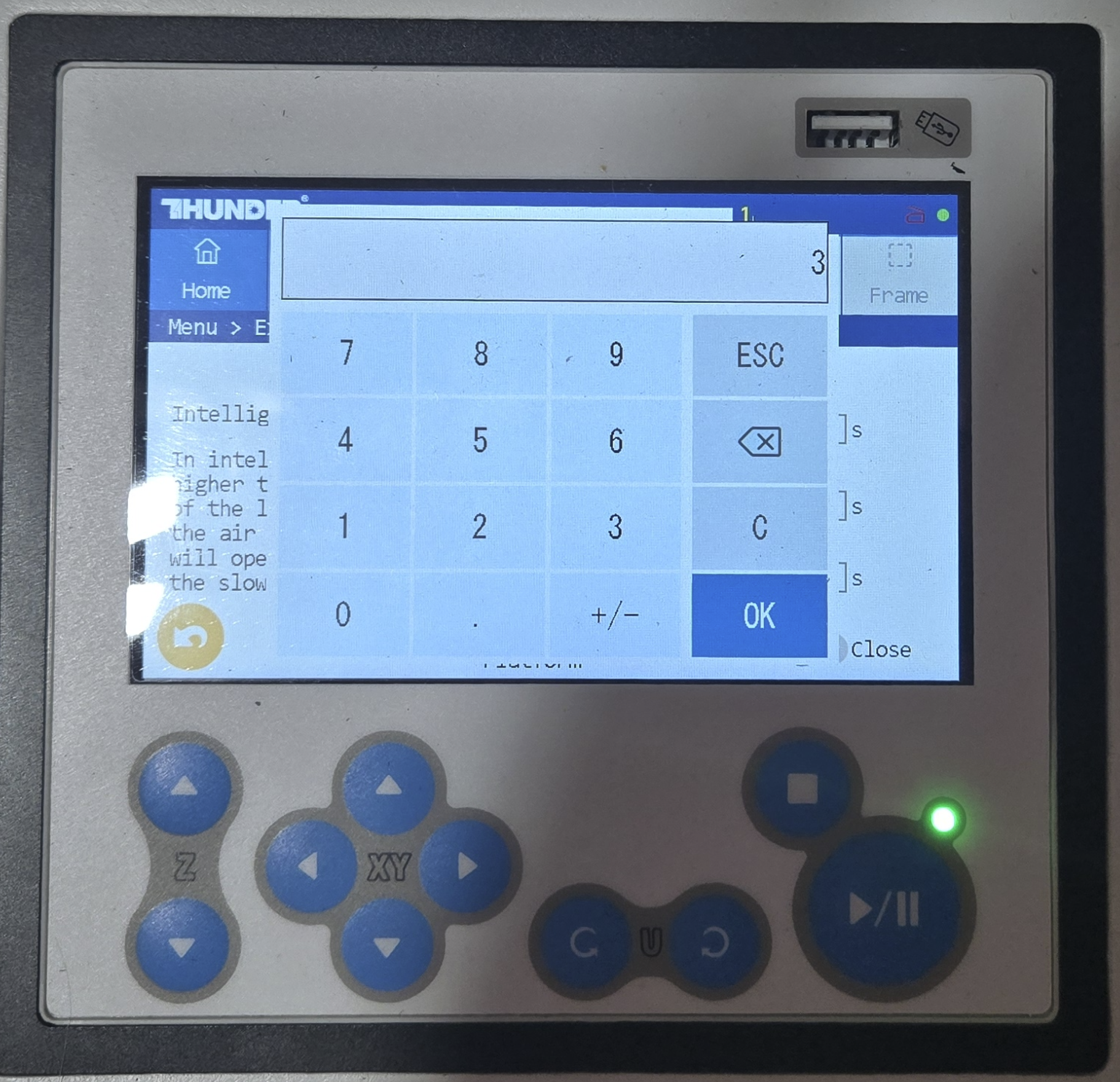
Intelligent mode is enabled by default when the machine powers on. Tap the field highlighted by the red box in the screen (shown below) to open the value entry prompt and adjust the corresponding timer. All time values are in seconds.
| Peripheral Timer Selection | Time Entry Prompt (Value is in Seconds) |
|---|---|
 |
 |
Step 3 — Configure Each Setting
The following settings are available in Intelligent mode:
| Function | Description |
|---|---|
| Air Pump and Exhaust Fan Start Delay | After pressing the Start button, the air pump and exhaust fan start running first. The laser begins working only after the preset delay time elapses. This ensures stable airflow and smoke extraction are established before cutting or engraving begins.Default factory setting: 1 second. |
| Air Pump End Delay | After the machine finishes the laser job, the air pump will turn off after the preset time delay elapses.Default factory setting: 20 seconds. |
| Exhaust End Delay | After the machine finishes the laser job, the exhaust fan will stop working only after the preset delay time elapses.Default factory setting: 30 seconds. |
| Start Adsorption Platform | Turns on the vacuum table function, which uses the exhaust fan to hold flexible or thin material flat against the honeycomb bed. Open = On/Enabled. Closed = Off/Disabled.(Note: the vacuum table is optional.) |
Still stuck?
Fastest response times in the industry from our US-based support team.