
Not Enough Extended Space Error
LCD panel shows the following information:

This problem only appears on engraving mode, it's caused by the buffer distance is out of bound. For example, if you want to engrave a picture of 200×200mm, you move the laser head to the top left corner of the working table and press the "Origin" to set the starting point. When you press the "Start" button to start engraving, the failure warning would appear.
How to fix this problem?
Press ESC at first, and then move laser head a distance away from the edge to leave enough buffer distance.
If you are using "User Origin"
Now set a new starting point by pressing the "origin", you will find the problem was fixed when you run the job again.If you are using "Absolute Coordinates"
Move the artwork in Lightburn, send to the machine and overwrite. Reload and try again.If you are using "Current Position"
Stop using Current Position. Use only User Origin or Absolute Coordinates.If you are using the Lightburn Material test generator:
We have seen that it will attempt to start the material test even if there is not enough extend space because the material test wizard uses the Start button. You can either send the RD file or ensure that there is enough extend space before starting. Chances are, it will fault the drive for the X axis and you will need to power cycle your machine to clear the fault.
Why does this happen?
When the machine is engraving in high speed, the actual moving distance of the motor is usually large than the graphic. Therefore, we need to keep enough buffer distance on the two sides of the graphic. The buffer distance will be longer as long as you set faster speed, so we need to keep more buffer distance when the speed is higher.
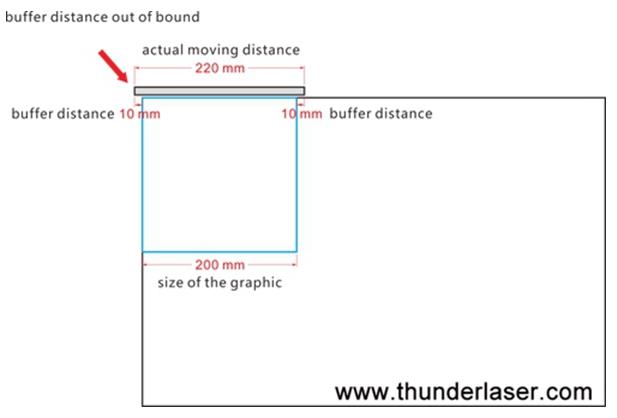
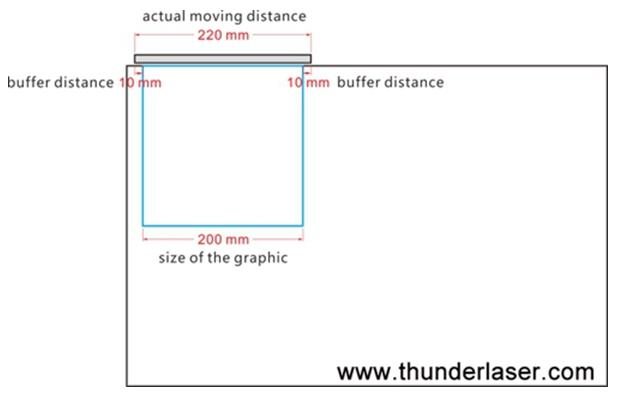
Here is the space needed shown in the Lightburn preview:
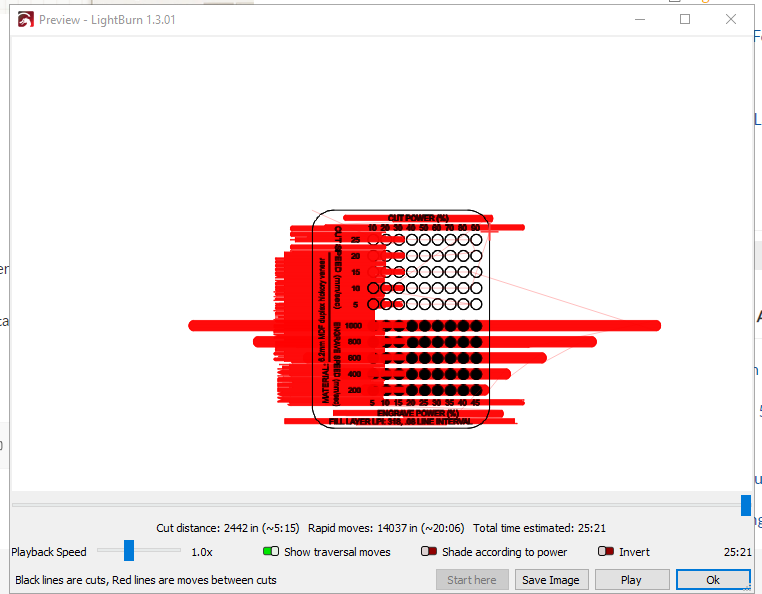
Lightburn Preview may show the extend space inside of the machine bounds (when in absolute coordinates, user origin and current position will not be reflective of actual start position) but the Ruida Controller on the machine will want a slightly larger extend space buffer.
More information about how much extend is required for a given speed:
Extend Space Required based on Engraving Layer Speed for stock NOVA series Lasers and Extend Space Required based on Engraving Layer Speed for stock Odin Series Machines
Still stuck?
Fastest response times in the industry from our US-based support team.