
Repacking & Moving Your Thunder
Gantry Series
Much of this can be gleaned from the unpacking process, but we have some best practices for repacking and/or moving the machine.
If you need to disassemble the machine, please also reference these article:
Getting Nova Series Machines Through a Standard 30" Doorway
Titan - Taking the Laser machine apart to fit through a 30" doorway
Getting Bolt Pro 32 Through A Standard 30" Door
Head and Gantry
The Nova head and gantry is not typically secured. The motors and motion control systems in the nova series machines will move but they wont slide back and forth uncontrollably so there is not much chance of the head crashing during normal moving and even when dismantled and flipped, etc...

For your Bolt/Odin machines, you should zip tie the head to the back left corner like how it was delivered.
Bed and Blades
You need to ziptie the honeycomb to the frame that holds the blades to secure the bed and sandwich the blades to help hold them in place.
It is important to check the blades before powering up the unit.
More on that here: Checking the Blade System Before Using the Z-Axis

Optionally, you could remove and transport the honeycomb and blades separately.
Chiller and Laser Tube
You do not need to remove the tube. It travels just fine in Thunder's rigid and strong frame.
If you have an RF tube without a chiller or water, you can skip this section.
You will need to drain the coolant from the system, then disconnect the 2 water lines and wire between the chiller and laser. Use one tube to loop the laser water ports, and the other on the chiller inlet and outlet ports. This will prevent any residual water spilling out and close off the ports so they don't become contaminated. An example of looping the chiller can be seen below.
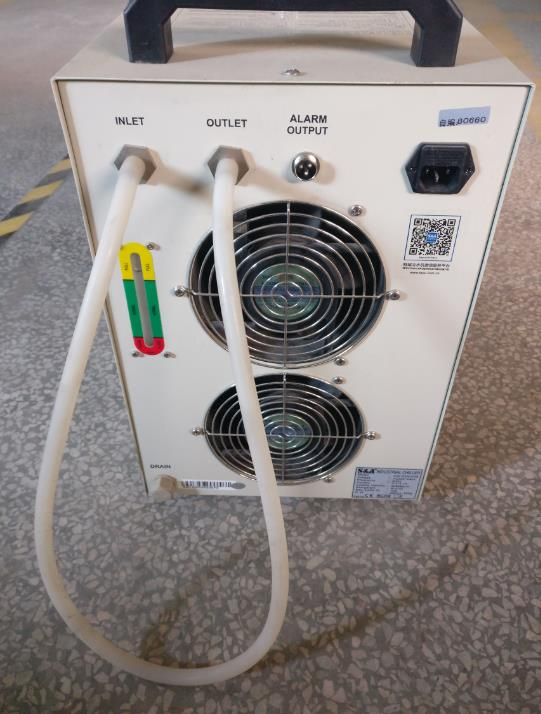
The machine may come packed with foam around the tube. If you can cushion the tube with foam, blanket, etc. Double check that the grub screws on the tube mounts are tight, they are what hold the tube in place. Inspect the tube mounting straps, look for rips, tears or cracks.

Check that the tube's adjustment bolts are tight:
You will have two mounts to check, 4 bolts per mount
Left and Right Movement- Lateral | Up and Down Movement - Vertical |
|---|---|
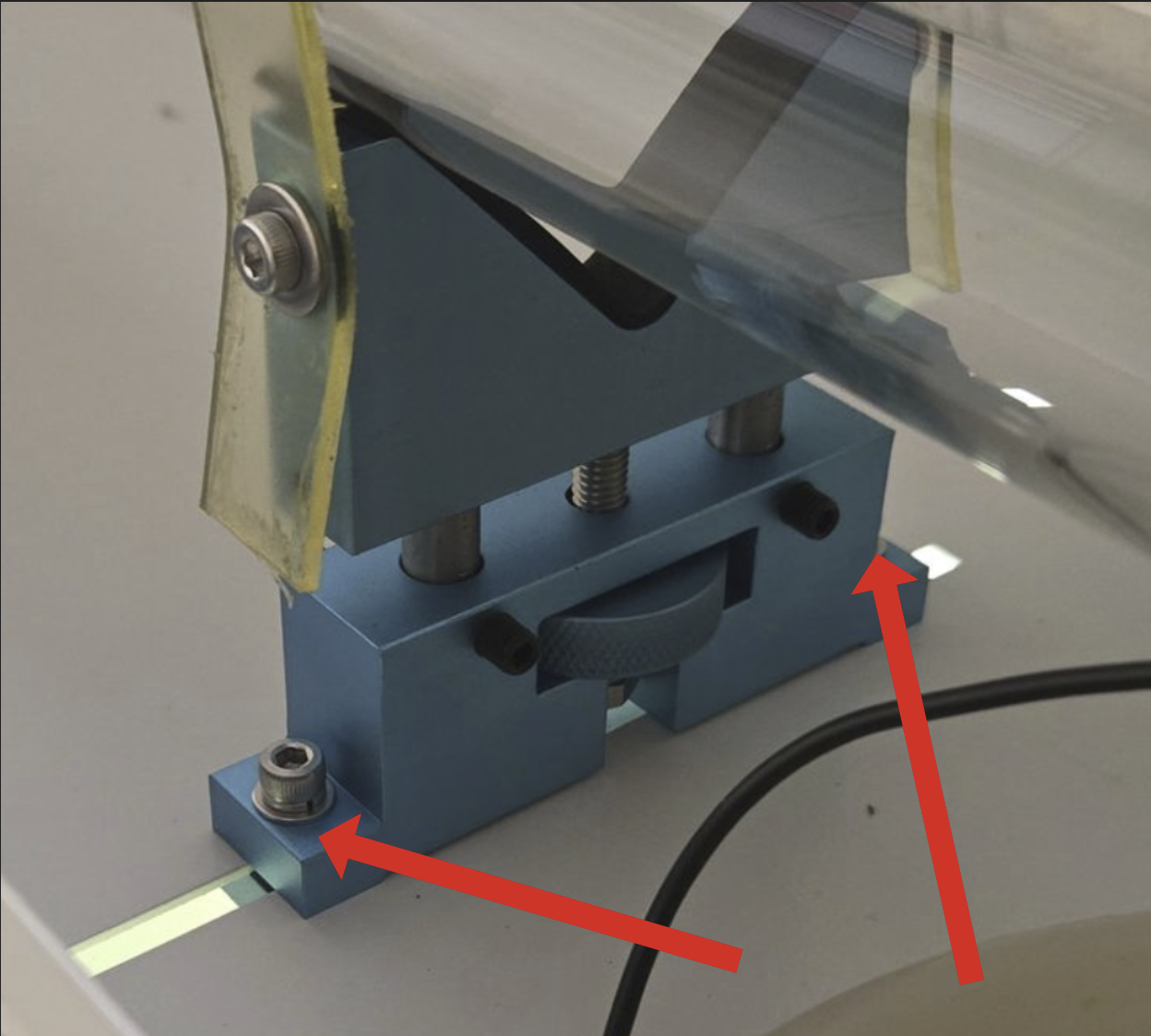 Silver bolts control the lateral movement. Make sure they are tight. | 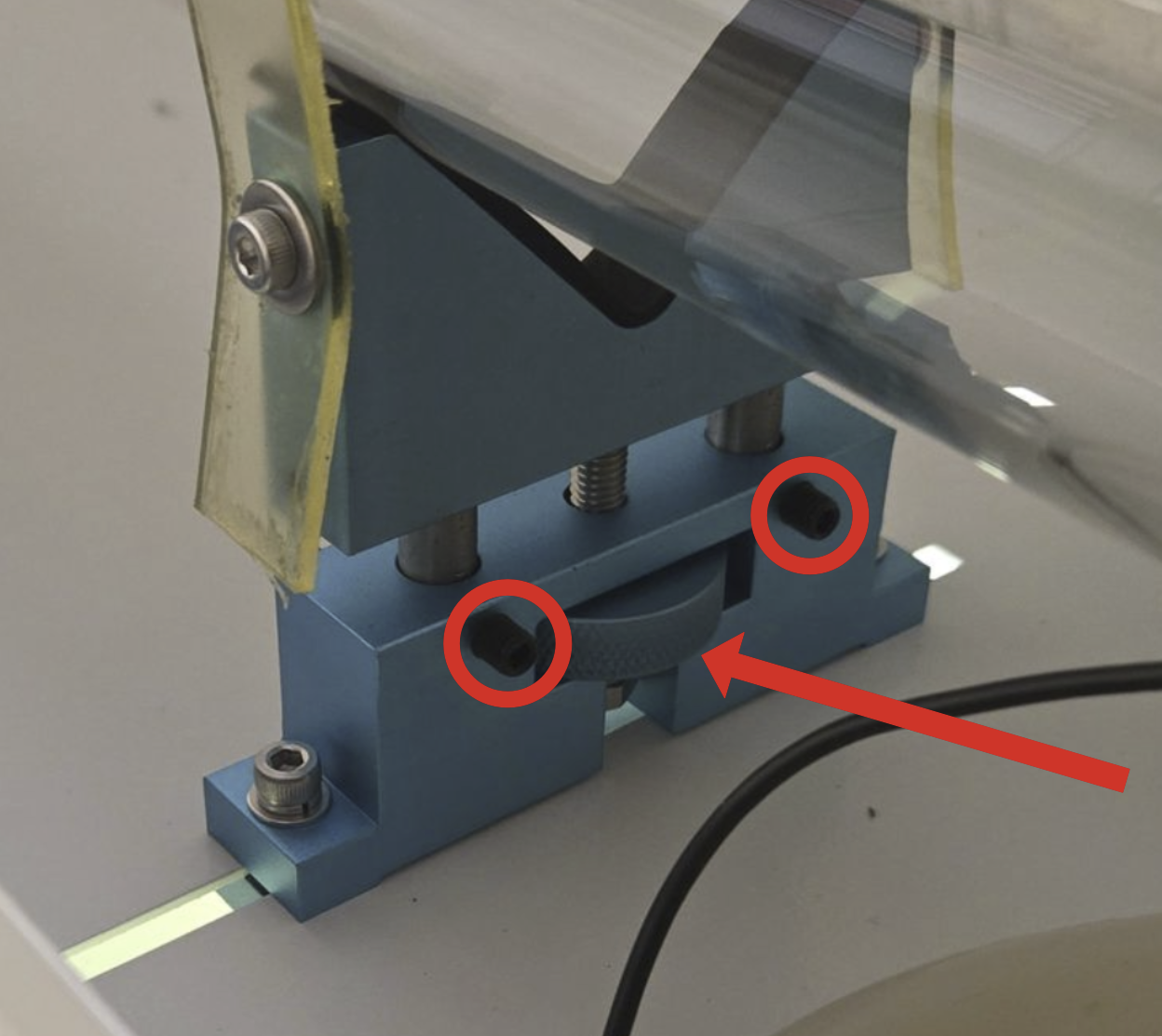 Black set screws hold the posts in place. (You may have some 8mm silver nuts on the set screws). Make sure all are tight. |
Still stuck?
Fastest response times in the industry from our US-based support team.