
Sample Testing Gravoply Ultra 2 Color Board With Nova & Odin
Nova 35-80w
Testing:
Cutting air inlet pressure at 27psi. Stock 2” head with 6mm focus. Cuts and Engraves were performed at stock focus.

*Note that for speed comparisons, a Odin 32 60watt will be able to cut faster than the 30w Odin 22 but it will depend on object size as to whether any speed is gained and time removed from job.
Customer Provided Samples:
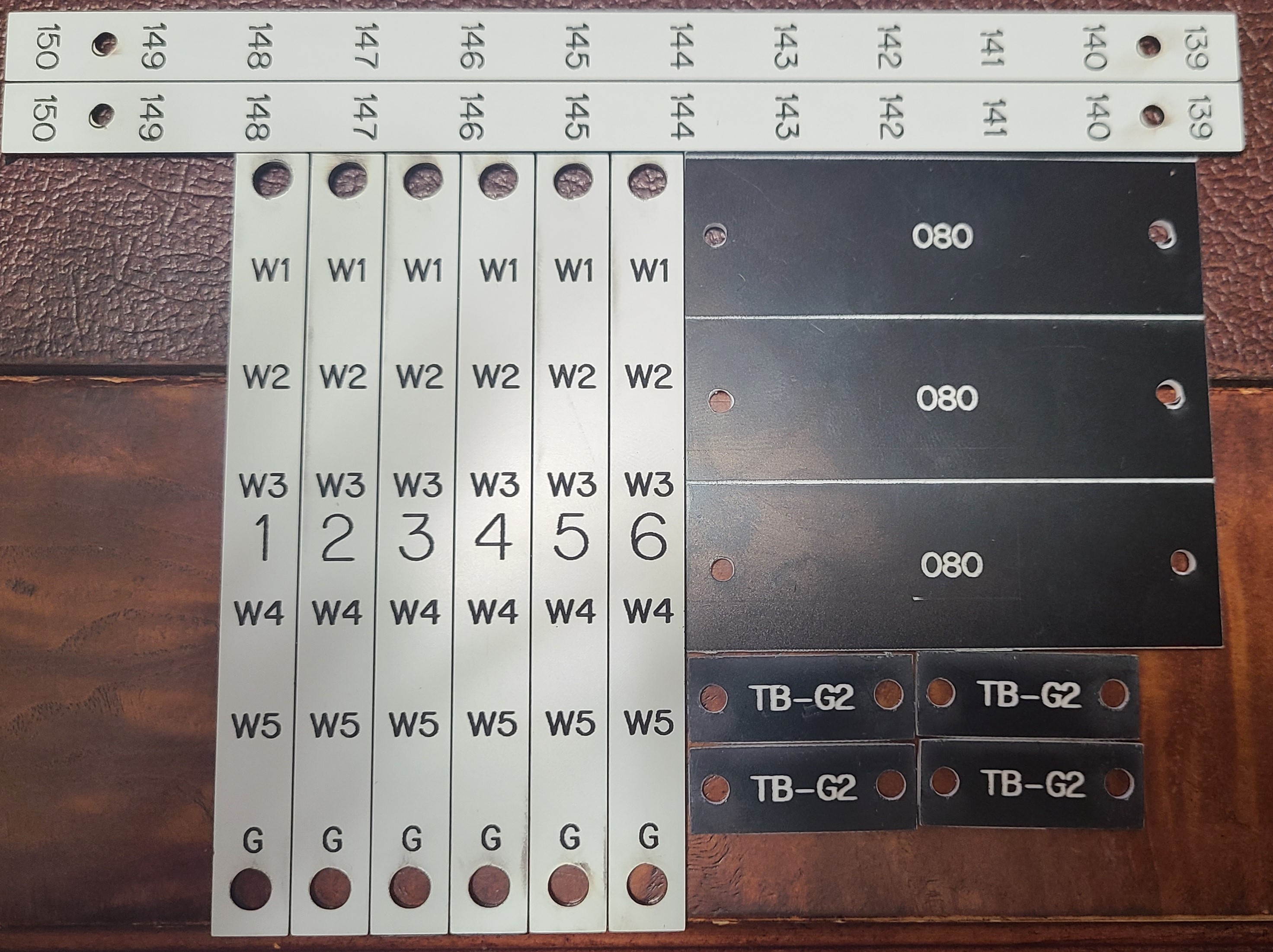
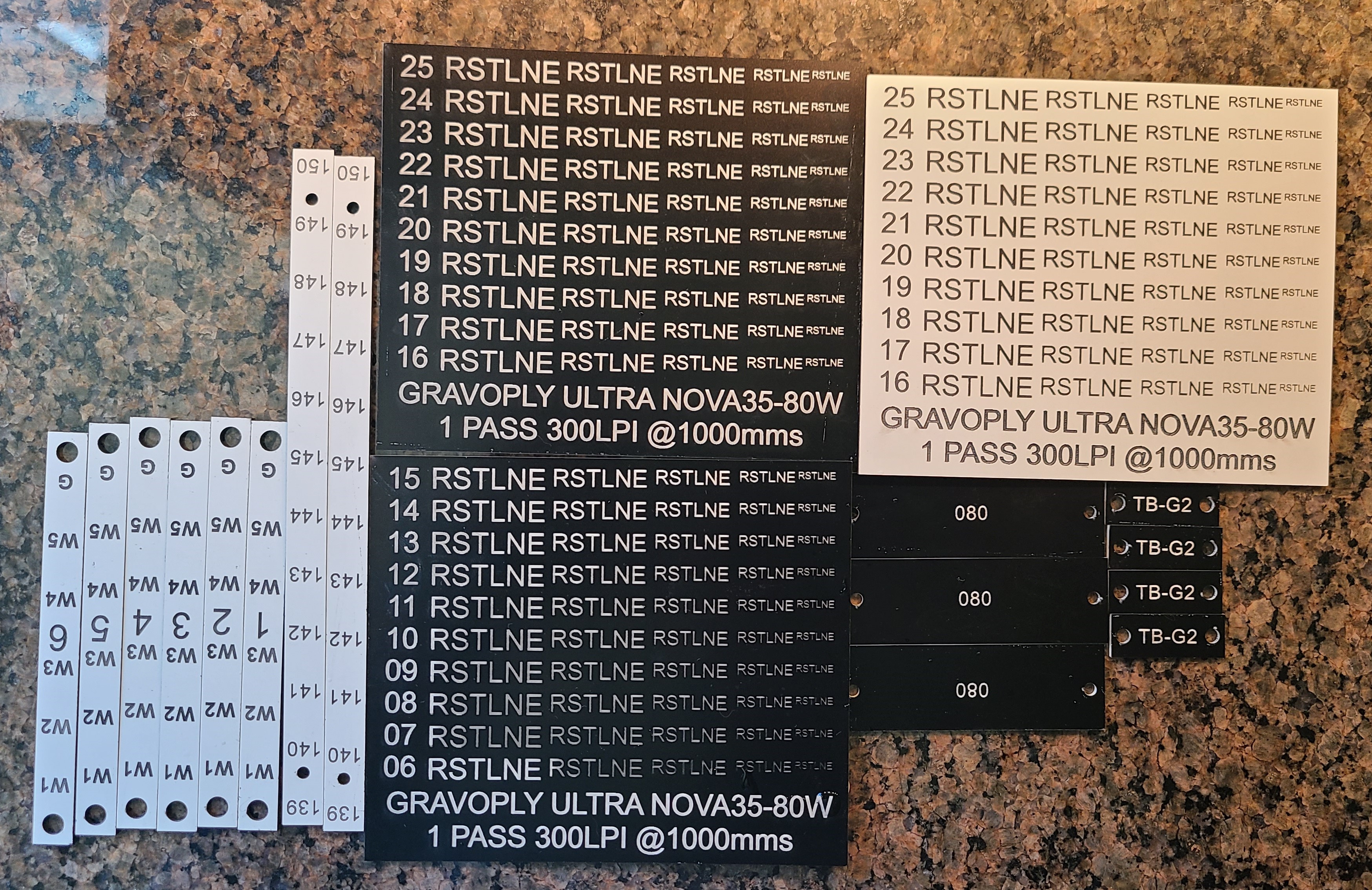
Test engrave for 1000mms from 16 to 25 power to determine the required engraving power for good contrast. Took 4:45 to
complete (LB estimate was 3:13)

Ran Additional engrave tests to see the full range:

300 lpi, 1000mms 25power for engrave, 35 speed and 90 power for cuts
White over black tags: Nova 35 time estimate 3:42, actual time: 4:47

Black on white:
Ran original power scale, created another scale down to even lower
levels. (Lower left RSTLE was accidentally left at 16pct power vs 6 hence the contrast and depth)


Sample Cutting:
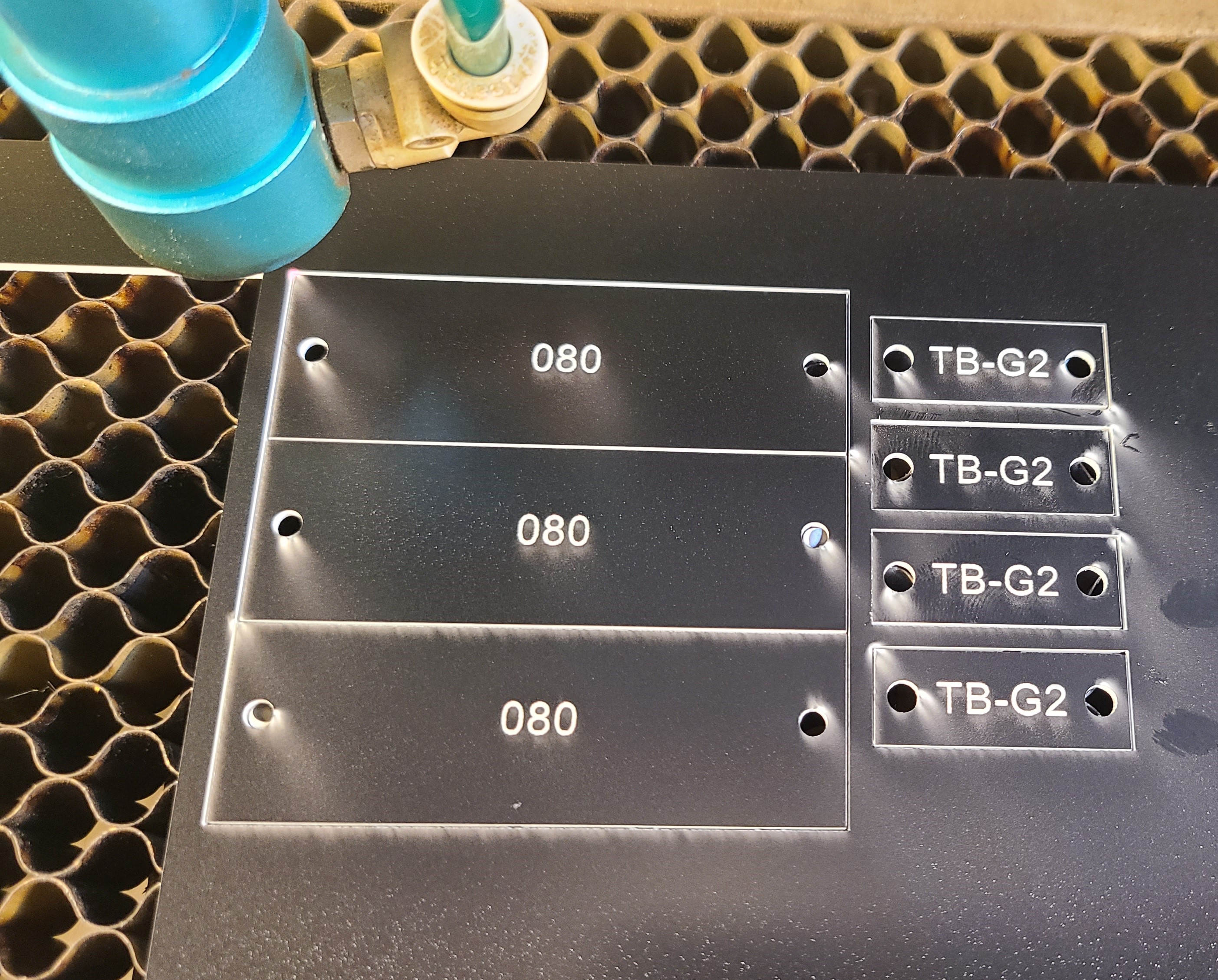
Use 90 as max power, 35 as the min speed and work up from 35 until it will not cut a rectangle out completely.
40-85 speed. Max speed at 90pct power was 60mms. Lightburn only estimates a 13 second times savings due to size of objects and the ability to actually reach 60mms vs 35mms. White on black cut through on 65mms/90pct power so it likely should be cut at the same speed at Black on White material.
ODIN Testing:
Odin 22 30w, stock 2” lens and stock focus. Cutting air inlet pressure at 27psi. Cuts and Engraves were performed at stock focus.
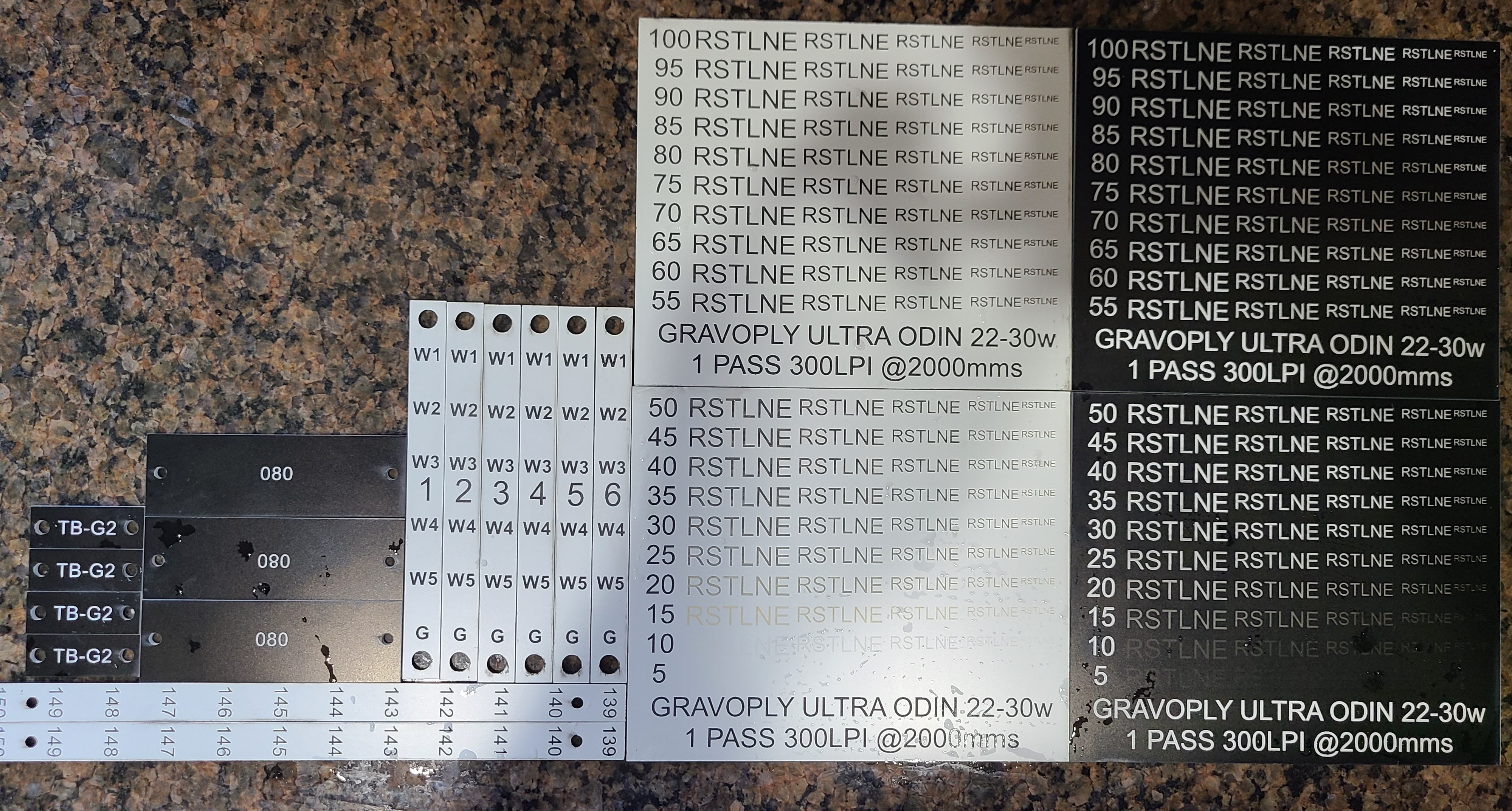
Initial test card at 2000mms ranging from 100power down to
55power, Lightburn estimate of 1:34 actual was 2:20. Note that 60/90 was not
enough to cut through. Clean up is less than on Odin, but cut lines are dirtier
due to the air nozzle on Odin. 2 more cut passes added 15 seconds, so 2:35.
Will adjust cutting speed next. Nearly twice as fast overall vs the Nova 35.

Cut tests ran at 20,25,30,35, 40,45,50,55 – Cut limit is
35mms and 90pct power.

White on Black Samples:
Lightburn estimate of 2:20, actual time was 2:48 almost 2 minutes faster than Nova 35. Set speed for fill at 2000mms, 75pct power and cut at 35mms and 90 pct power. Note that some of the hole plugs had to be popped out, recommend slowing down a bit of adjusting air pressure down.

Black on White Samples:
Tested engraves on Black material from 5pct to 100pct at 2000mms.
Ran test engrave chart. Recommended speed and power for engraves:2000mms and 45 power.
Ran the same test on white on black to see if it had similar results. Could do the white at 45power too but seems like the contrast is not as nice.
Sample tags:
2000mms, 45 power for fill, 30\90 for cuts. Lightburn estimates 56 seconds, actual time was 1:10 a savings of 36 seconds over the Nova 35.

Observations:
-Black over White material generally required less power to engrave
-Black over White material leaves a white Residue that is more noticeable than the white over black
-Contrast for White over Black wasn’t as good as expected.
May be more noticeable with larger font, bold letters.
Time Comparison Table:

Side by Side Engraving Test at recommended Power settings and MAX machine LPI for stock lens:
This test is to show the engraving quality at 2mm text height and lower. The ODIN uses a 2" lens but due to the initial beam spot size, when the beam is focused it is smaller than the beam spot of the CO2 Nova 35-80w. The ODIN achieved readable results down to .75mm and the NOVA down to 1.25mm.

Full Sheet Time Estimate Test:

Nova 35 Lightburn Estimate:

Nova 35 Worktime Preview:


Cutting Comparison between Nova and Odin:


Still stuck?
Fastest response times in the industry from our US-based support team.