
How to Change the Spin Direction of Your Rotary
Preface: This article covers a few ways to change the direction of spin of the tumbler in your rotary.
Method 1: Dip Switches
Dip switches are located on the rotary motor driver, look for the little white switches with the blue background.
You can change the Dip switch in position 5. Toggle it. Meaning if it was ON...move to OFF. If it was OFF....move to ON.
Take note of the values of Dip Switches 1-4 and 6, yours may vary from what is shown. After you adjust Dip 5, make sure the others are still where they were originally.
Case 1:
| Originally Dip 5 Was On | Change Dip 5 to Off |
|---|---|
 |
 |
Case 2:
| Originally Dip 5 Was Off | Change Dip 5 to On |
|---|---|
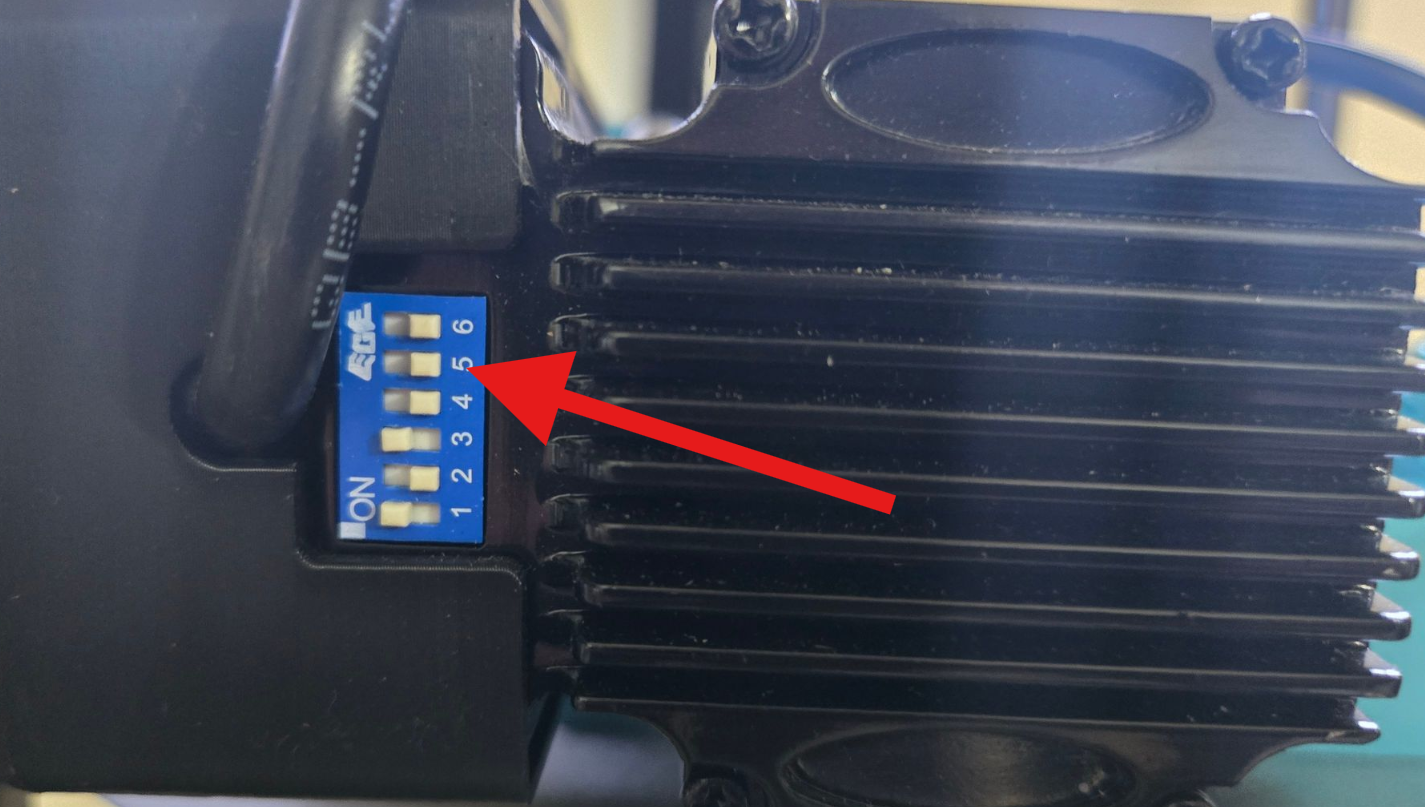 |
 |
Method 2: Control Software
In the software, you will have the option to change directions (mirror). This will mirror the output and give the effect of a direction change.
| Lightburn | Lasermaker |
|---|---|
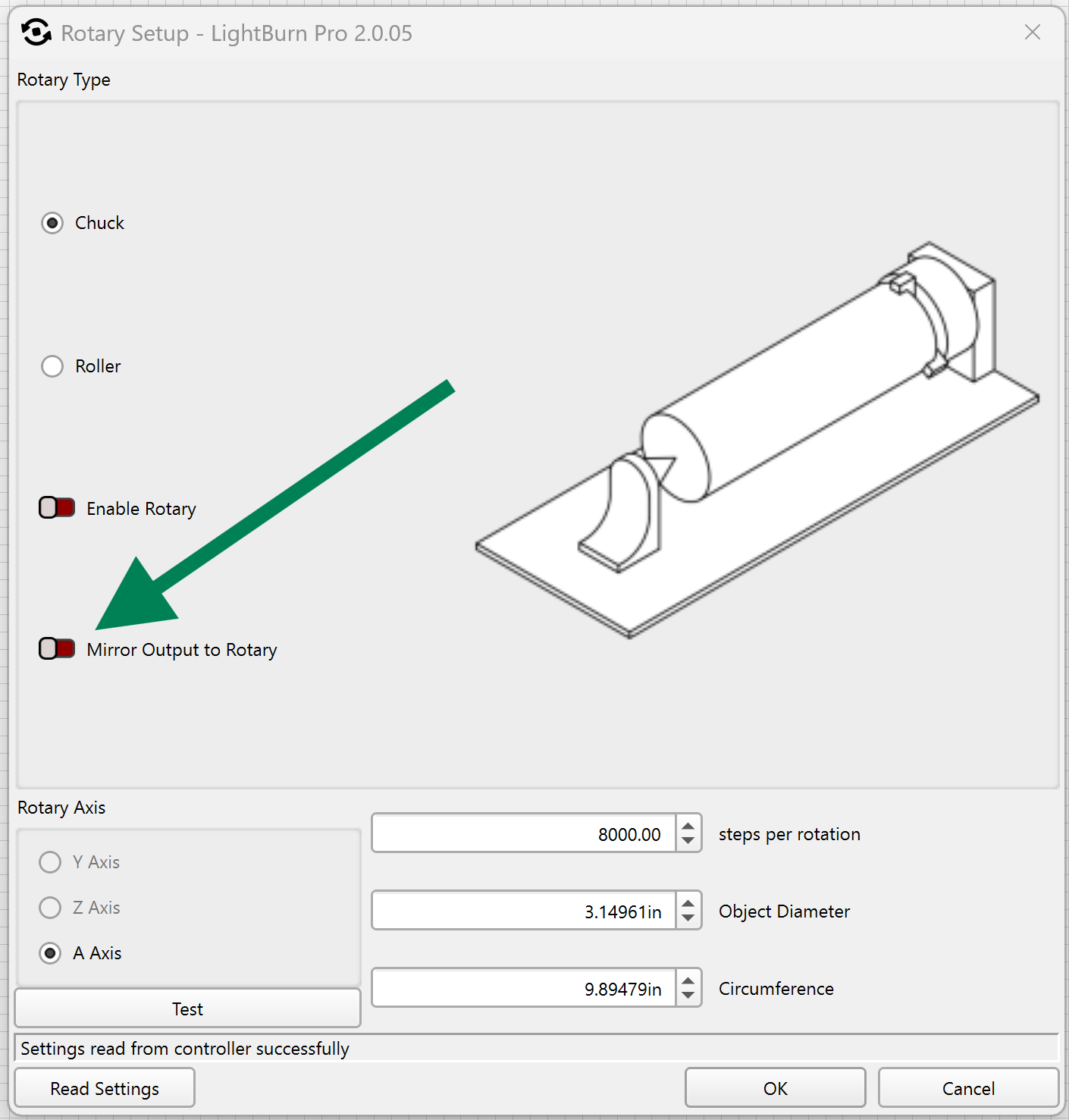 |

Not yet implemented |
Method 3: Physical Orientation
If you have the rotary installed with the motor to the left, you can install with the motor to the right instead or vice versa.
Still stuck?
Fastest response times in the industry from our US-based support team.