
LightBurn Library Errors
The Library Fails To Load
The most common library error happens when LightBurn 'loses' the library file. This is caused when the library file LightBurn was last referencing is deleted, moved, renamed, corrupted, etc... Usually the following error will be displayed:

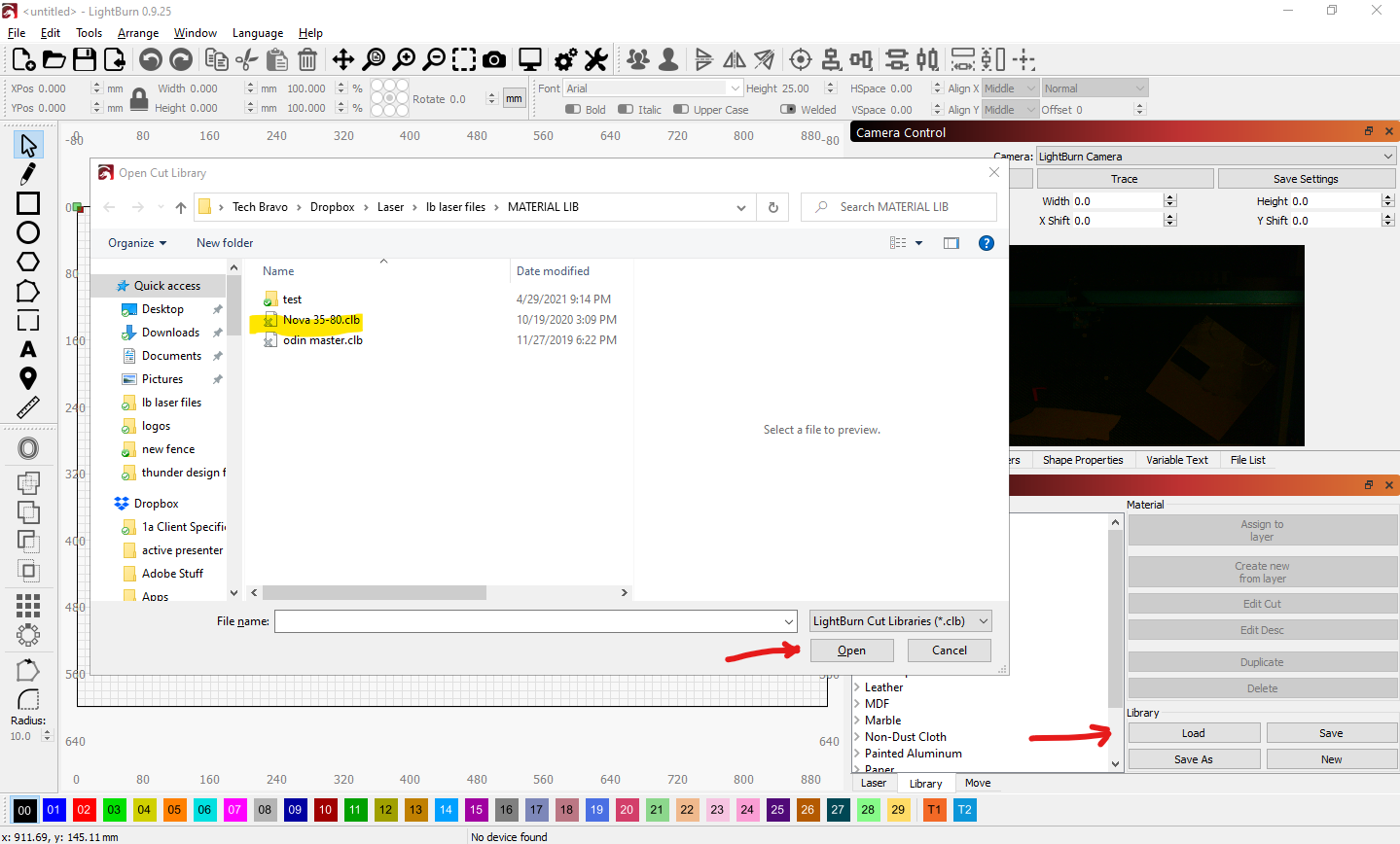
This error modal can be bypassed by clicking OK. Then you can go to the Library tab and click Load, then navigate to your library file and click Open:
Changes, Additions, and/or Edits Not Saving
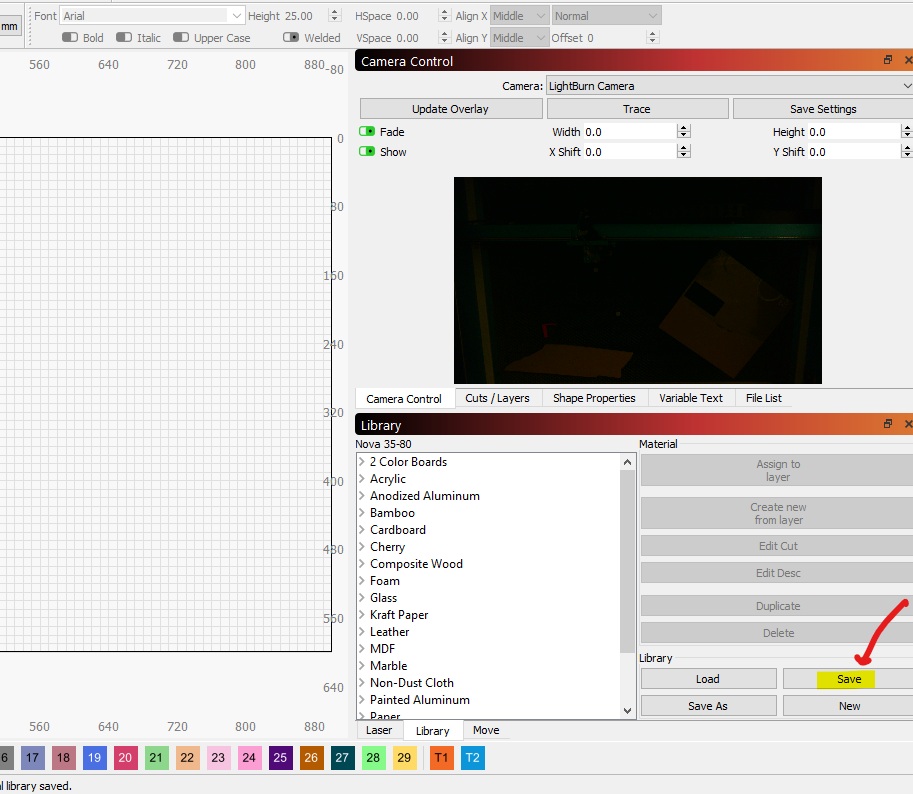
This is most commonly caused by not clicking Save before closing out of LightBurn. Even though the settings stick while you are in the current running instance, they are not automatically saved to the library file.
You must click the Save button in the Library tab before closing out that current instance:
Duplicate Library Files
We have also seen instances where there are multiple library files so make sure the one you load and save is the same if you reload it, otherwise you may pick another library (and extra one in the downloads folder for instance...) and the latest saved entries will not be in it.
Still stuck?
Fastest response times in the industry from our US-based support team.