
Nova Laser Tube Will Not Fire or is Low on Power- LPSU Test
Preface: This article covers the "Red Button Test" which is a great first test when you have Laser Power issues. The red button test eliminates the OPTO and RUIDA inputs, isolating the system to just the tube and the LPSU.
Warning: If this test is a success, the laser beam power will be emitted. Precautions should be taken such as closing all the other machine doors and removing objects from the path of the laser beam prior to the test. Also make sure your chiller is on and pumping chilled water as this test can bypass the Water Protection as well.
Note: Nova 24 Power supply is different and located on the left side of the machine. Nova 35, 51, and 63 Power supplies are on the back of the machine to the left of the exhaust outlet.
Quick Start Videos
Nova 24
Nova 35, 51 and 63
Interactive Step By Step Guide
Complete Guide
Assuming that the LPSU has 120v power and the connections to the tube are checked (Poorly Terminated / Arcing Laser Tube Ground Causes Anomalies) then we need to perform a basic test. We will remove the LPSU from the control of the Ruida and manually fire it.
Warning: If this test is a success, the laser beam power will be emitted. Precautions should be taken such as closing all the other machine doors and removing objects from the path of the laser beam prior to the test. Also make sure your chiller is on and pumping chilled water as this test can bypass the Water Protection.
Note: Nova 24 Power supply is different and located on the left side of the machine. Nova 35, 51, and 63 Power supplies are on the back of the machine to the left of the exhaust outlet.
The "Red Button" Test
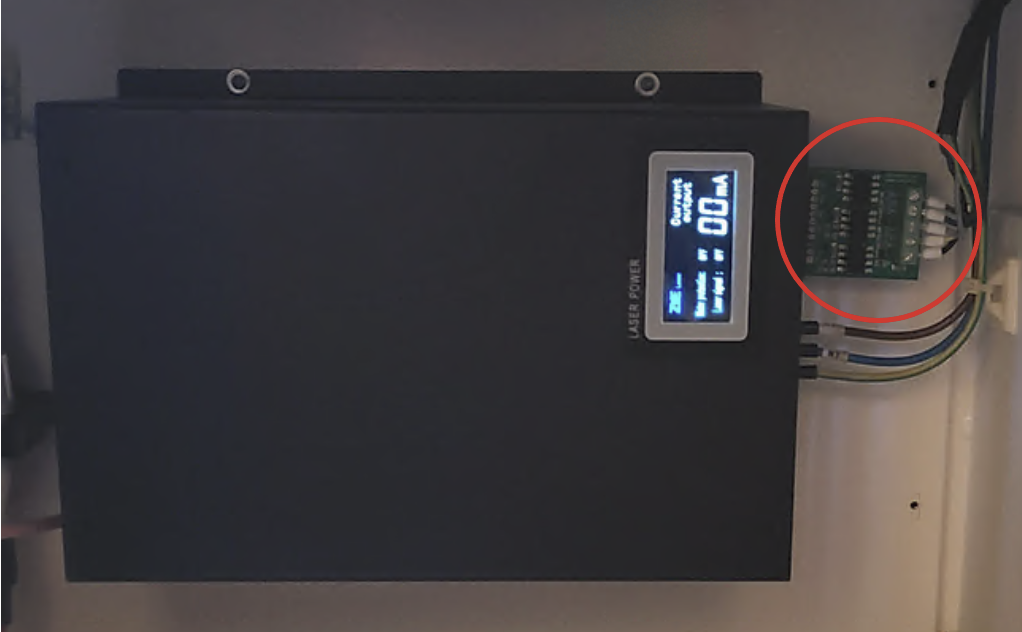
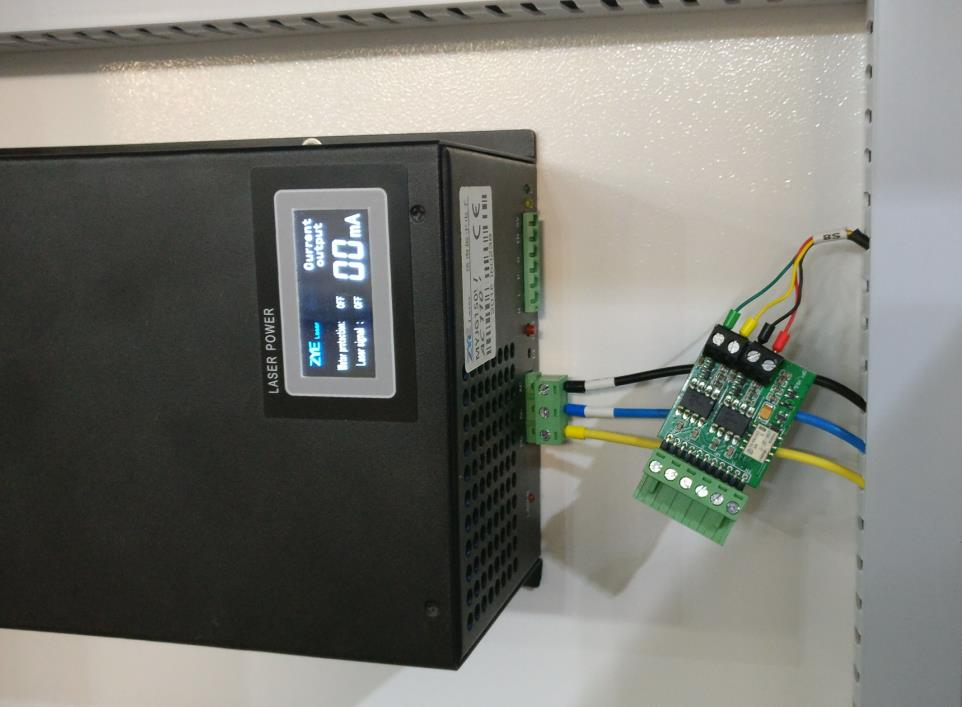
1. Unplug the Optoisolator from the LPSU. It is the green or blue printed circuit board. Examples are shown below
Optoisolator Installed | Optoisolator Removed |
|---|---|
 |  |
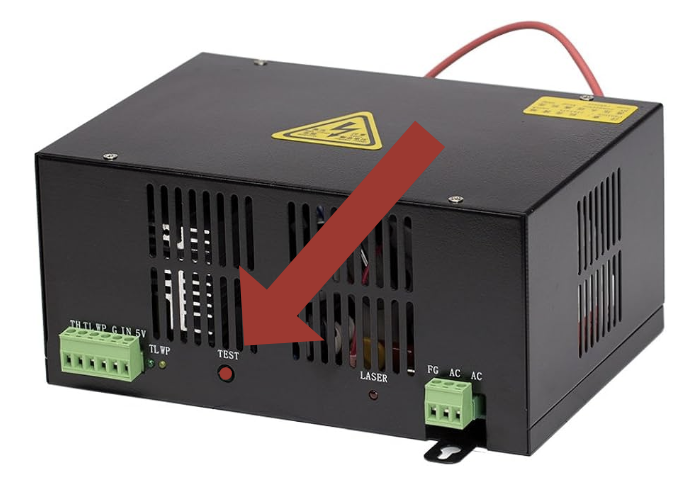
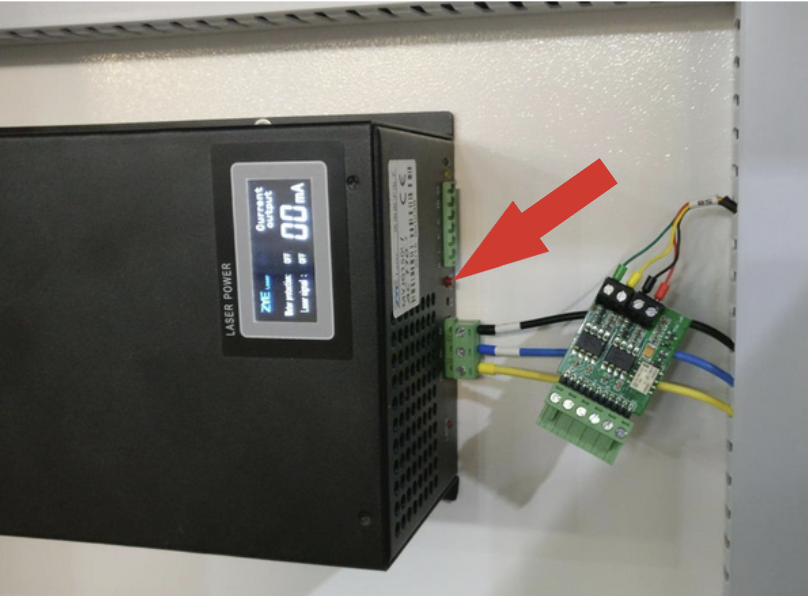
2. Briefly press the Red Button on the LPSU
Nova 24 Red Button | Nova 35, 51 and 53 Red Button |
|---|---|
 |  |
3. Look for a milliamp (ma) reading
Listen for sounds and look for Green and LED lights (Marked TL and WP), both can be indications of a failed LPSU. Record the ma output and send to Tech Support.
Nova 24 Ammeter | Nova 35, 51 and 63 Ammeter |
|---|---|
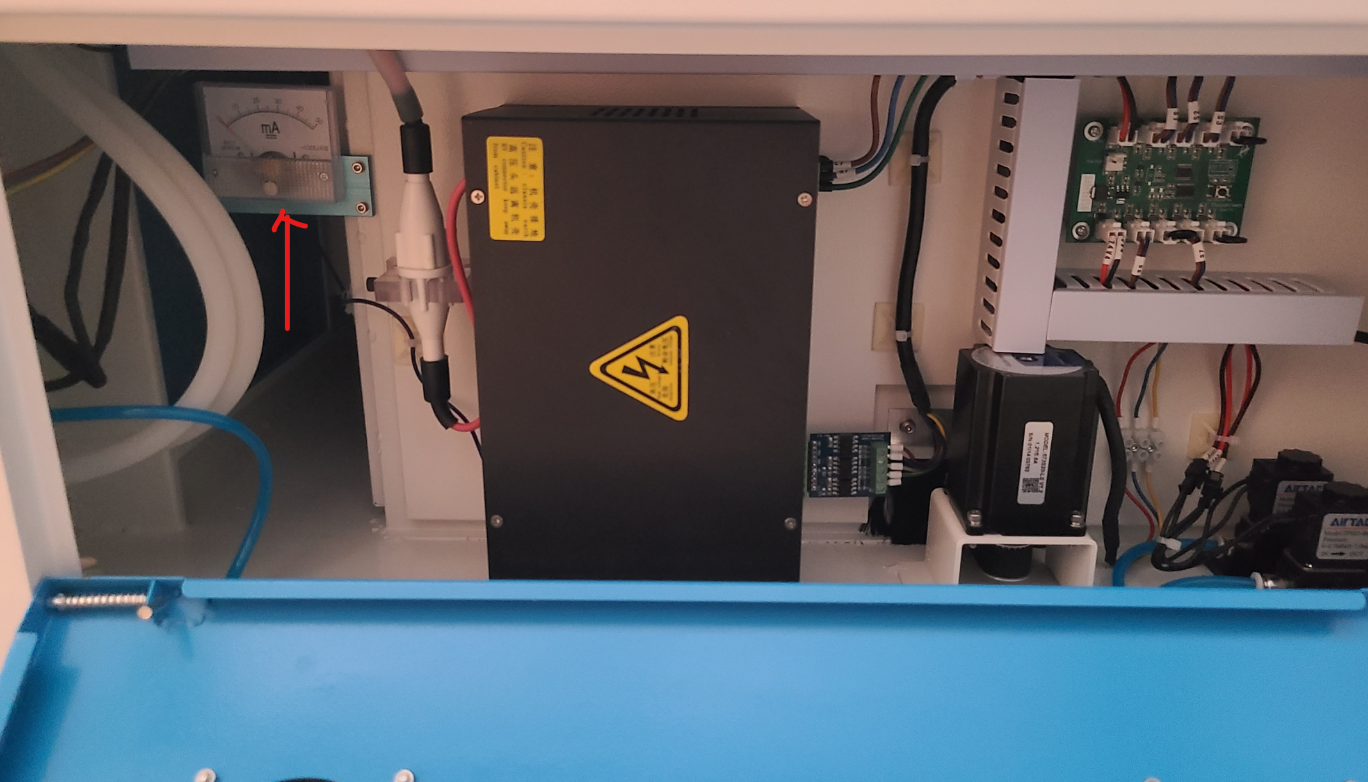 The Red arrow in the picture below points to the Analog Ammeter on the Nova 24 | 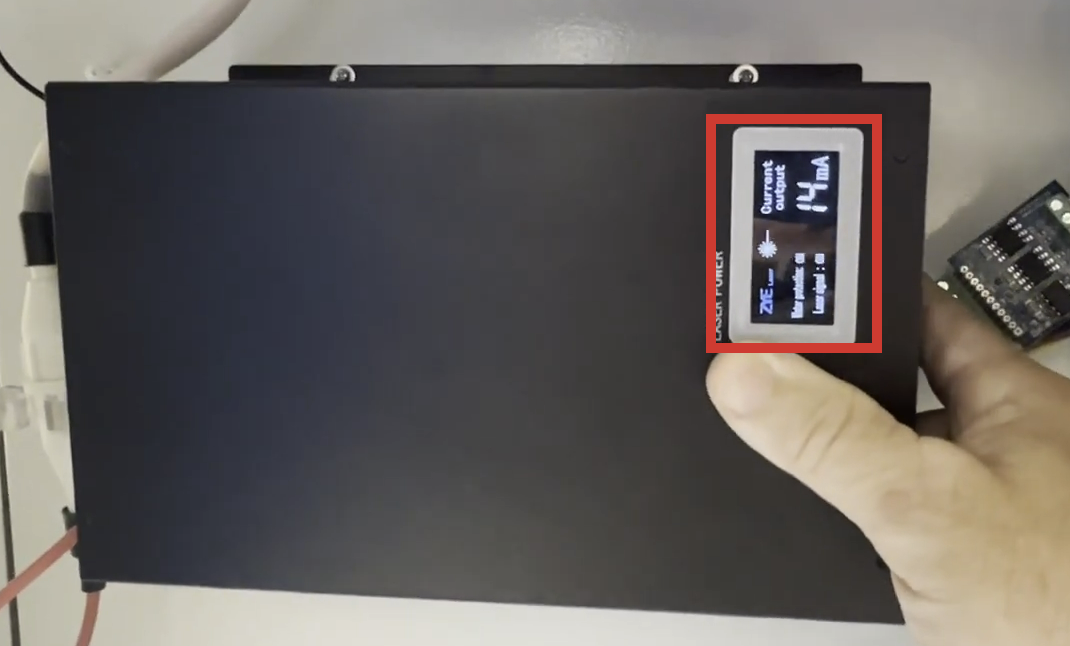 In this example, the readout is 14ma and is considered a pass |
Expected Results
The LPSU should fire from 13ma to around 20ma. If it is limited to say 4-6ma or less, then there is likely an issue with the LPSU. If you find that your LPSU is outputting the proper amount of current, then it would be best to check your optics and alignment.
Still stuck?
Fastest response times in the industry from our US-based support team.