
U Disk Not Recognized by the DSP
Problem description:
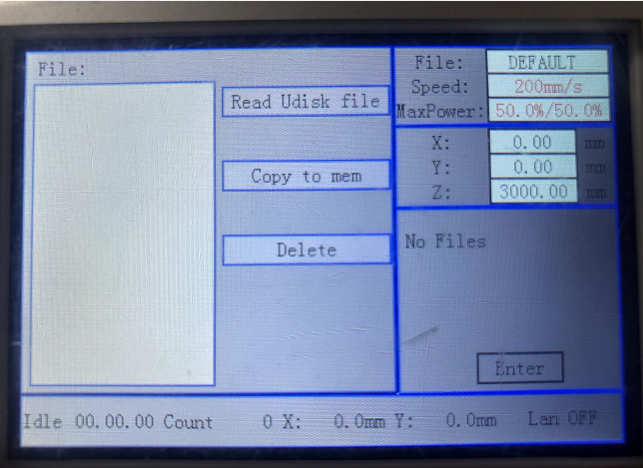
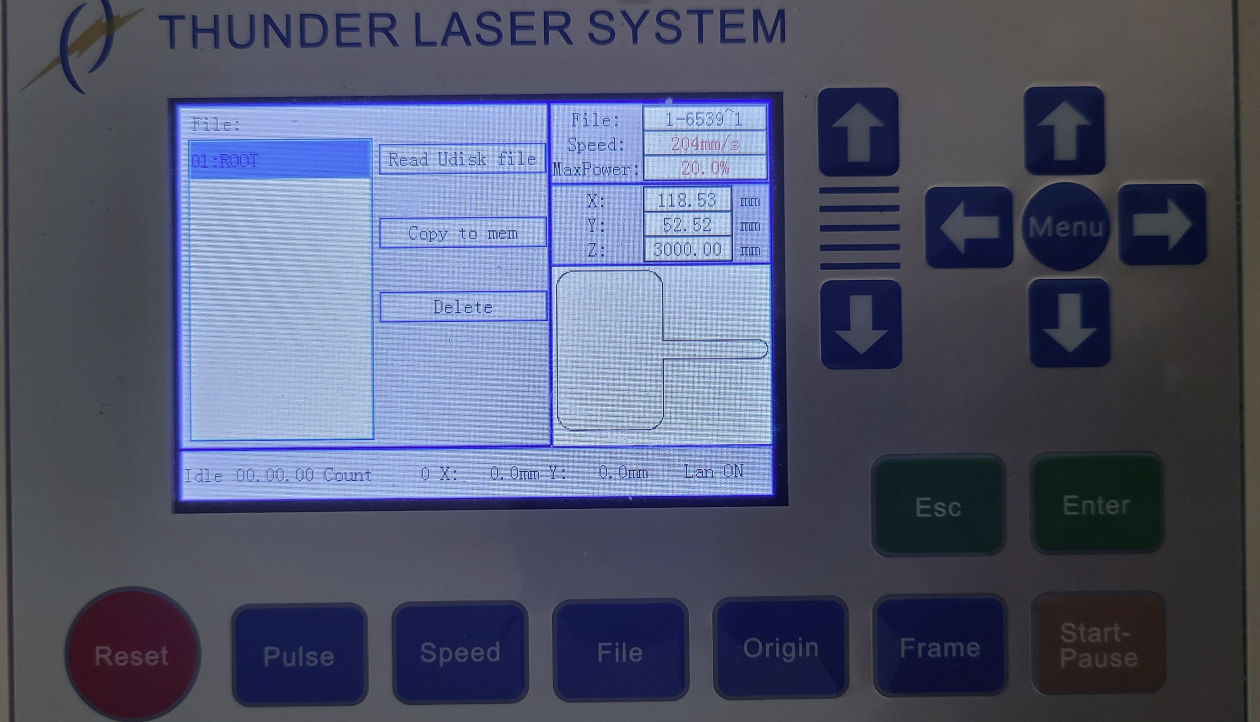
The machine cannot recognize the U-disk, and LCD panel show no U-File when you choose Read U-disk file.
Possible Reasons:
1. The U disk type
The U disk can be recognized by machine:
Disk Max capacity:16Gb(including 16Gb and below)
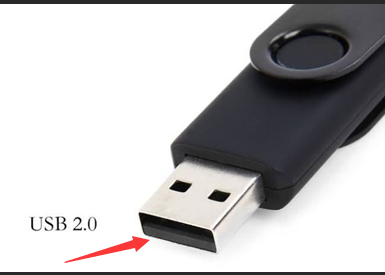
The U-disk interface protocol is 2.0
Note: How to judge the protocol of U disk
Insert the USB in the PC/laptop , check in the device manager of the system and check USB port, it will show USB2.0/USB3.0
USB2.0 have four pins, two for power, one pair for data.
USB slot which contains black-USB2.0
Solution:
Change to a USB 2.0 U-disk for testing.
2. The file format is incorrect
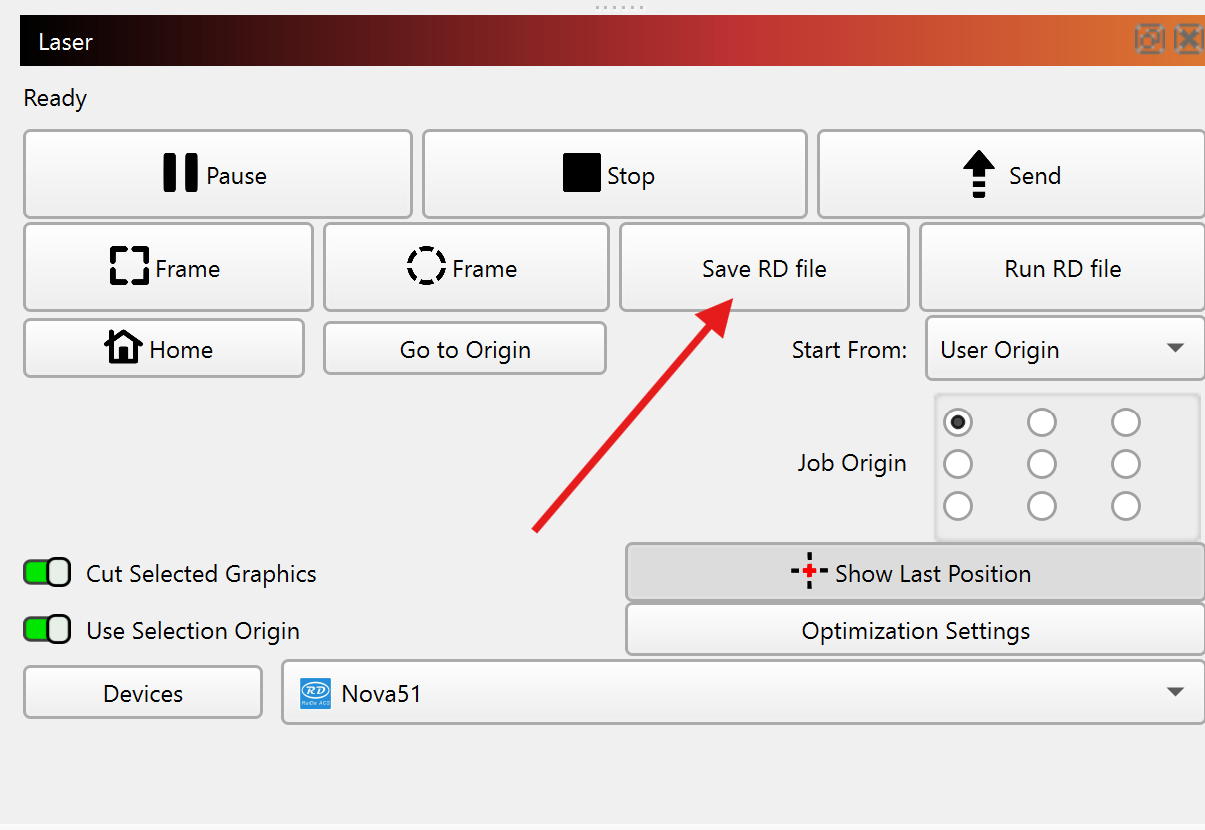
-The file on the USB stick must be exported by RDWorks/Lightburn/Lasermaker of type .rd. It is not the same as the project file. Please check if you saved the file correctly.
Solution:
Please save the file with correct way. A video is for reference.
Using U-Disk With Thunder And LightBurn - YouTube
3. The U-disk is faulty
Solution:
Please replace a new U-disk for testing.
4. The U-disk port on the outside is faulty
If the U-disk and file format are all good, maybe the U-disk on the outside is faulty.
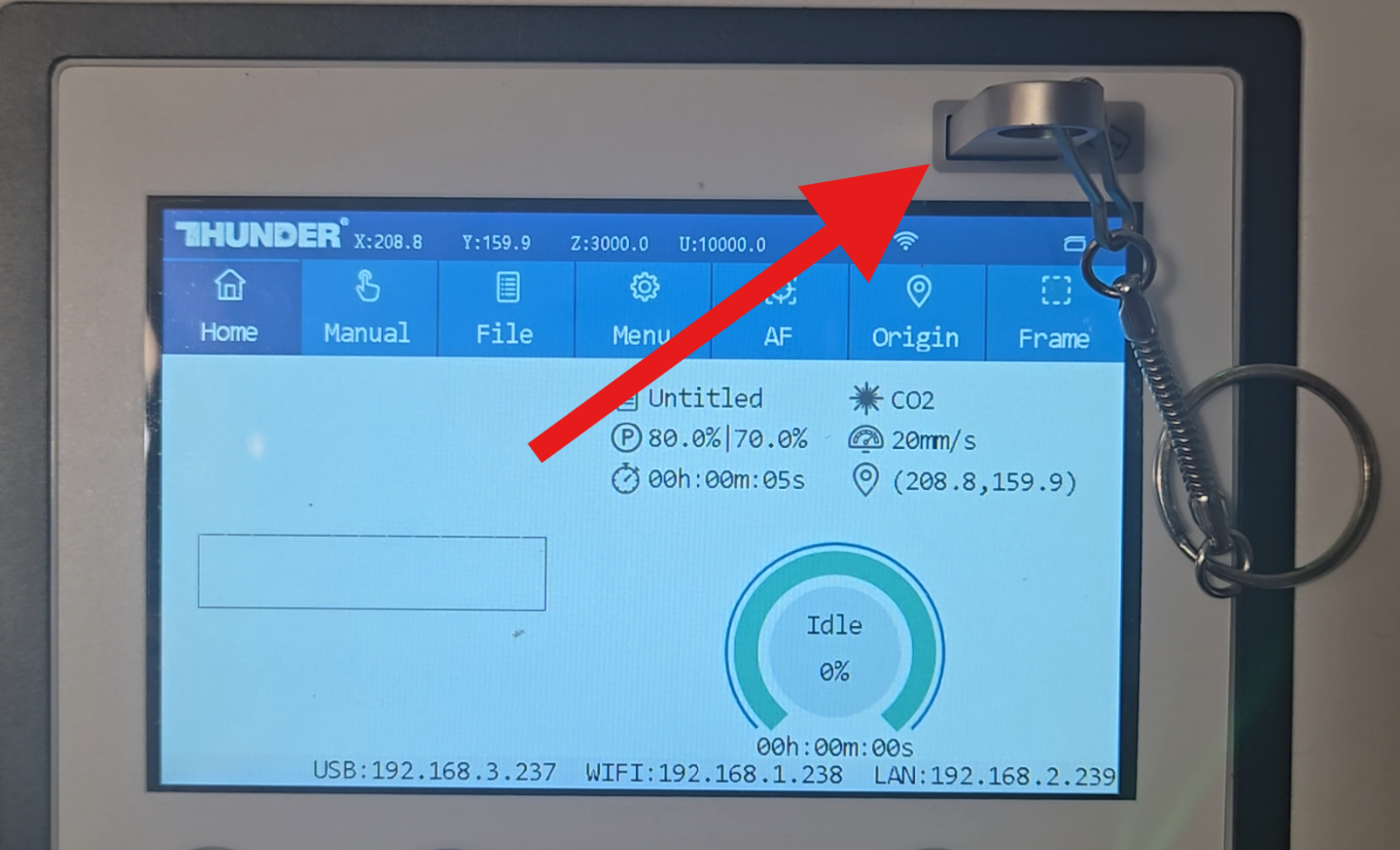
Solution:
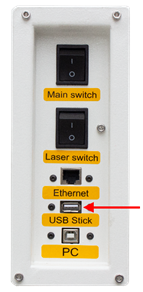
Please plug the U-disk to the U-disk port of the controller board ( Open the left door you can see it), see below picture.
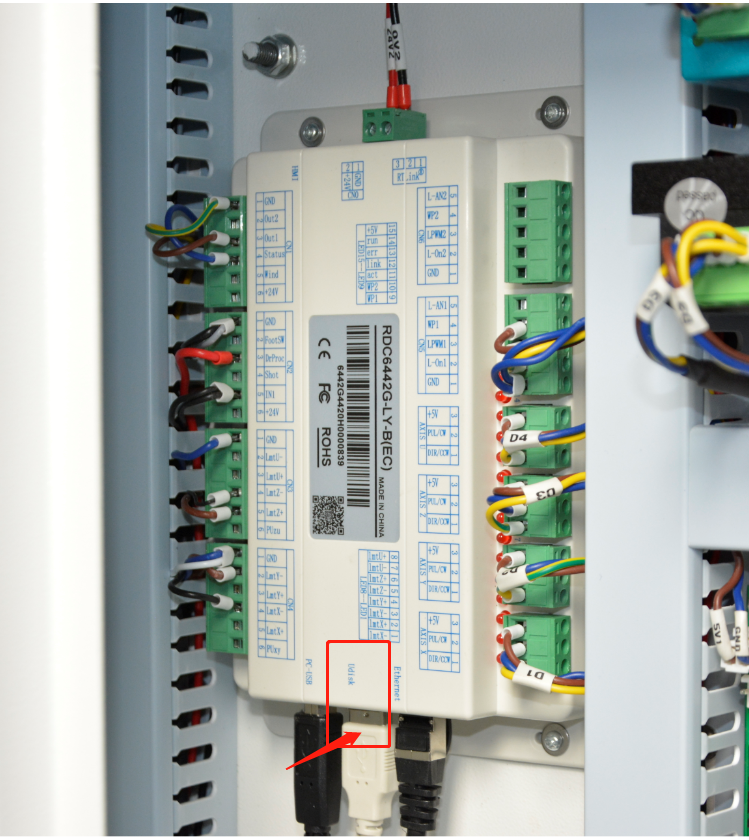
If it’s working after you plug the U-disk in the controller board, it maybe the U-disk port of the left side is faulty.
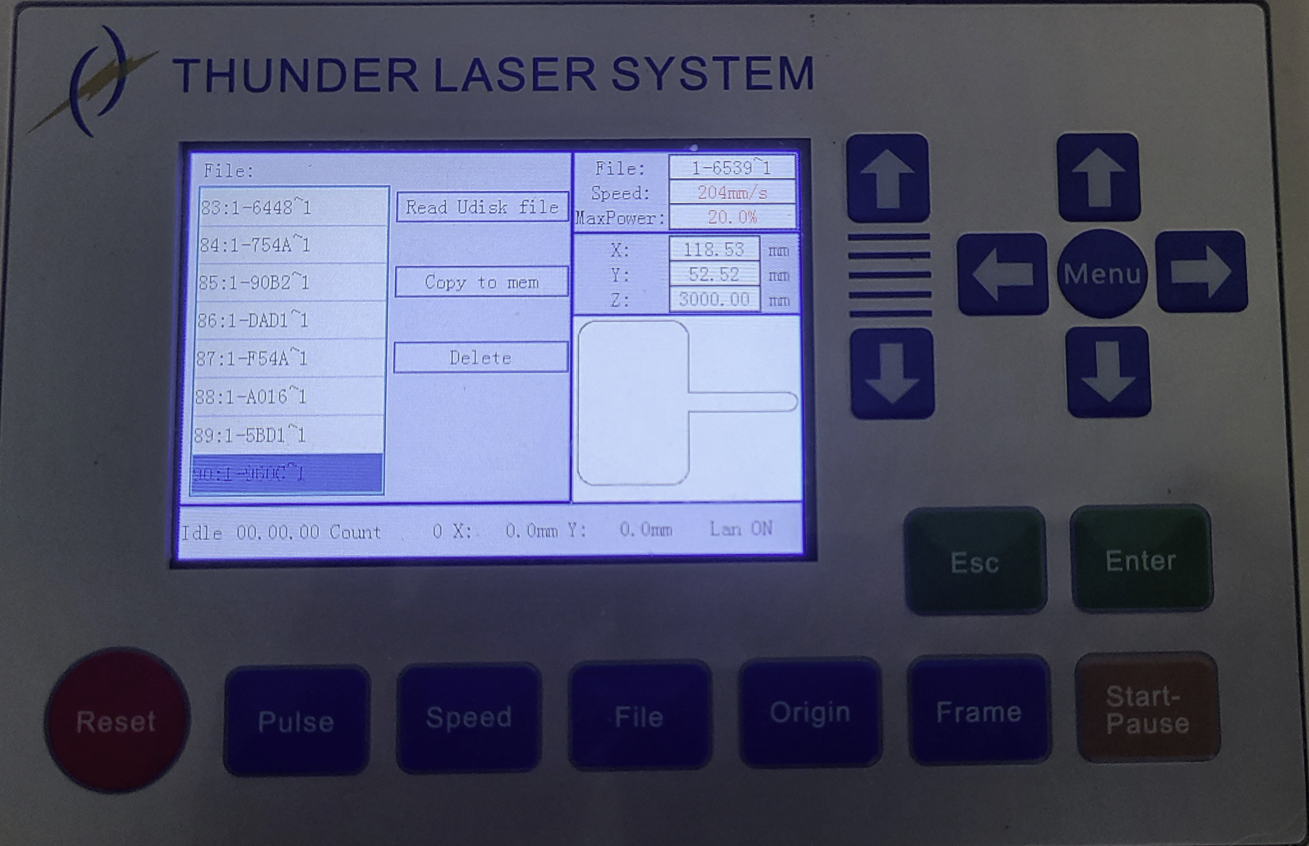
5. Too Many RD files on the U-disk, Odd Symbols or File Names too long
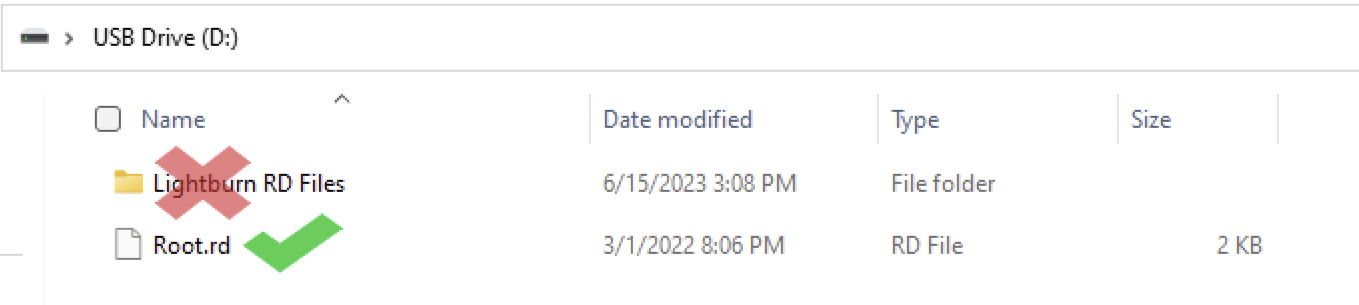
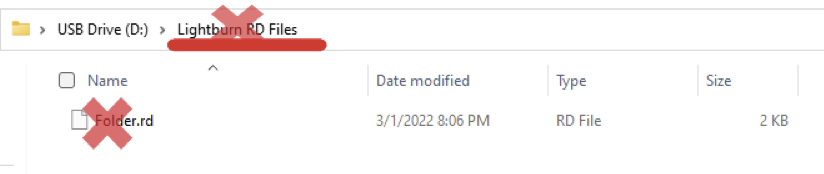
6. Files not Saved to Root\Main Directory
Still stuck?
Fastest response times in the industry from our US-based support team.