
X/Y Motor Adjustment And Replacement
Applies toAll machinesTopicTroubleshooting
Preface: This article covers how to swap a motor on a Thunder Laser Nova series machine. The information in this article can be used when swapping X to Y motor positions or when replacing a worn out motor with a new motor.

Always disconnect the main power from the machine before doing any repairs. maintenance, etc...
General Motor Locations:
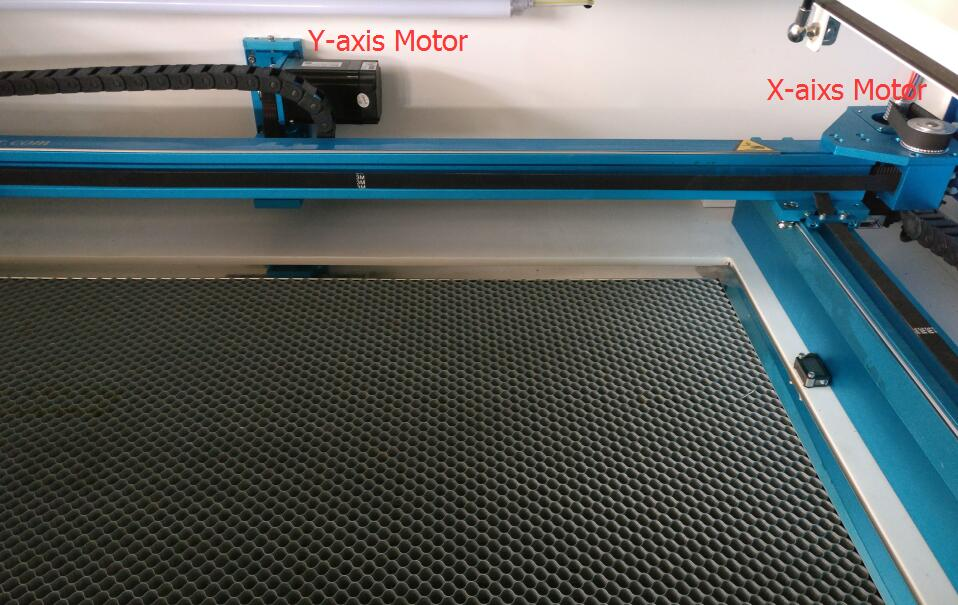
Tools Needed:
3mm Allen Key2.5mm Allen Key (For X axis Jack Bolt)Snips (For Zip Ties)

X AXIS:
A) 4 mount screws secure the motor
B) Belt tension adjustment jack bolt (must loosen the 4 mount screws first) Clockwise = More Tension, Counter Clockwise = less tension

Y Axis:
A) 3 Adjustment screwsB) Belt tension adjustment jack bolt (must loosen the 3 adjustment screws first) Clockwise = More Tension, Counter Clockwise = less tension
C) 4 mount screws secure the motor

Still stuck?
Fastest response times in the industry from our US-based support team.