
Hard Limit Prot Error Message on Ruida HMI
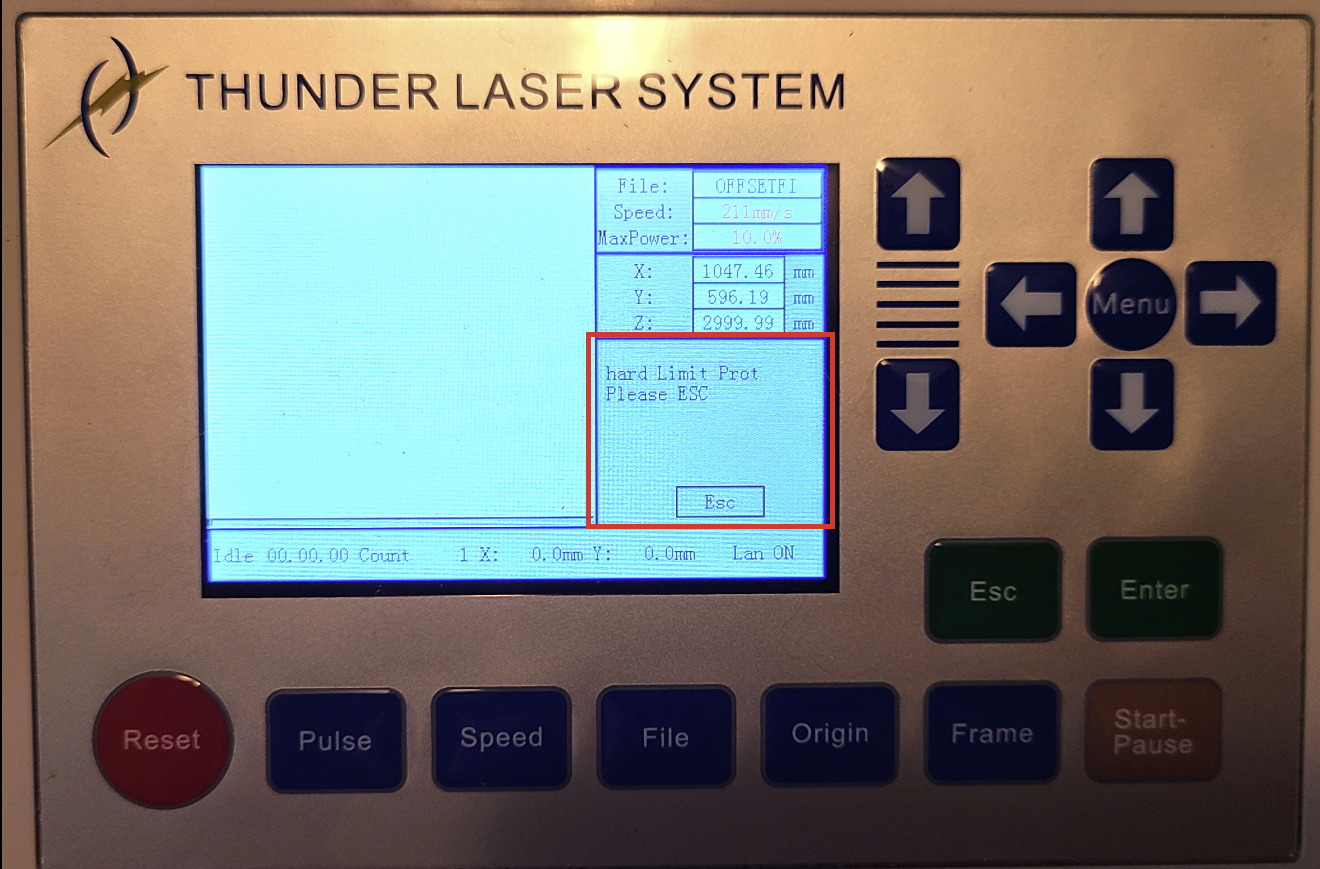
Preface: This article covers the troubleshooting steps related to the error message "Hard Limit Prot" on the Ruida controller screen.
The message on the screen
What causes this error message
The four end stop switches for X-, Y-, and Z+/- can cause this error message to show up while the corresponding axis is in motion towards the switch.
Note that the Alarm will not occur for X axis motion to the Right and Y axis motion towards the front of the machine.
- The X- will only trigger the message if the X axis is moving to the Left and the X- limit switch is activated (X- is the left position)
- The Y- will only trigger the message if the Y axis is moving to the back of the machine and the Y- limit switch is activated (Y- is the all the way to the back position)
- The Z- will only trigger the message if the Z Axis (Honeycomb) is raising and the Z- limit switch is activated (Z- is your Autofocus sensor)
- The Z+ will only trigger the message if the Z Axis (Honeycomb) is lowering and the Z+ limit switch is activated (Z+ is the lower Honeycomb sensor)
It is important to know which directions the laser was moving when the alarm message appeared as that will narrow down the scope of things to check. For example, if you were jogging the head to the Left only and the message appears, I would check the X- limit switch.
Why did the alarm trigger
Most commonly, the Z- Autofocus is the cause of this alarm. You were likely raising the bed and something blocked the autofocus eyes.
It could be caused by a faulty sensor that is activating even though it is not being pressed. If this is the case, it could be the sensor itself just needs replacing (most common), the wiring from the sensor is faulty (not common), or the input on the Ruida controller is going bad.
You can use the reference articles below to check whether a sensor is functioning properly and replace if it appears to have issues.
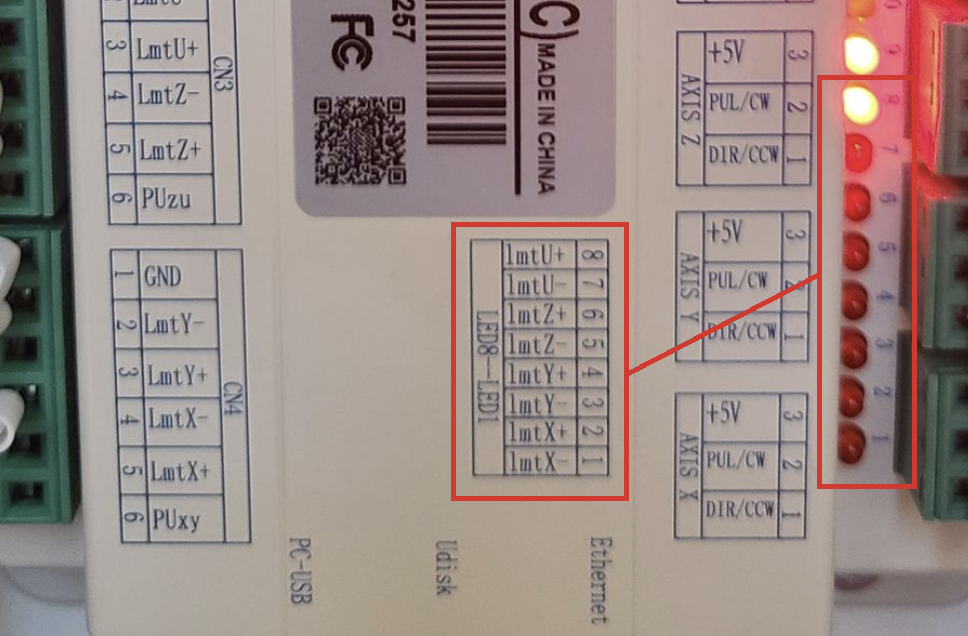
A quick visual inspection of the LED lights on the Ruida controller may also tell you which sensor is still activated:
Reference Articles
Still stuck?
Fastest response times in the industry from our US-based support team.