
How to Identify the Focal Lens on Your Aurora Laser
Applies toAuroraTopicTroubleshooting
Preface: This article covers how to determine which lens you have installed on your Aurora Fiber Laser
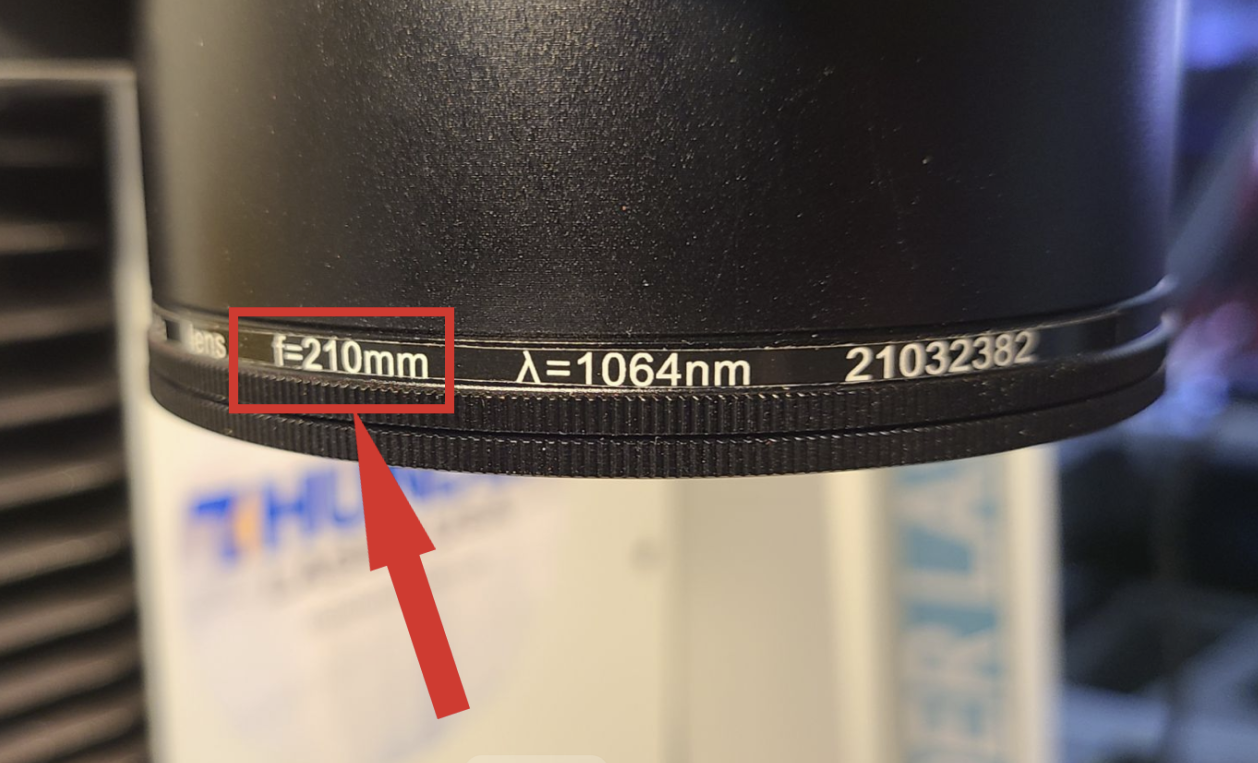
Visual Marking
Look for the F-### on the lens. It should be either F-160, F170, F-210, F-220, F-254 or F-290.
For additional information, please refer to the manual:
Aurora Series Unified User's Manual
*If you have an older machine, you may need to refer to the manual that came on your USB stick
Still stuck?
Fastest response times in the industry from our US-based support team.